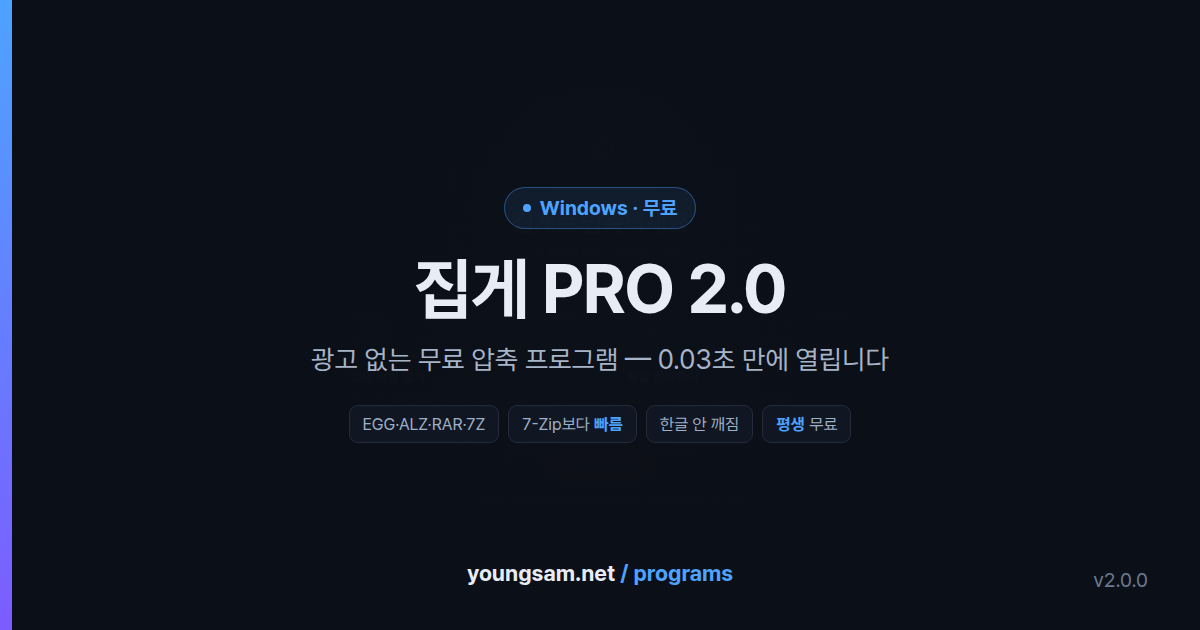
You reach for a file archiver several times a day,
yet finding one you actually like is hard.
There are ads, or the window looks twenty years old, or an EGG file will not open, or Korean filenames turn to garbage, or an upgrade prompt keeps appearing. Jipge PRO 2.0 is a file archiver rebuilt to get rid of all of that. It has everything you would normally pay for, and it is free forever for everyone — individuals, companies, schools and public bodies, commercial use included.
0.03s From double-click to window with Fast start on |
3.8s ZIP a 403MB folder 7-Zip takes 5.1s |
13 themes Themes and 4 home screens |
10 languages KO, EN, JA, ZH and more Windows 10 / 11 64-bit |
0 cost Ads, tracking, bundles none of them |
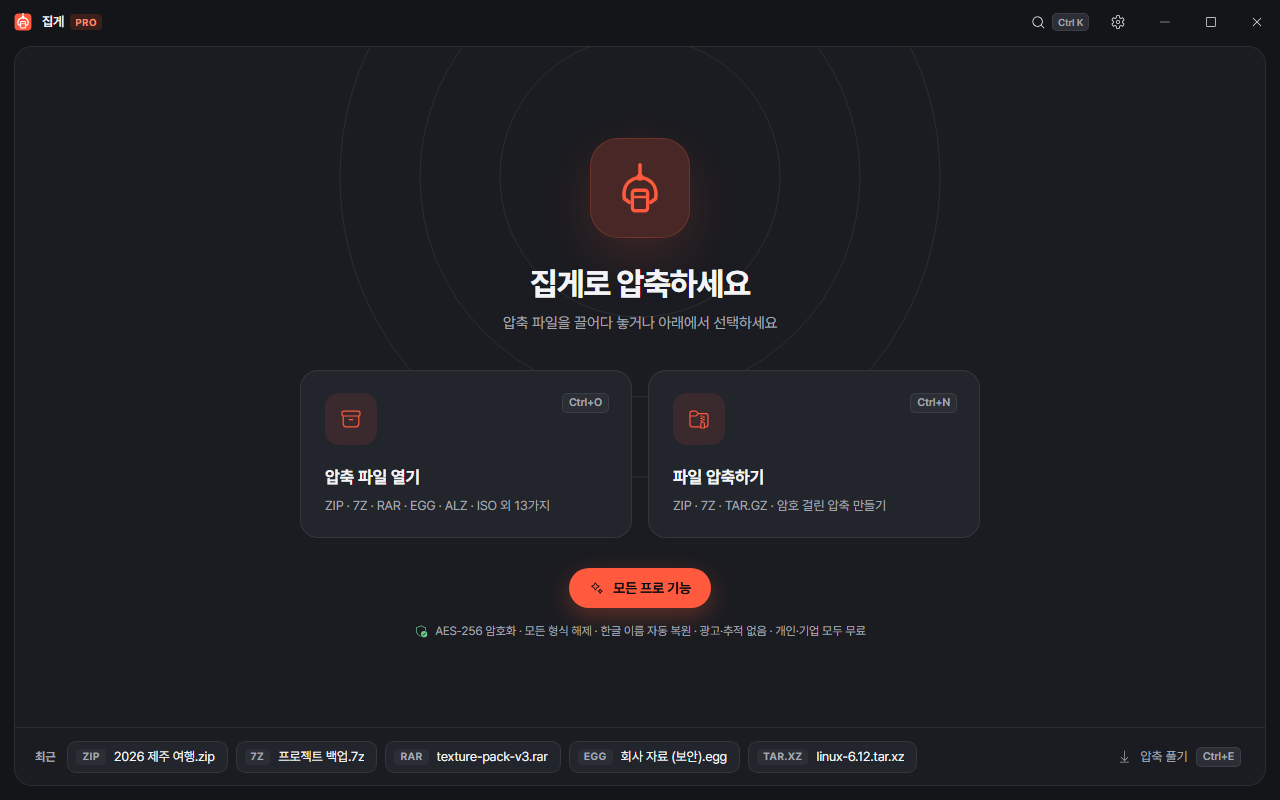
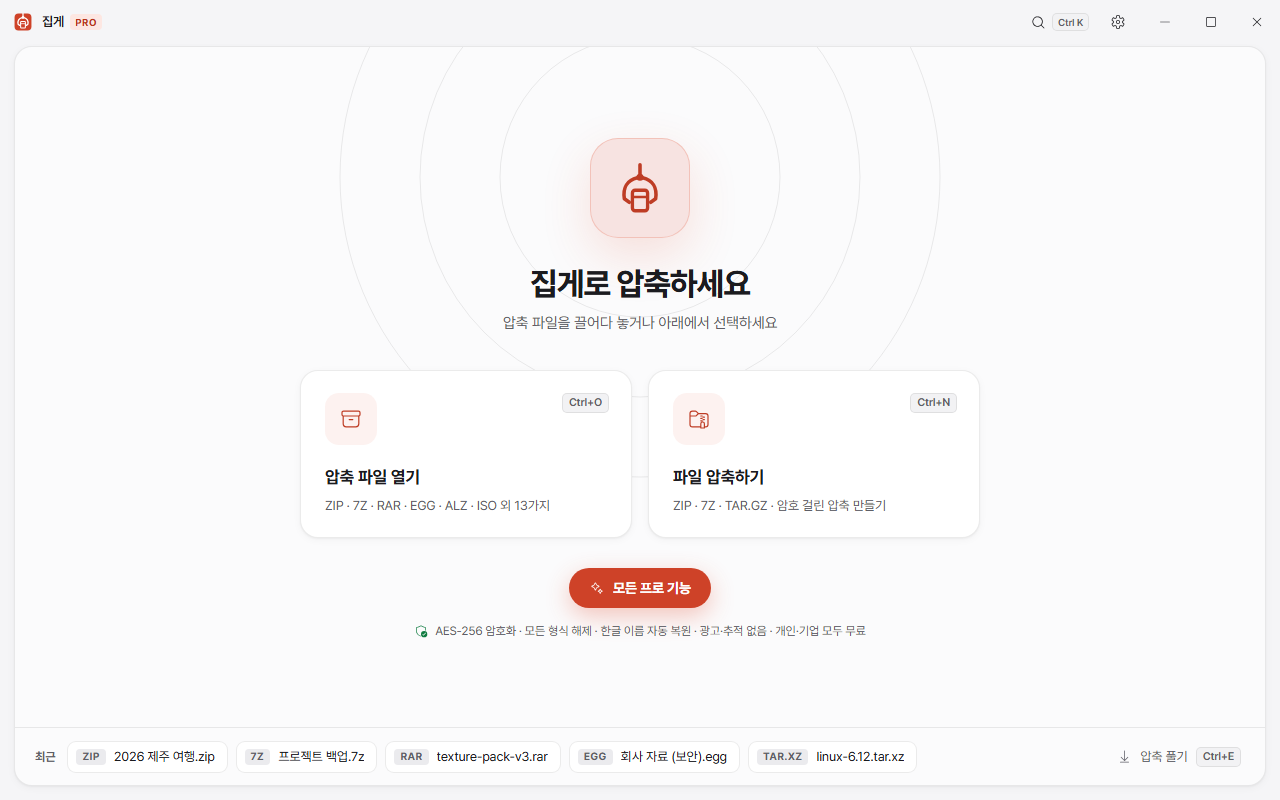
It opens whatever you were sent
ALZip's EGG·ALZ, WinRAR's RAR·RAR5, 7Z, ZIP·ZIPX, TAR.GZ·TAR.XZ·TAR.ZST, ISO (including Windows installation ISOs), CAB, and self-extracting EXEs. Split archives (.001, .part1.rar, .z01, .a00), password-protected files, and 7Z and RAR archives with encrypted filenames all open as they are.
| Format | Extract | Create |
|---|---|---|
| ZIP · ZIPX (AES-256, split, repair) | O | O |
| 7Z (filenames encrypted, split) | O | O |
| RAR · RAR5 (split, password, SFX) | O | — |
| EGG · ALZ (ALZip; split, password, solid) | O | — |
| TAR · TAR.GZ · TAR.BZ2 · TAR.XZ · TAR.ZST · TAR.LZ4 | O | O |
| GZ · BZ2 · XZ · ZST · LZ4 · LZMA | O | — |
| ISO (UDF · Joliet · Rock Ridge) · CAB · SFX EXE | O | — |
Faster than 7-Zip on the same PC
Rather than just saying "it's fast", I measured it. A real source-code folder of 403MB with 26,514 files — lots of small files, the hardest case for an archiver — processed on the same PC (Ryzen 9 3900X, NVMe SSD, Windows 11).
| Task | Jipge 2.0 | 7-Zip 26.03 | WinRAR 7.23 |
|---|---|---|---|
| ZIP compress (normal) | 3.8s | 5.1s | 15.5s |
| 7Z compress (normal) | 12.7s | 27.9s | — |
| ZIP extract | 19.0s | 29.1s | — |
| 7Z extract | 23.7s | 27.9s | — |
| RAR extract | 21.0s | — | 20.7s |
| TAR.GZ compress | 2.3s | 43.5s | — |
The trick is simple: it uses every CPU core. Small files are bundled hundreds at a time and compressed in parallel; large files are cut into chunks and handed out core by core. Extraction writes several files at once. Already-compressed files such as JPG and MP4 are stored as they are rather than squeezed again. A ZIP with 100,000 entries lists in under 0.2 seconds.
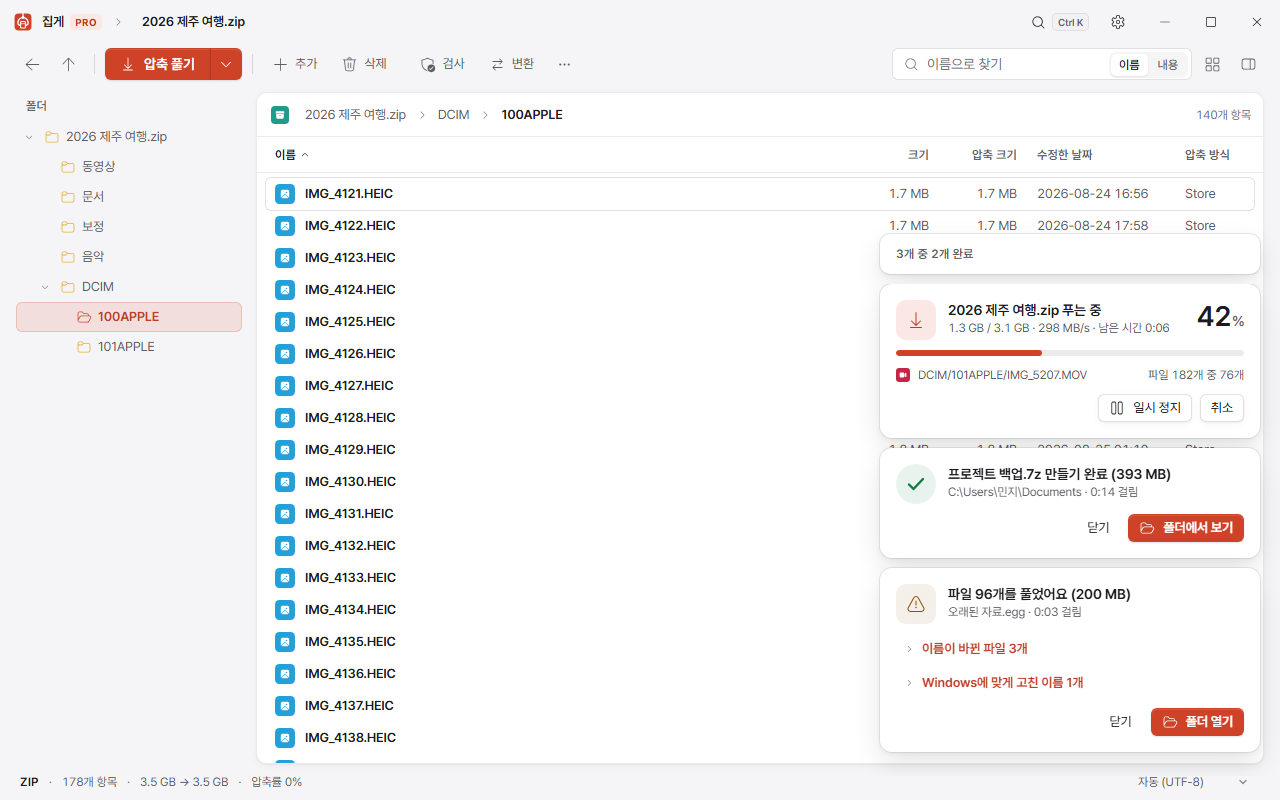
Korean filenames do not break
__MACOSX·.DS_Store that tag along are skipped.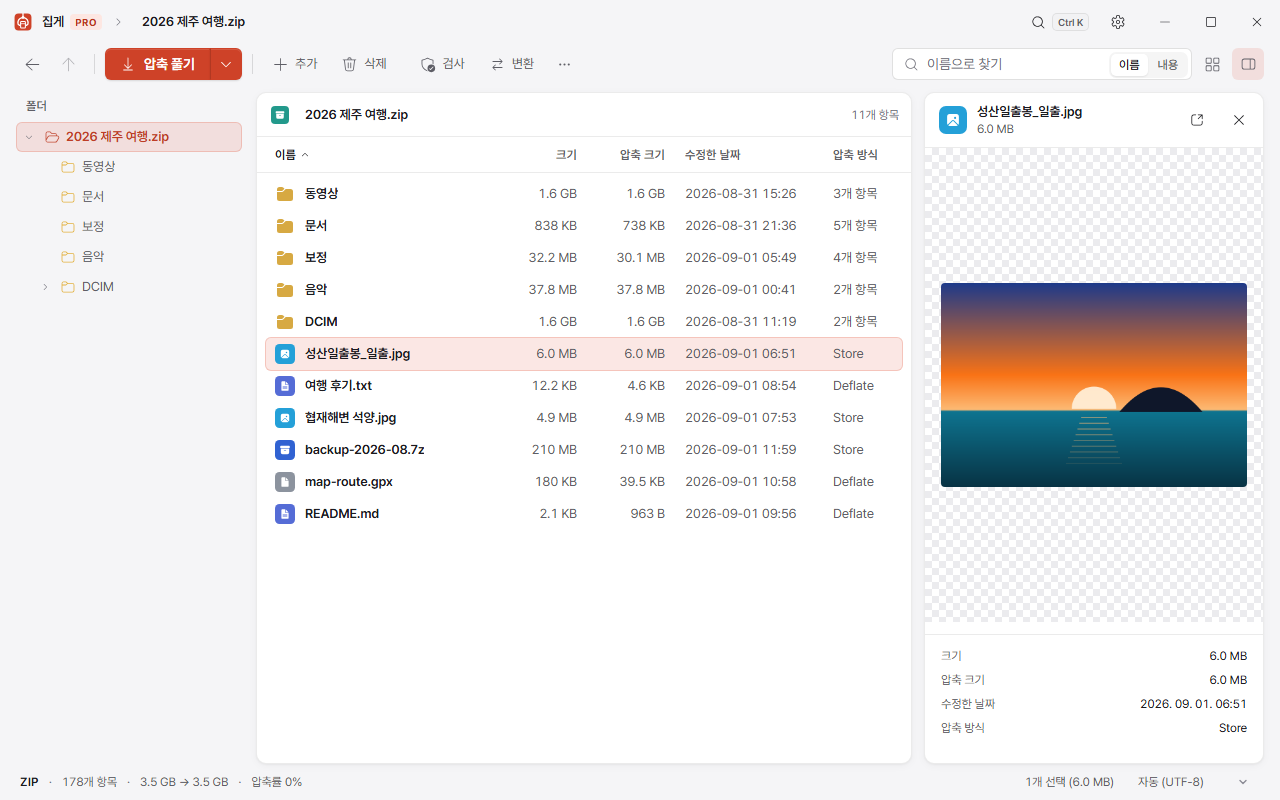
Two clicks and you are done
Right-click an archive in Explorer and choose "Extract here". To compress, select the files, right-click and choose "Compress to ZIP". On Windows 11 a Jipge › entry goes straight into the first page of the new right-click menu.
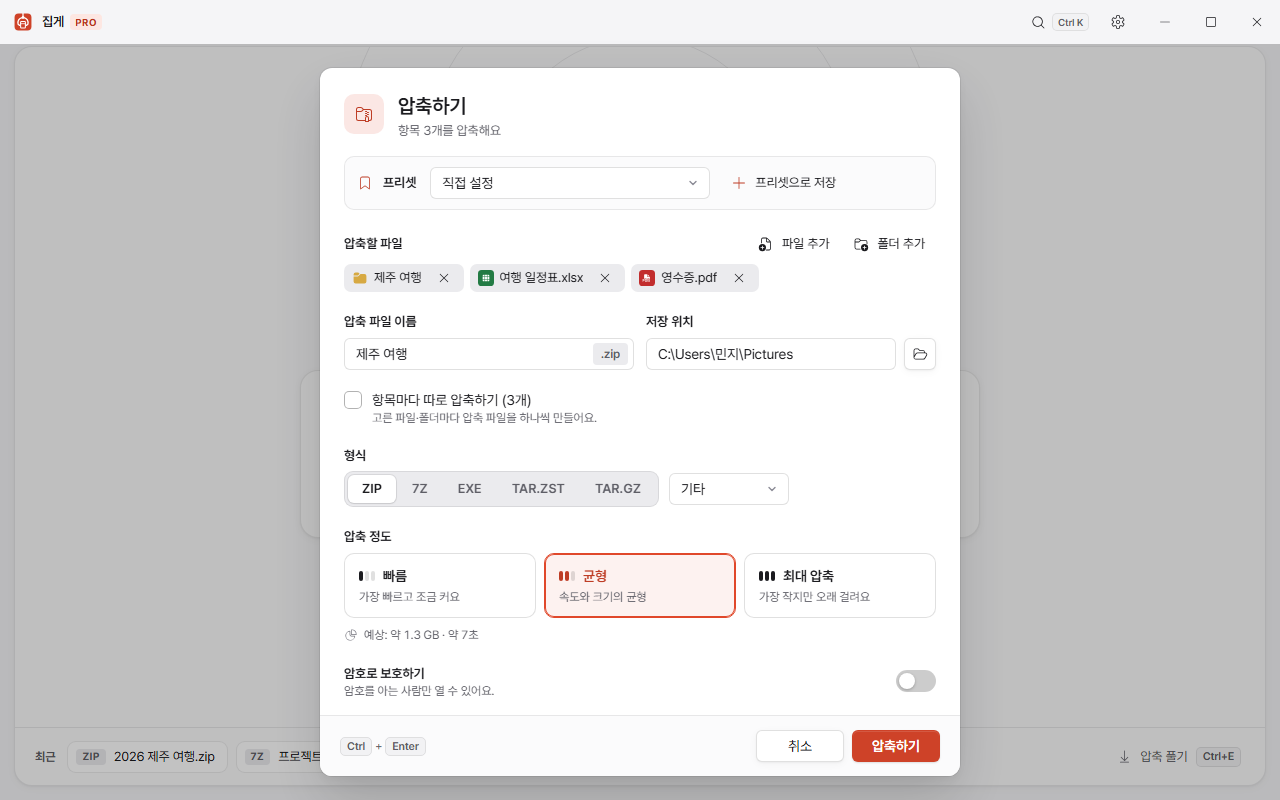
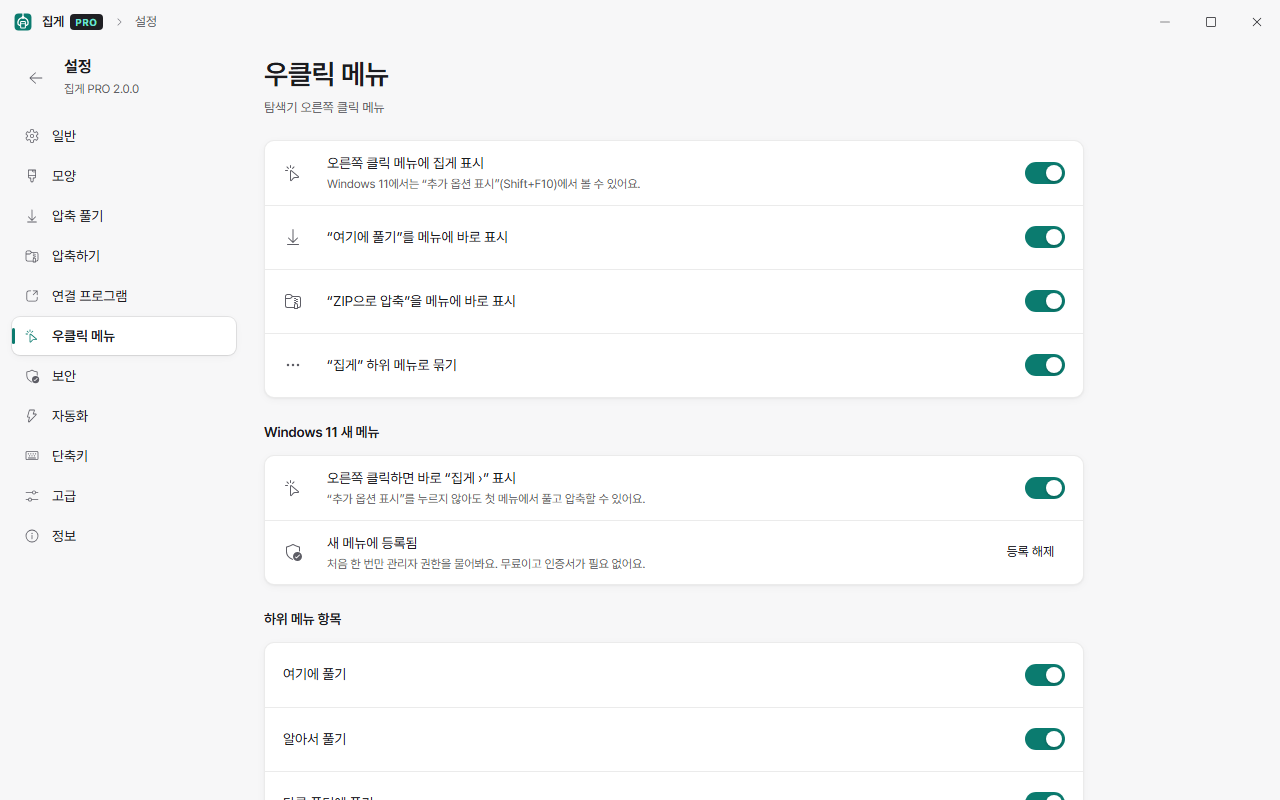
It does not pester you
- It tries your saved passwords first. Passwords are encrypted with Windows DPAPI and kept on this PC only.
- If a volume of a split archive is missing it tells you exactly which one — "part3.rar is missing".
- It works out the disk space needed and warns you before it starts if there is not enough.
- If a file of the same name exists it asks once and applies your answer to the whole batch.
A window that belongs on Windows 11
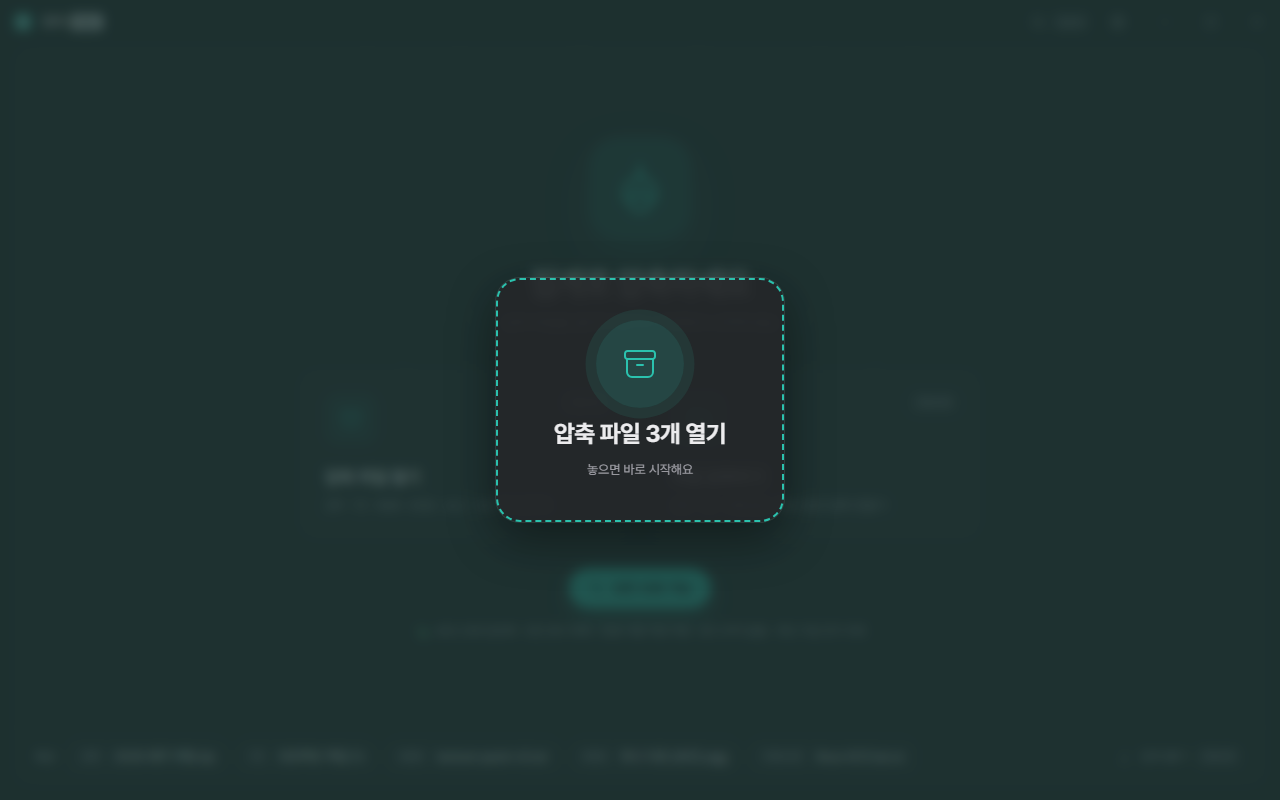
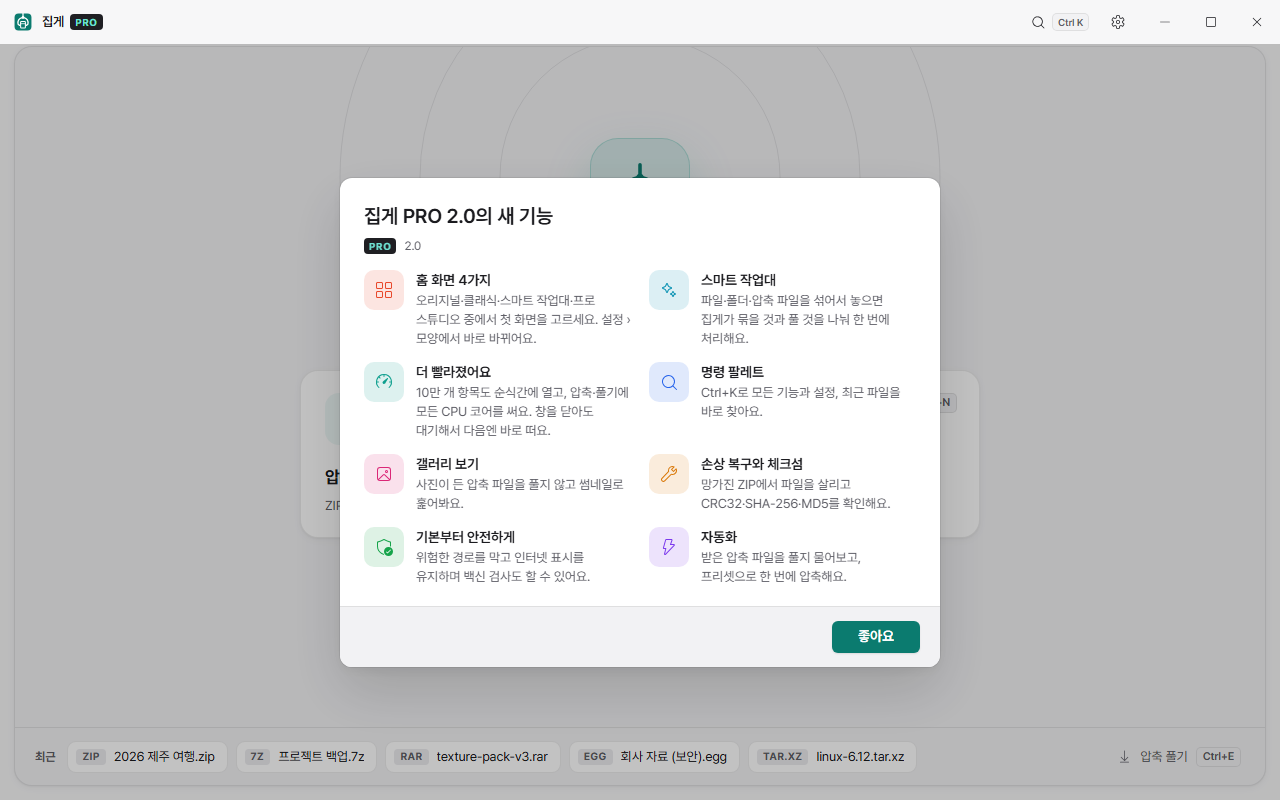
Rounded corners, measured spacing, the Pretendard typeface. Korean and Latin text are both crisp, and figures are tabular so sizes and dates line up. There are 13 themes (Classic light and dark; Original, which brings back 1.0's charcoal and coral; Signature, Dawn, Mist, Sage, Sand, Midnight, Graphite and Aurora) and 4 home screens (Original, Classic, Smart Tray, Pro Studio) to pick from. By default it simply follows your Windows light/dark setting.
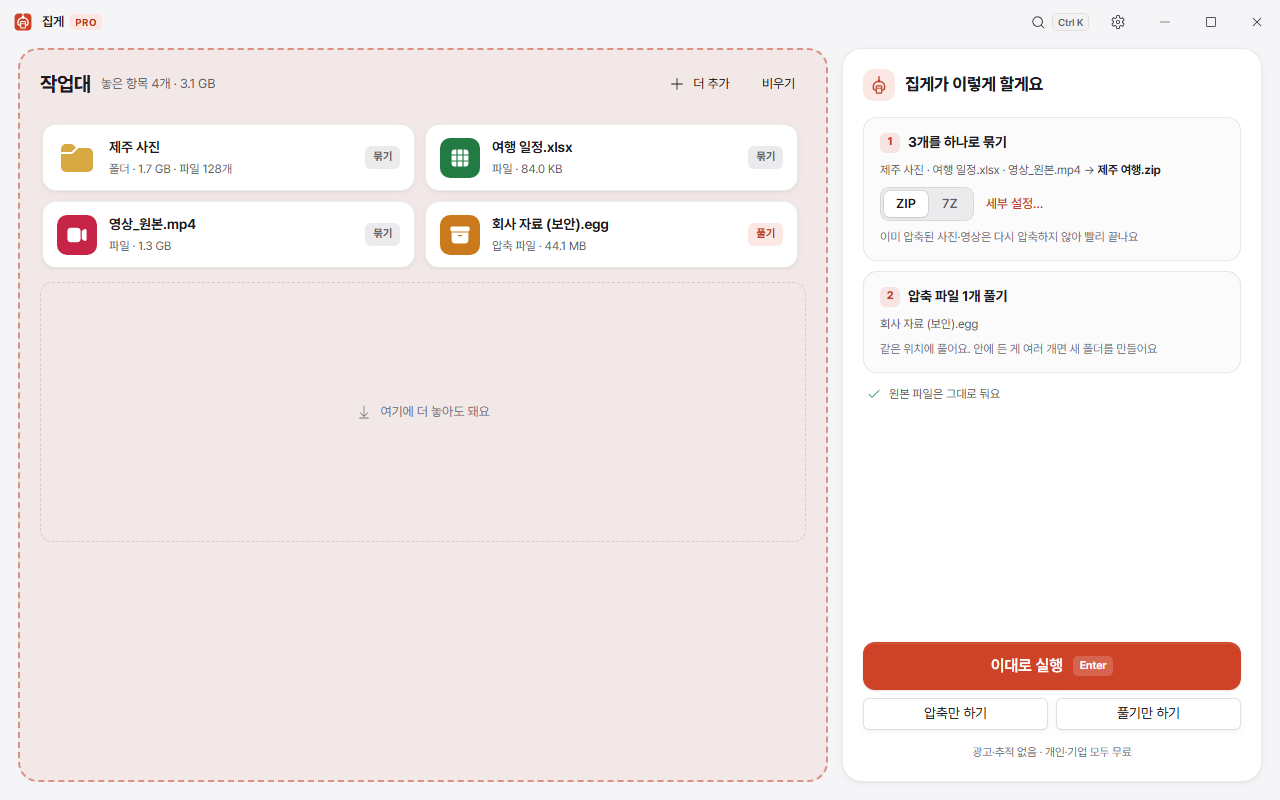
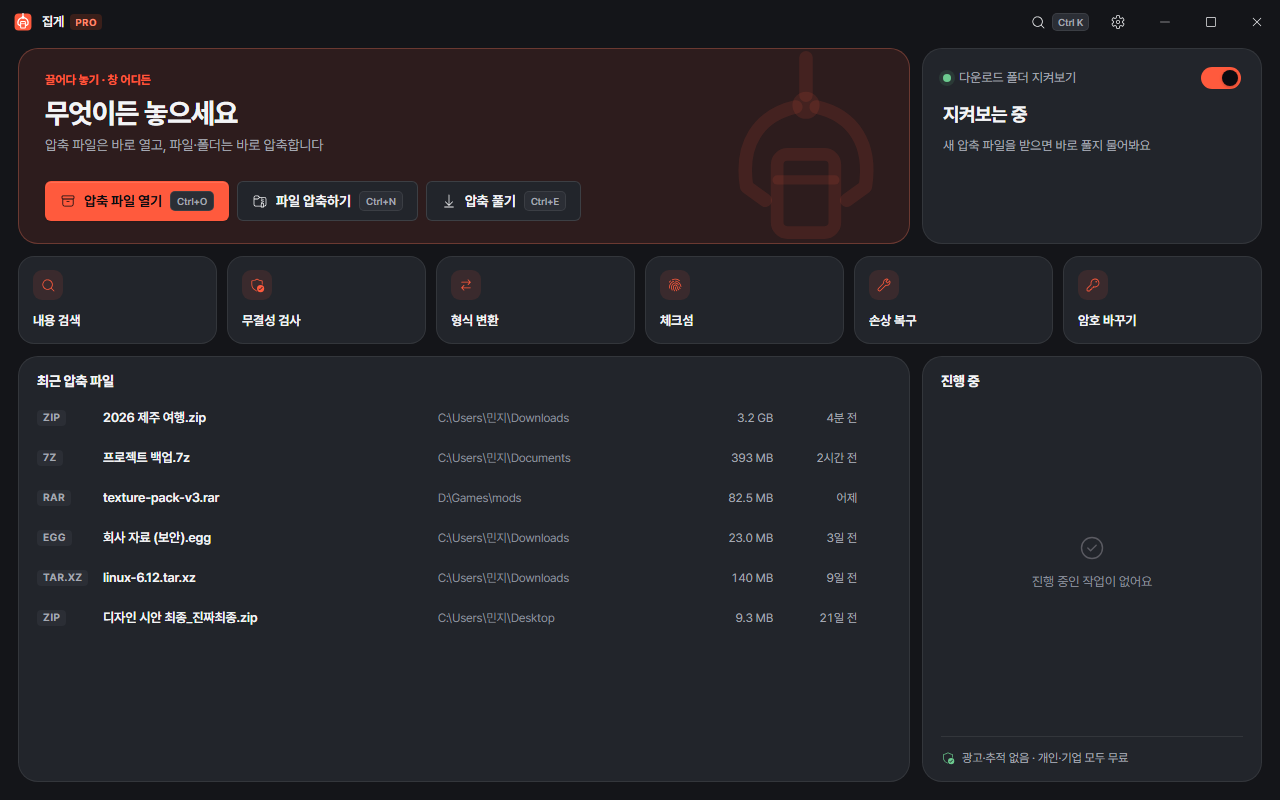
Look inside without extracting
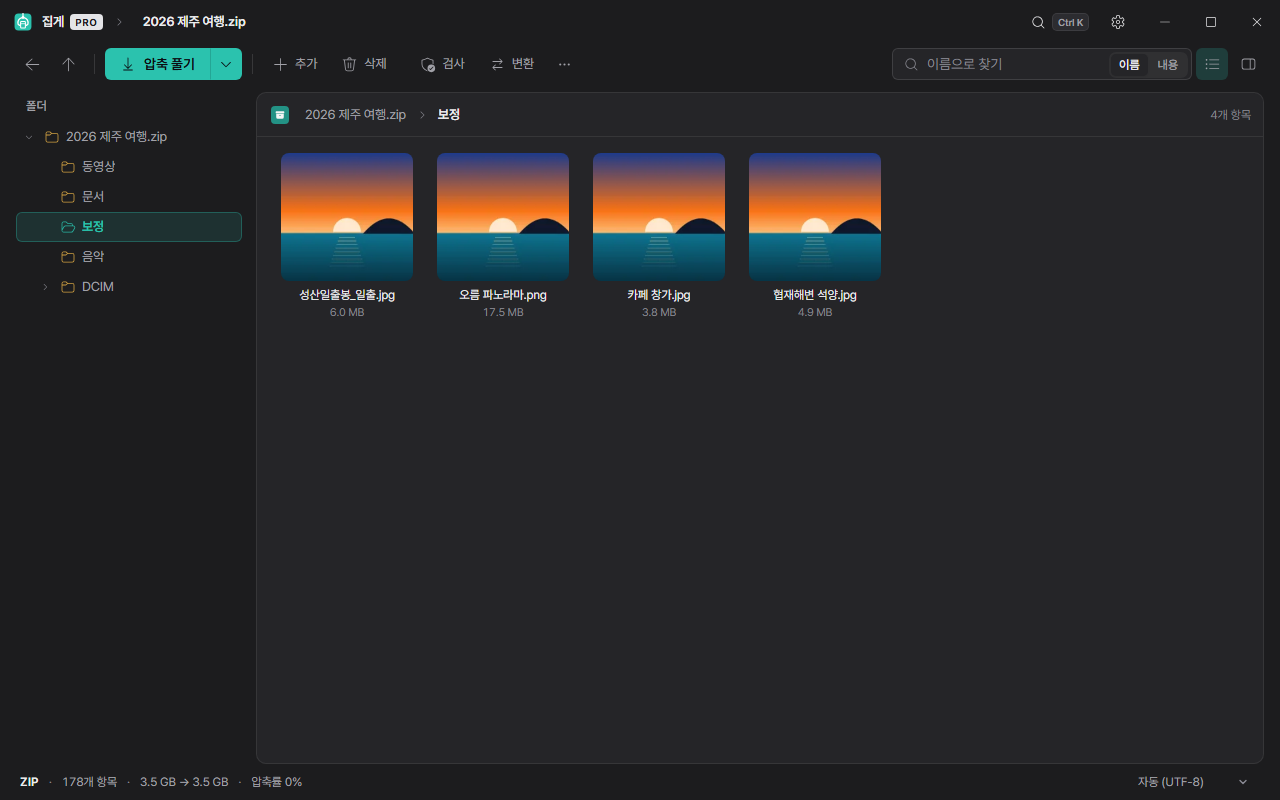
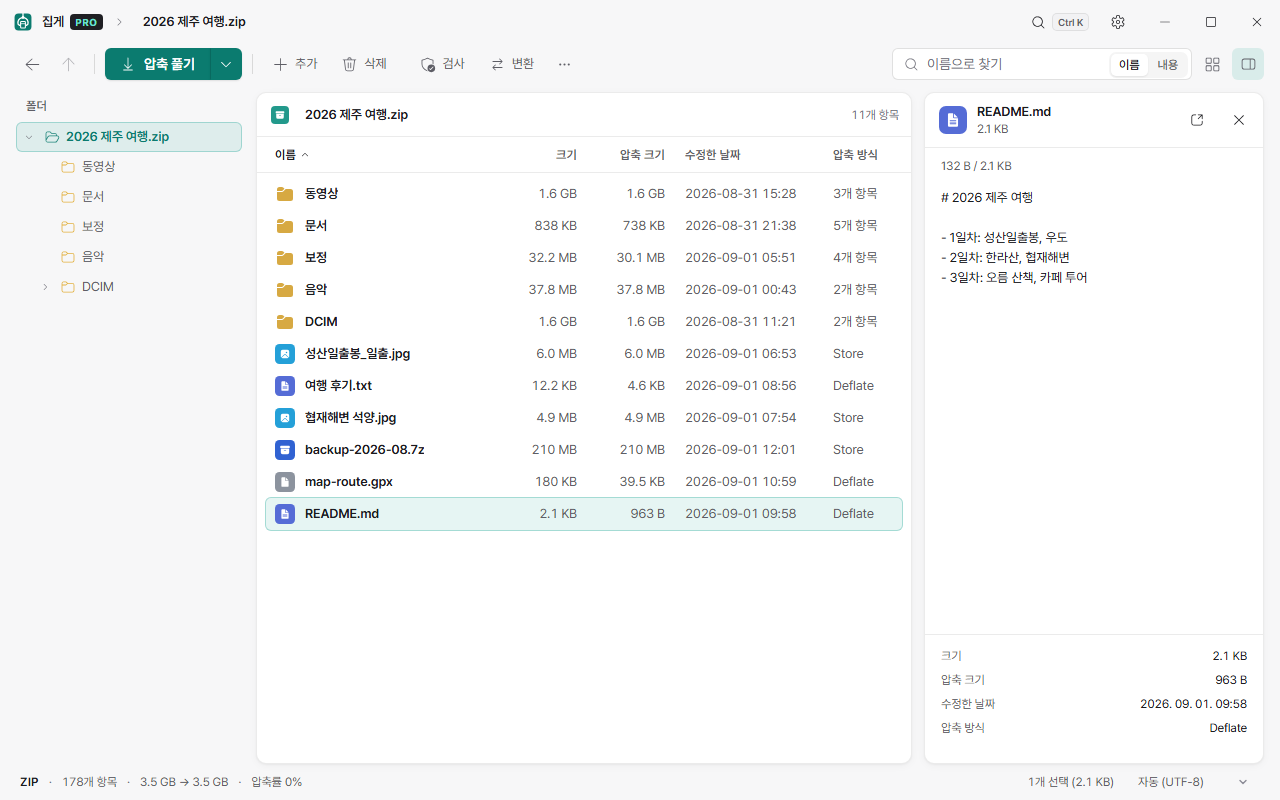
Preview images, text and code (with syntax highlighting), PDFs and video straight from inside the archive. For an archive full of photos, gallery view (Ctrl+G) shows thumbnails, and content search finds words inside documents without extracting anything. You can add, delete and rename inside the archive, and a file you open, edit and save goes straight back in.
Everything the paid programs have
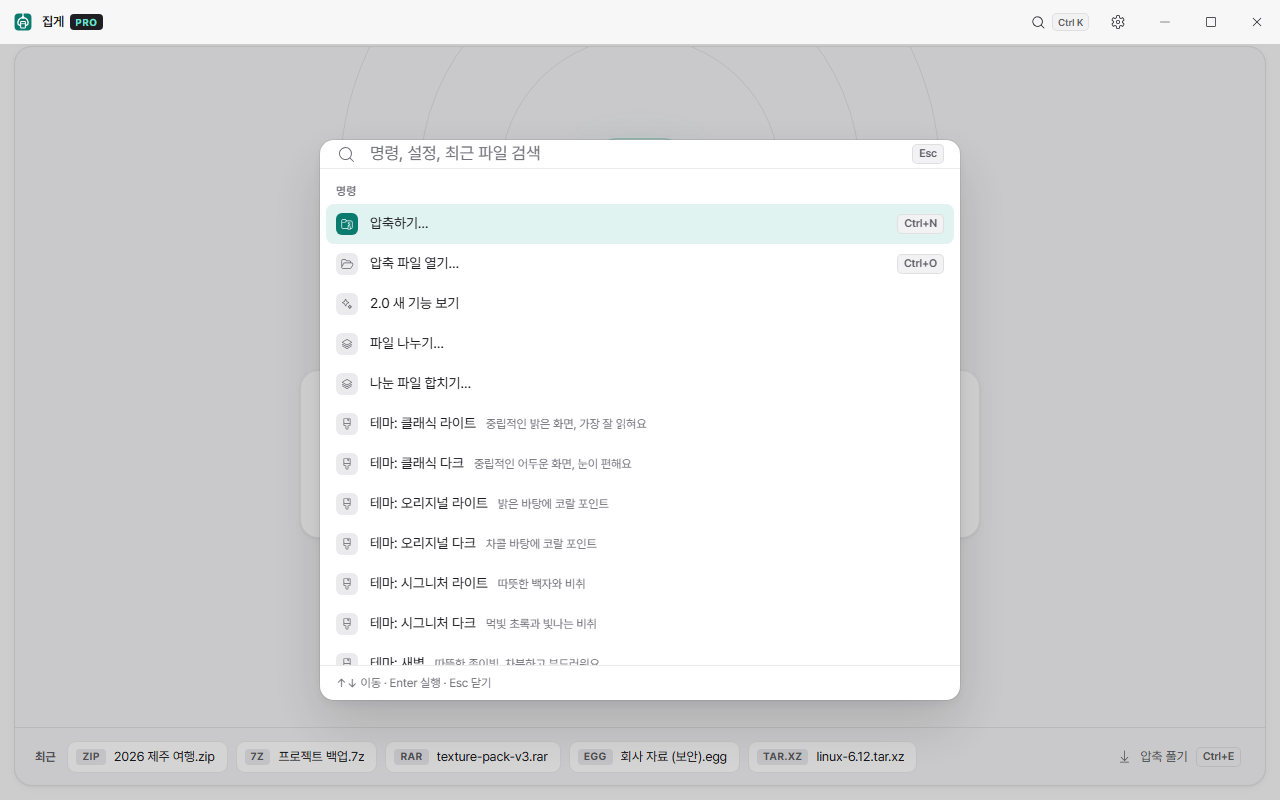
- Command palette (Ctrl+K) — search every feature, setting and recent file and run it straight away. Korean initial-consonant search works too.
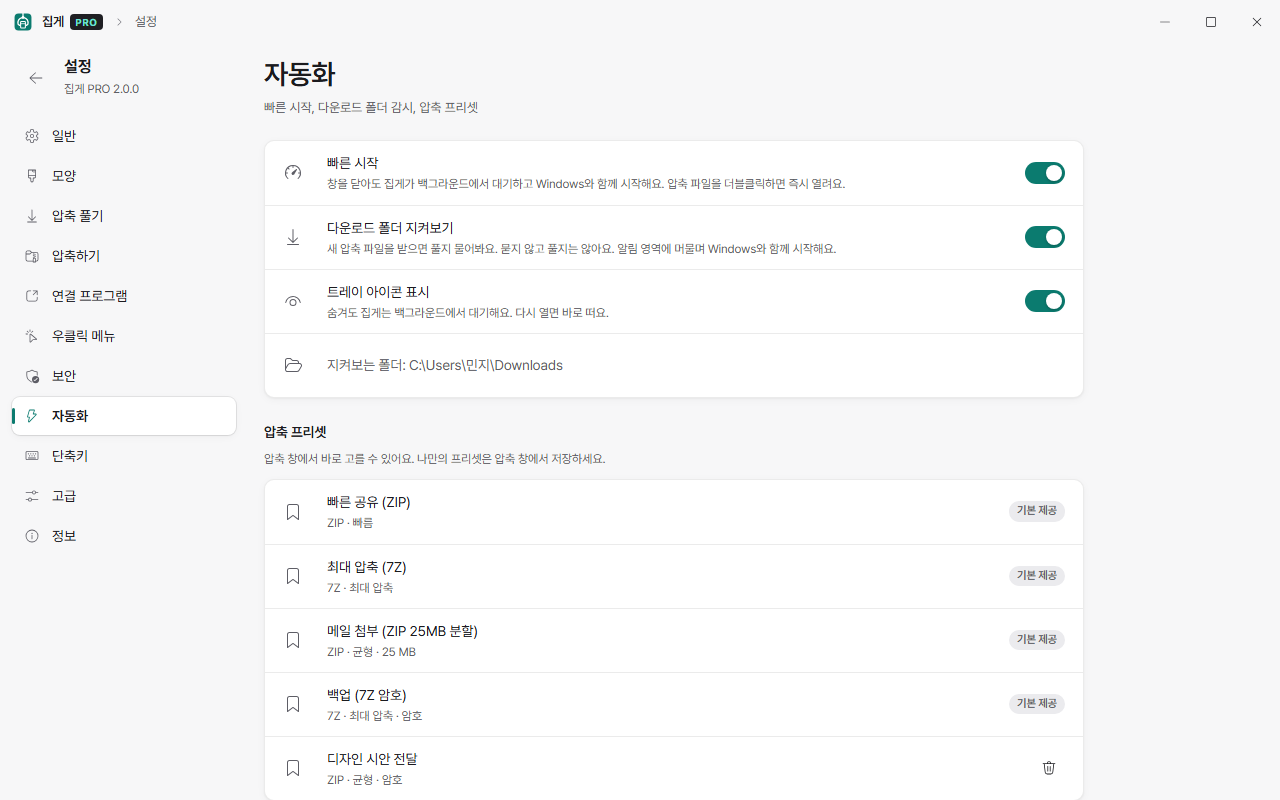
- Compression presets — Quick share (ZIP), Maximum (7Z), Email attachment (25MB split), Encrypted backup (7Z). Save your own as well.
- Self-extracting EXE — the recipient needs no archiver at all, just a double-click.
- Format conversion — turn RAR, EGG or ALZ into ZIP or 7Z in one step.
- Damaged ZIP repair — salvage the intact files into a new ZIP.
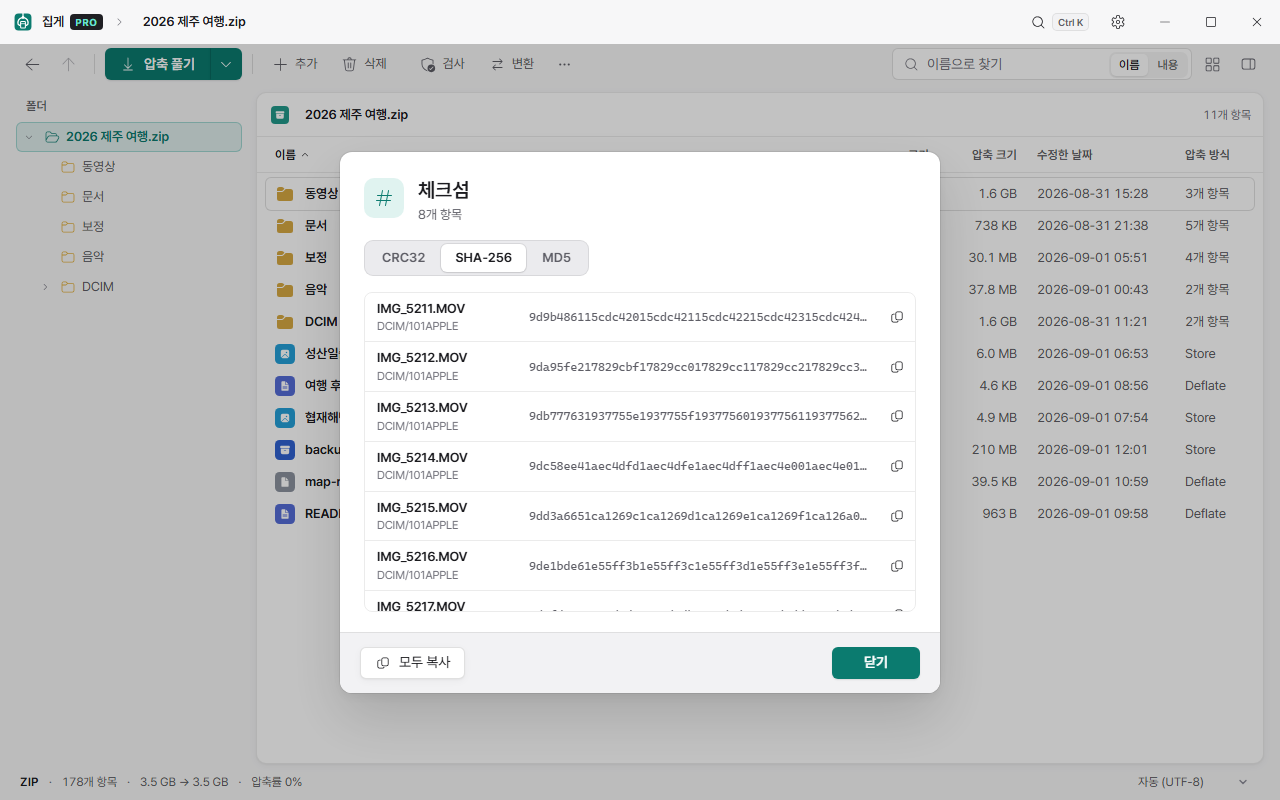
- Split and join files, change or remove a password (without recompressing), checksums(CRC32·SHA-256·MD5), space analysis, integrity check.
- Extract to a favourite folder, compress by copy and paste (copy in Explorer, then Ctrl+V).
- Downloads folder watch — when an archive arrives it asks "shall I extract this?". It never does it unasked.
- Antivirus integration — scan with Microsoft Defender as soon as extraction finishes.
- Custom shortcuts, 10 languages (Korean, English, Japanese, Simplified and Traditional Chinese, Spanish, German, French, Russian, Vietnamese).
- A command-line tool
jipge-cli.exeis installed alongside, for scripts and automation.
It is safe
An archiver is the first thing to touch a file whose origin you do not know. So these are blocked by default.
- Path traversal (Zip Slip) blocked —
../../Windows/...— paths like this are reported rather than extracted. - No links created — an attack that writes outside the folder through a symlink in the archive cannot work.
- Security marks kept — files extracted from an archive you downloaded keep the "came from the internet" mark, so the Windows and Office security warnings still do their job.
- Atomic writes — it finishes into a temporary file and then swaps it in. If the PC dies halfway the original is untouched, and a wrong password while overwriting never deletes what was already there.
- AES-256 encryption — WinZip AES for ZIP, and 7Z encrypts the filenames too.
How much of it was tested
· ZIP, 7Z and TAR files that Jipge creates are reopened with 7-Zip, WinRAR, the tar built into Windows, and Python to confirm the contents match.
· 43,050 deliberately corrupted archives were fed in. It never hung and never crashed.
· It passes more than 240 checks that drive the actual application.
Installing, and what you need
| File | Size | Use |
|---|---|---|
Jipge PRO_2.0.0_x64-setup.exe | 10.4MB | Normal install (recommended) — installs to your account only, no administrator rights needed |
Jipge_2.0.0_x64_portable.zip | 12.9MB | Portable — run it without installing, touches nothing in the registry |
Jipge PRO_2.0.0_x64_ko-KR.msi | 13.3MB | For rolling out across company PCs (administrator rights required) |
| Requirements | Windows 10 / 11 (64-bit) · Microsoft Edge WebView2 runtime (included in Windows 11; Windows 10 fetches it during installation) | |
# PowerShell
Get-FileHash '.\Jipge PRO_2.0.0_x64-setup.exe' -Algorithm SHA256

# Expected values (2.0.0)
# Jipge PRO_2.0.0_x64-setup.exe
# d665f6c34f8d26caa7abf99425ec37eb604cd6bbe1fb15f4583b5d0ae122c600
#
# Jipge PRO_2.0.0_x64_ko-KR.msi
# 592d46036103024c53f5dcf4e5a2a563238d5c48300f8ce2b866d852283e98e3
#
# Jipge_2.0.0_x64_portable.zip  (repackaged by youngsam.net)
# cd4ad6b37b4d423227008a45d98d0d4af3137900abfddbf85f89280add301913
#
# jipge.exe inside the zip
# 202410210dc796d4e131befbb6dbc5b487f9a44653a1a3082560e1a96a75b2ff
The original portable zip stored its paths with backslashes, which stops some archivers unpacking the folder, so it was repacked the standard way before being published here. Only the hash of the zip itself differs from the original release; every file inside is identical.
If you allow the administrator prompt during installation, a Jipge › entry appears on the first page of the Windows 11 right-click menu. Windows 11 asks you to confirm .7z and .rar associations itself; Jipge opens the Windows settings page for you, so you only have to press "Set default" once.
Known limitations
- RAR files can only be extracted — the RARLAB licence does not allow creating them.
- 7Z "normal" compression favours speed, so the result is slightly larger than 7-Zip's. Choose "Maximum" if size matters more.
- The new Windows 11 right-click menu only appears if you allow the administrator prompt during installation. If you did not, it sits under "Show more options", and you can register it later from Settings › Right-click menu.
Open-source notices: UnRAR © Alexander Roshal (extraction only), 7-Zip (self-extracting module, LGPL — download the source: 7z2603-src.7z, 1.5MB), sevenz-rust2, libdeflate, zstd, Pretendard (SIL OFL) and others. The full list is in THIRD-PARTY-NOTICES.txt in the installation folder and under Settings › About in the app.
From version 3.1, Youngsam’s free file explorer Pane uses an installed Jipge PRO to open password-protected 7z and RAR archives. You can list their contents and extract only the items you pick, right from the explorer window.
Frequently asked questions
Is Jipge PRO really free?
Yes. Every feature is free forever, and that includes commercial use by companies, schools and public bodies, not just individuals. There is no advertising, no bundled software and no usage tracking.
Does it open EGG and ALZ files made by ALZip?
It does — including split, password-protected and solid EGG and ALZ archives. Creating new EGG or ALZ files is not supported; if you want to convert one you received, use the format conversion feature to turn it into ZIP or 7Z.
Korean filenames show up as garbage.
Legacy encodings such as CP949, Shift-JIS and CP437 are detected automatically. If the guess is wrong, change the encoding from the status bar and the list redraws at once. Decomposed Korean jamo from Mac-made ZIPs are recomposed as well.
Can it create RAR files?
Only extraction is possible. The RARLAB licence does not allow a feature that creates RAR archives. Use 7Z or ZIP instead for the same purpose.
How is it different from 7-Zip or Bandizip?
Measured on the same PC it is faster — ZIP compression 3.8s against 7-Zip's 5.1s, 7Z compression 12.7s against 27.9s — and the window appears about 0.03 seconds after a double-click. It opens EGG and ALZ out of the box, lets you preview contents without extracting, and shows no ads or upgrade prompts.
Can I use it without installing?
Use the portable build. Unzip it and run it; it touches nothing in the registry, so it travels on a USB stick. Right-click menu integration is only available in the installed version.
Where are passwords stored?
They are encrypted with Windows DPAPI and kept on that PC only. Nothing is sent to a server. If you have saved passwords, they are tried automatically when you open a protected archive.
I want to roll it out across company PCs.
Use the MSI package (administrator rights required). It can be deployed with Group Policy, Intune or any similar tool, and commercial use is free.