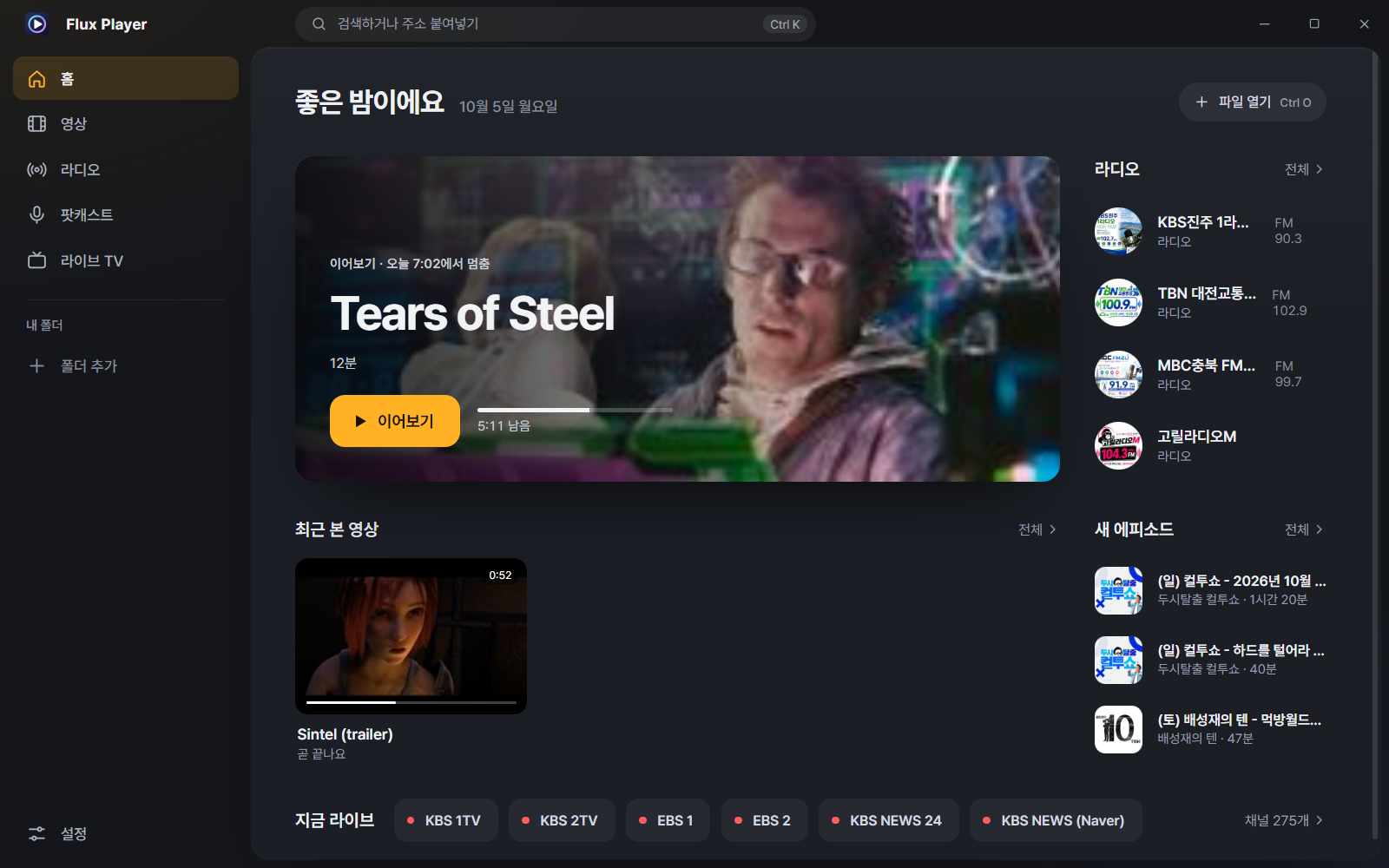
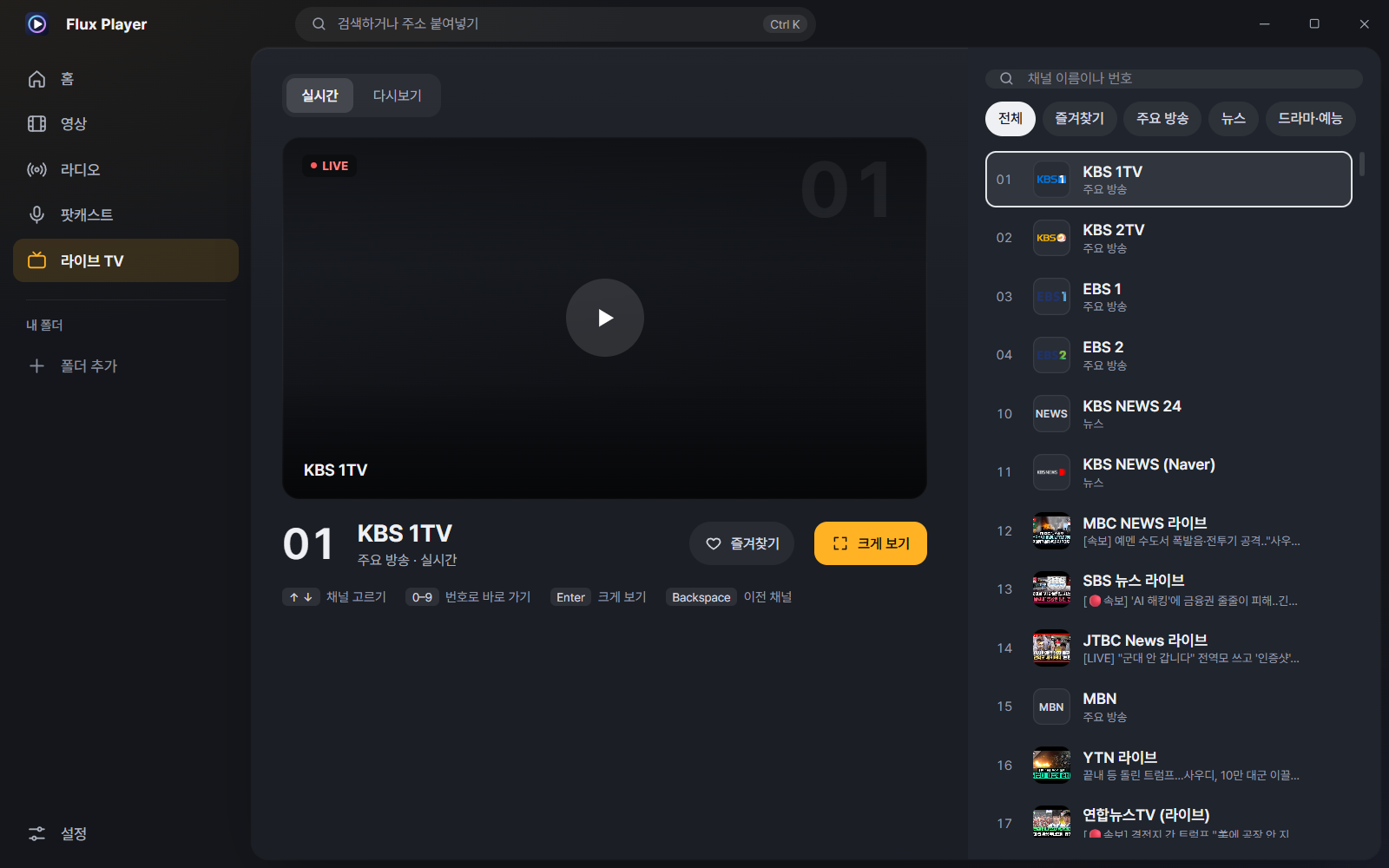
· Click the playing channel again, or click the center view or 'Full view', to switch to full view. The same stream simply carries on, so there is no reconnect and the switch is faster than before
· Going back from full view returns you to the center view, and the broadcast keeps playing
· Enter: plays the selected channel in the center; press again for full view. ↑↓ and number keys still only select (the stream isn't opened every time you browse)
· Recently watched channel tiles also play in the center
· While connecting, the center view shows 'Connecting…'; if it fails, 'Couldn't connect · click to try again'
· The video stays fitted to the center view when you resize the window or the display scale changes
· If you go to another menu, the sound continues as before and LIVE appears in the playback bar at the bottom
· Subtitles are hidden in the center view and come back in full view
· The first time you open Live TV after updating, a one-time notice appears; click 'Go straight to full view' in it to switch back to the old behavior right away
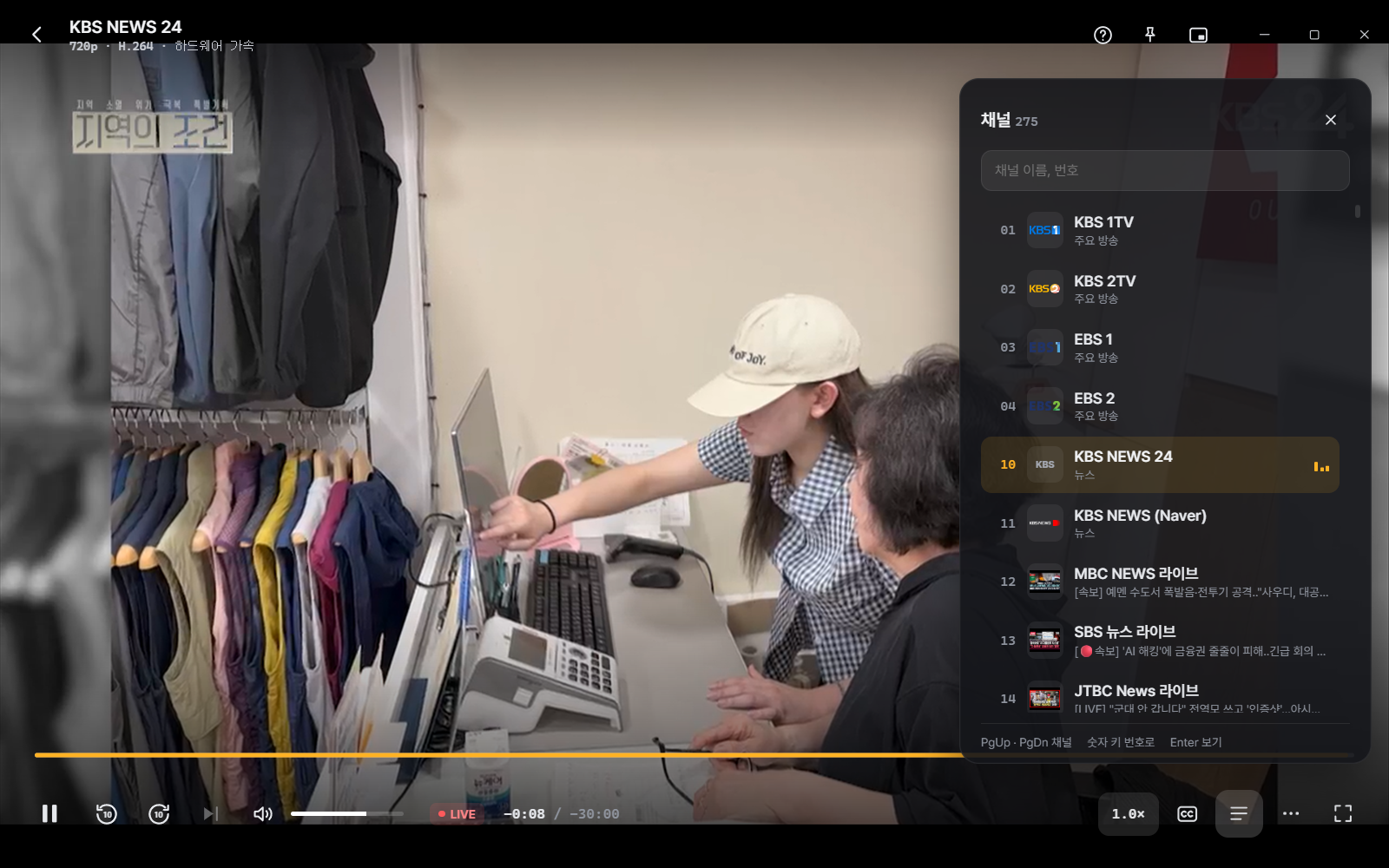
· 'Live now' on the home screen, PgUp/PgDn in full view, and the channel panel (L) are unchanged
As familiar as PotPlayer,
and cleaner.
Flux Player 8.0 is a free Windows player built fresh on the proven mpv engine. 4K HDR runs smoothly in hardware, and a 10-second skip the instant you press. 275 live-TV channels · radio · podcasts · catch-up — all in one app.
0.8s to first screen no white flash |
10ms~ 10-s skip applied the instant you press |
275channels live TV 50,000+ radio stations |
7kinds themes + system 4 start screens |
0KRW no ads Windows 10/11 64-bit |
Why rebuilt from scratch
7.x had its own playback engine. Supporting one more format meant editing code first, and every new codec was a scramble to keep up. So 8.0 was rebuilt on mpv (libmpv), a world-proven open-source engine. That lets the engine handle hardware decoding and sync, so we could focus on an easy interface and the features Korean users need.
| 7.8.0 (previous) | 8.5.0 (rebuilt) | |
|---|---|---|
| Playback engine | Our own FFmpeg + D3D11 | mpv (libmpv) — hardware decoding · accurate sync |
| Interface | Basic Win32 window | Redesigned, 7 themes + system, 4 start screens |
| Responsiveness | — | 10-s skip 10~40ms, precise seek around 0.1 s |
| Content | File playback | Files + 275 live-TV channels · catch-up · radio · podcasts · YouTube |
| Subtitles | Basic | SMI multilingual split, encoding choice, font/color/position, sync tools, AI subtitle generation |
Responds the instant you press
Instead of just saying "fast," we measured it. The values below were measured over a remote-desktop connection (screen refresh about 32 Hz). In front of an ordinary PC it's faster and smoother than this.
| Item | Result |
|---|---|
| Launch → first screen | about 0.8 s (no white flash before the window appears) |
| ← → 10-s skip reflected on screen | 10~40ms (the instant you press) |
| Precise seek (to the scene you want) | about 0.1 s (89–129 ms) |
| Click the seek bar → that scene | about 0.1 s |
| 4K HEVC 10bit HDR | Hardware decoding with no stutter (HDR tone-mapping) |
| Audio–video sync | within about 20 ms (kept even when you change playback speed) |
| CPU while idle | about 0.25% of one core |
| Long sessions | no memory growth even after opening and closing files 180 times |
| Seek preview | hover over the seek bar and the exact frame appears within 0.3 s |
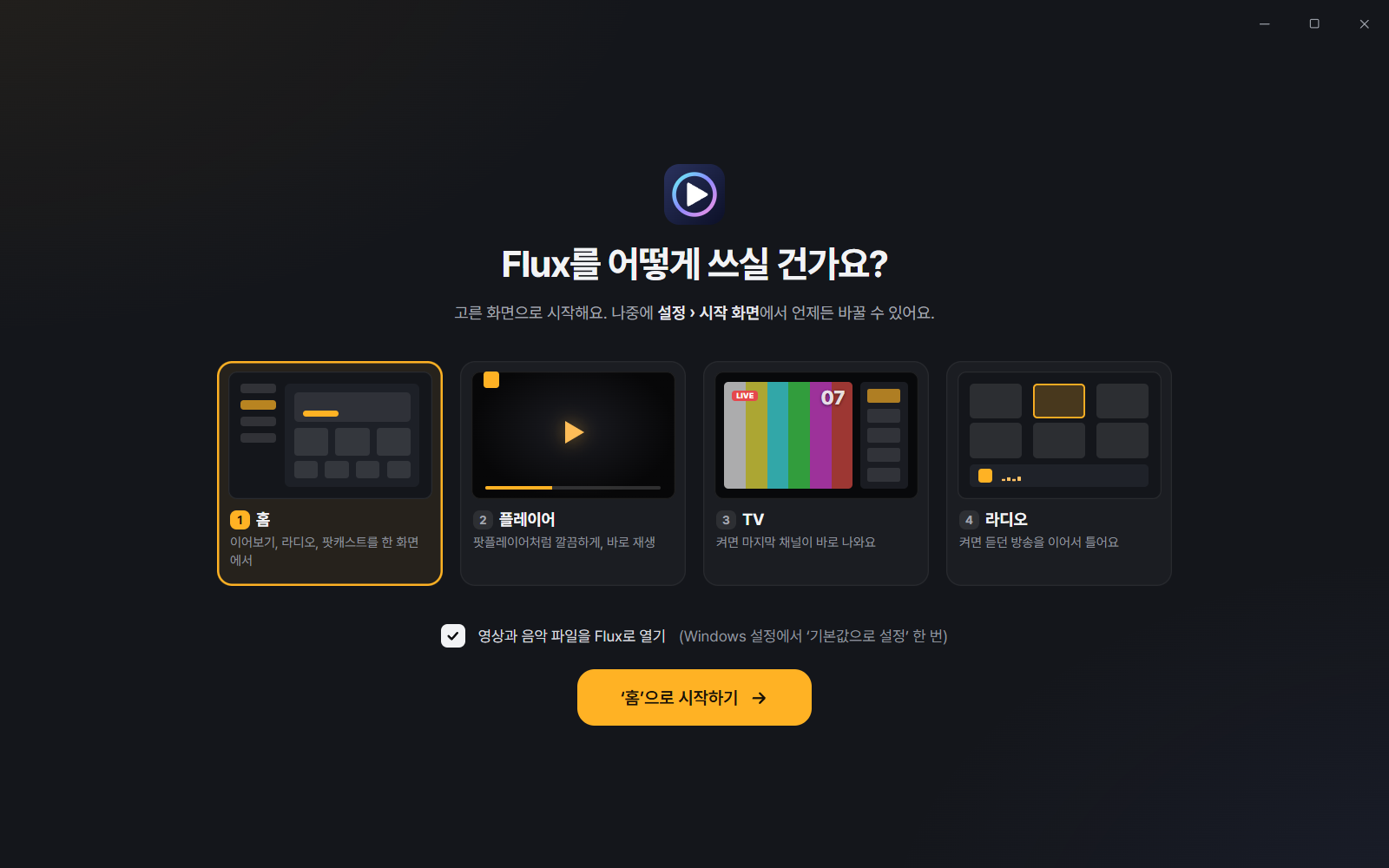
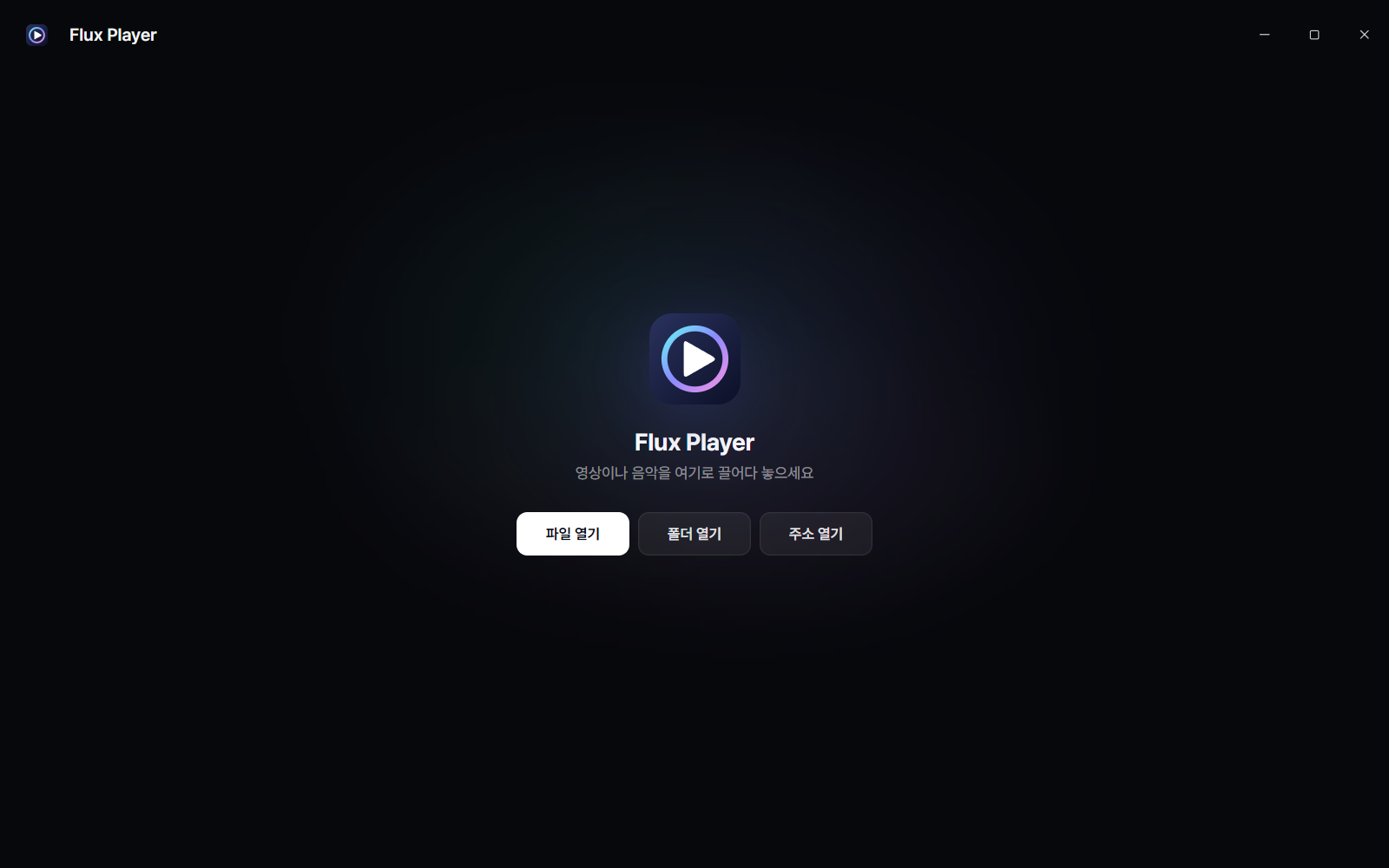
You pick how you'll use it on first run
People who only want a player and people who turn it on like a TV have different needs. So on first run Home · Player · TV · Radio — you choose one of the four. Video and music file associations are also done in one go on this screen.
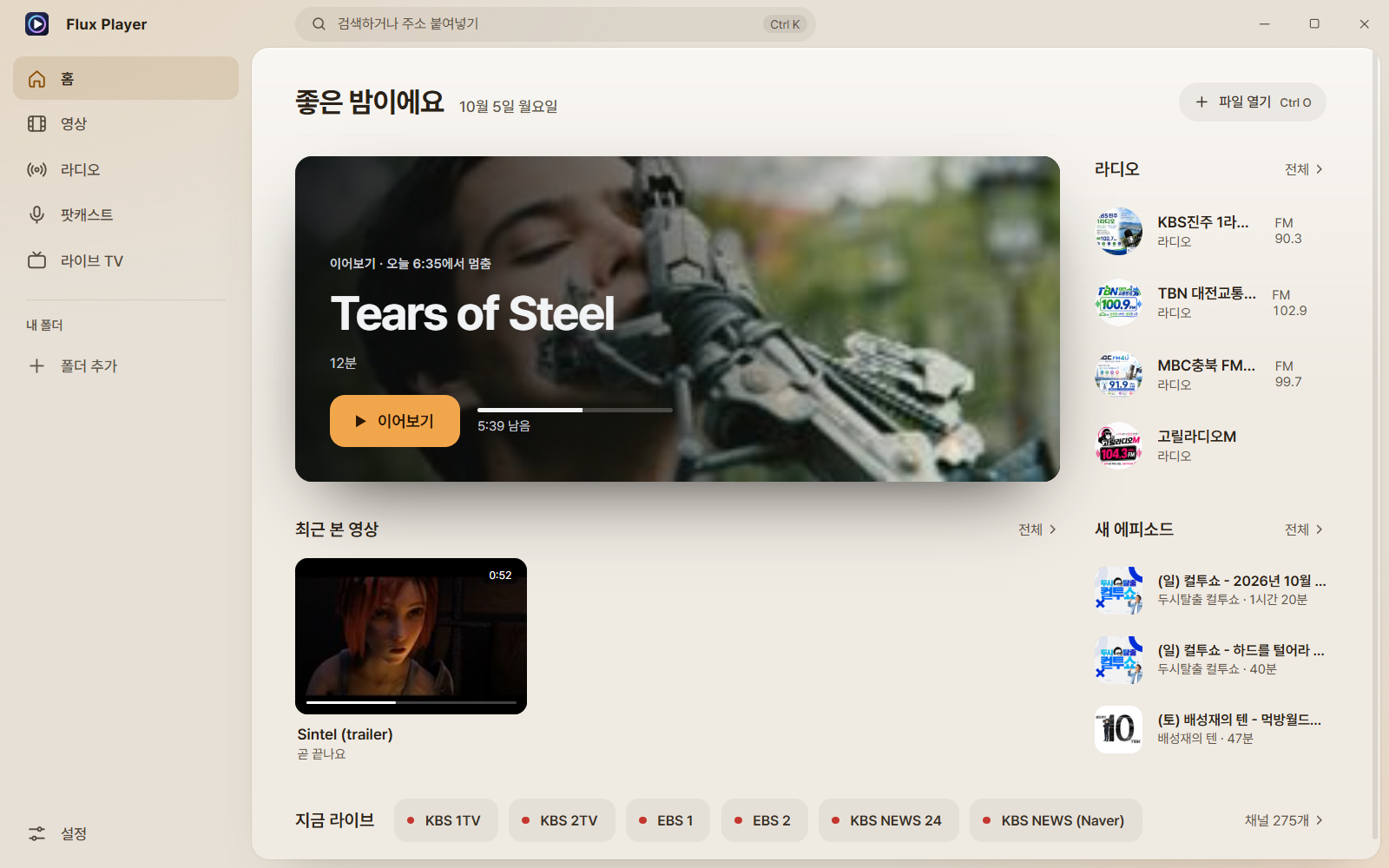
Video playback
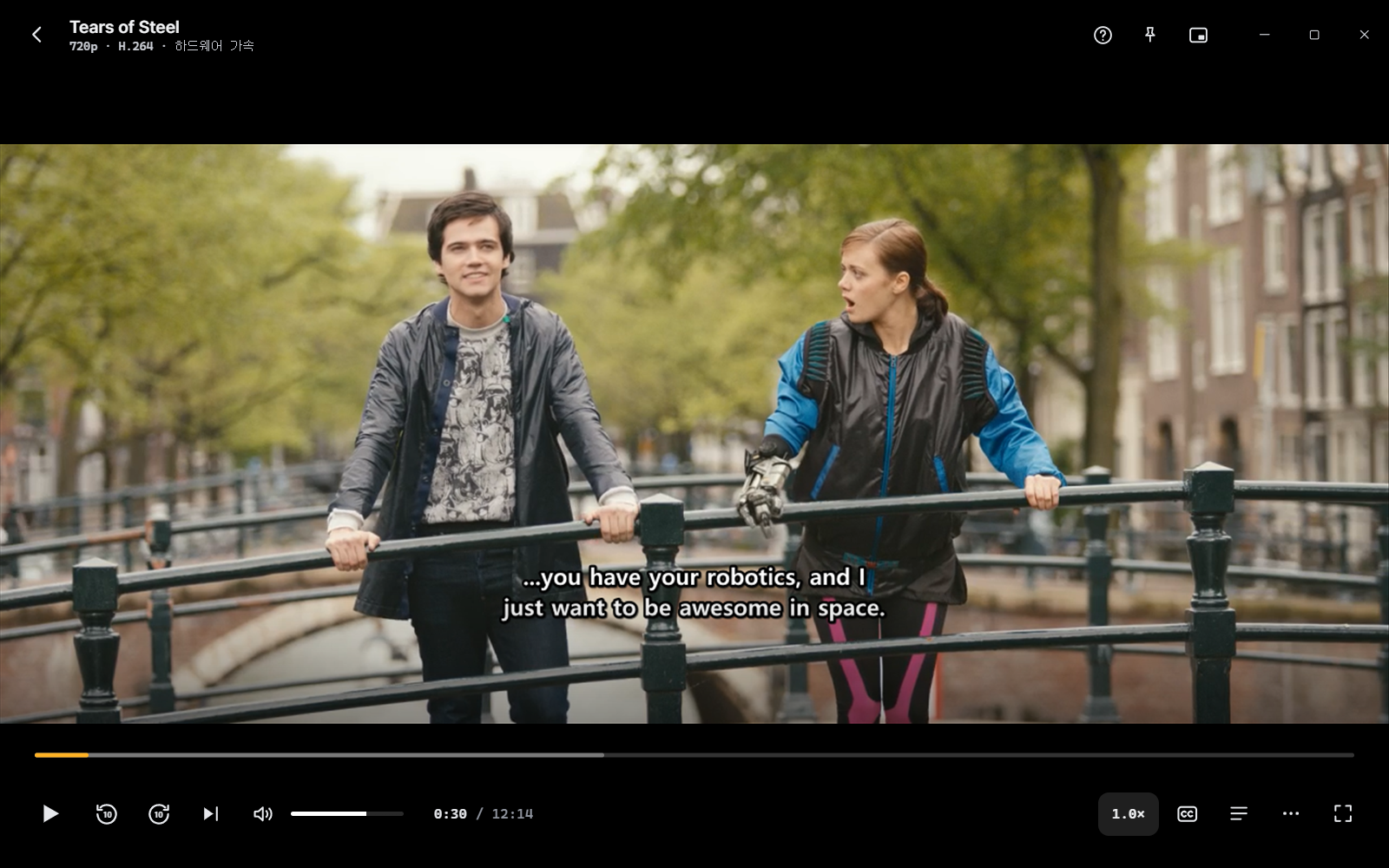
Opens almost every format — mp4·mkv·avi·mov·webm·wmv·flv·ts·m2ts — and mp3·flac·wav·aac·ogg·opus music. 4K·HDR10 hardware decoding is supported, and you can use quality enhancement (upscaling) on NVIDIA RTX and Intel graphics.
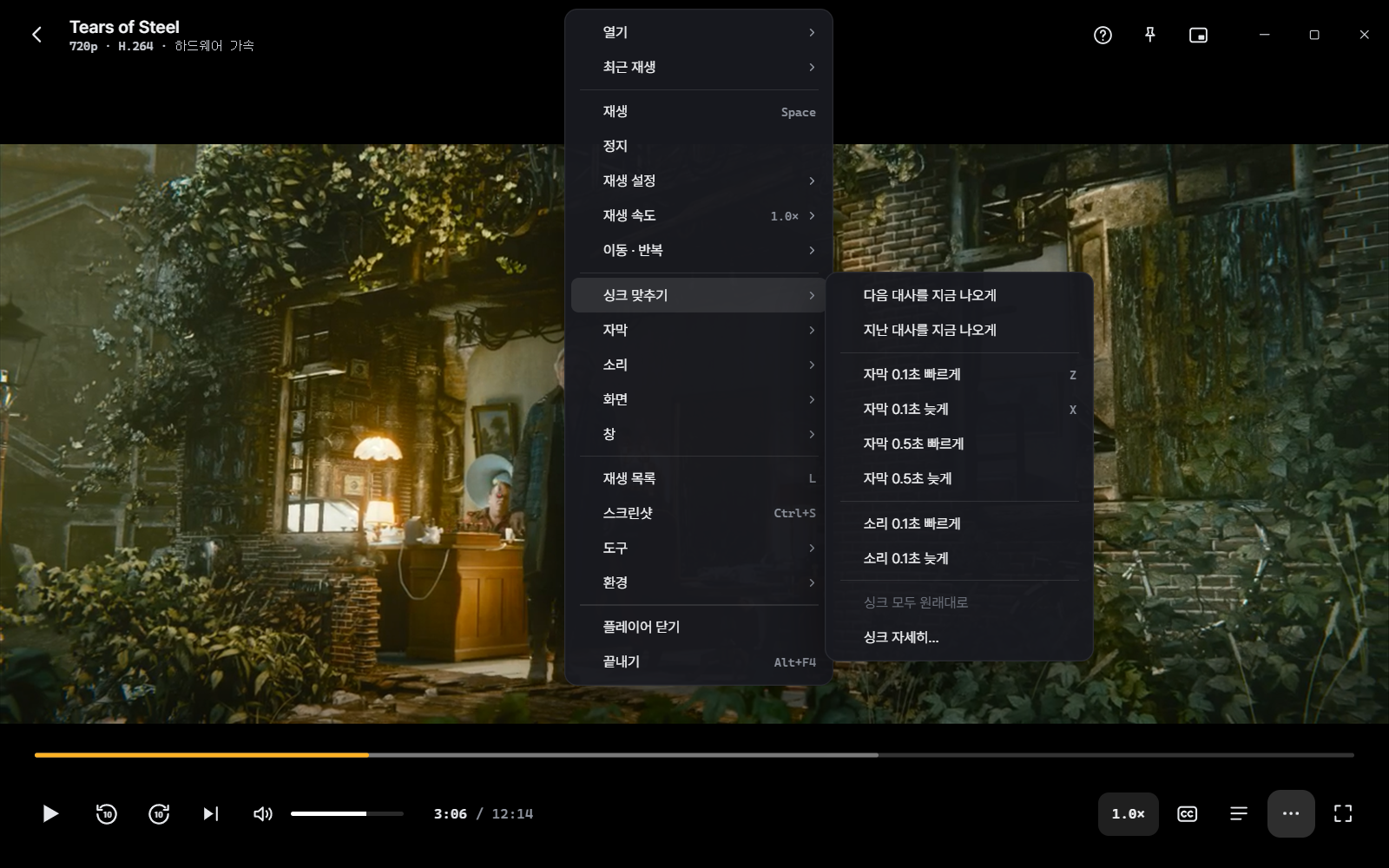
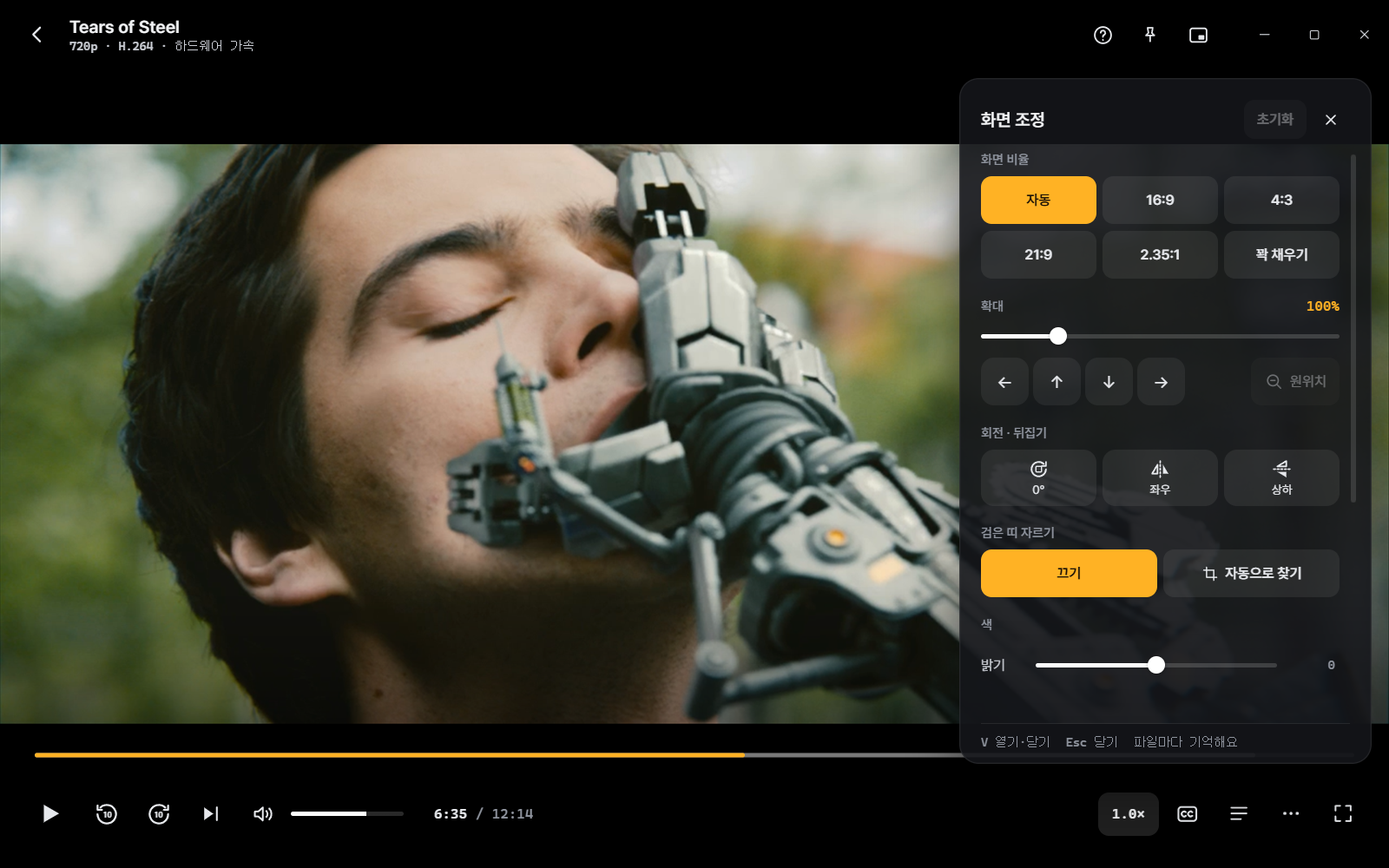
Choose whether the mouse wheel does volume or seek (Shift reverses it, Ctrl is speed, over the seek bar it's always seek), and there's an option to use shortcuts exactly like PotPlayer. Mini player, always on top, a true full screen that even covers the taskbar, and window sizes of 50/100/200% all work.
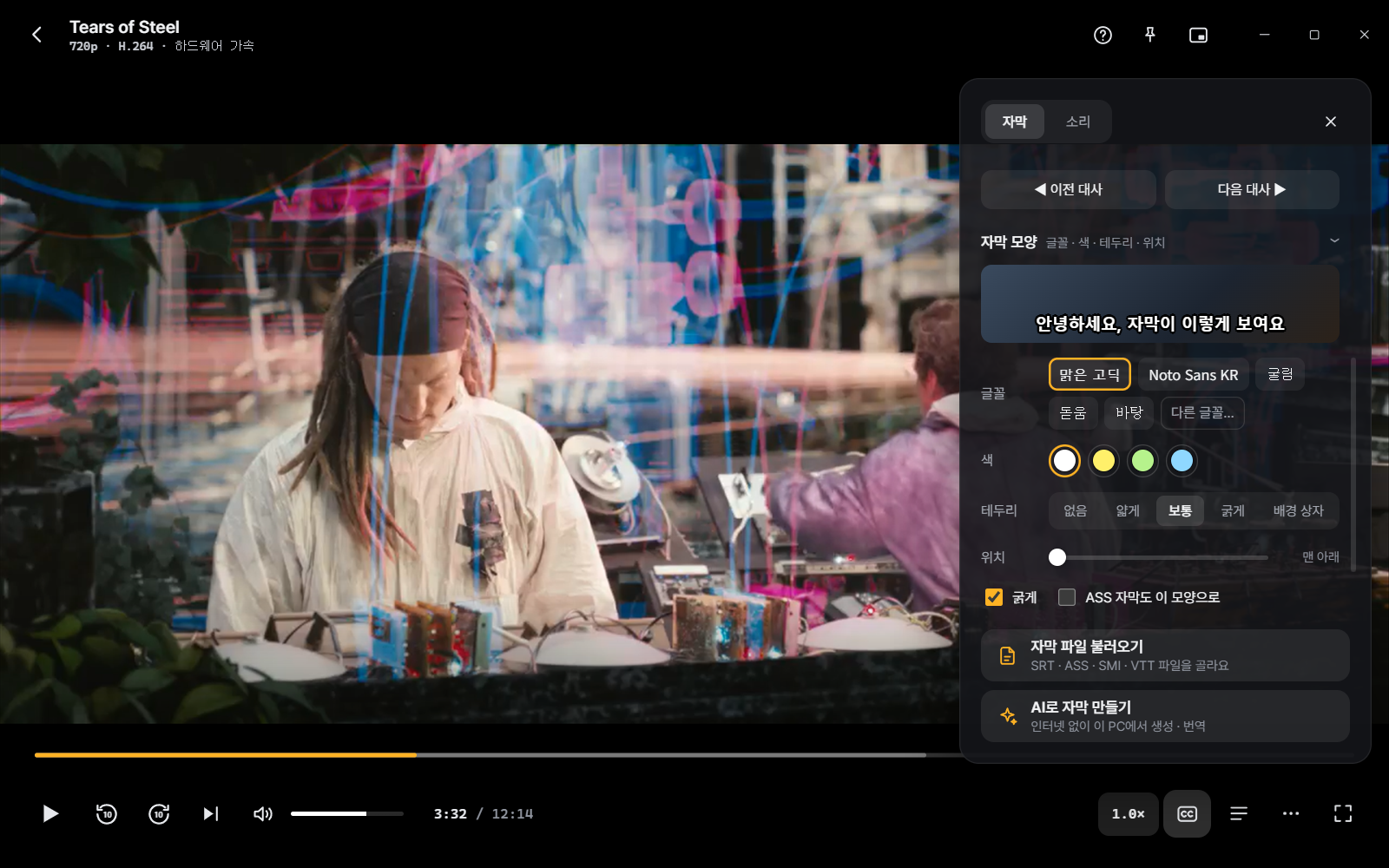
Subtitles — the part most reworked for Korean users
It supports SRT·SMI·ASS·VTT and loads same-named subtitles on its own(Subs·subs folder too).
Live TV and catch-up
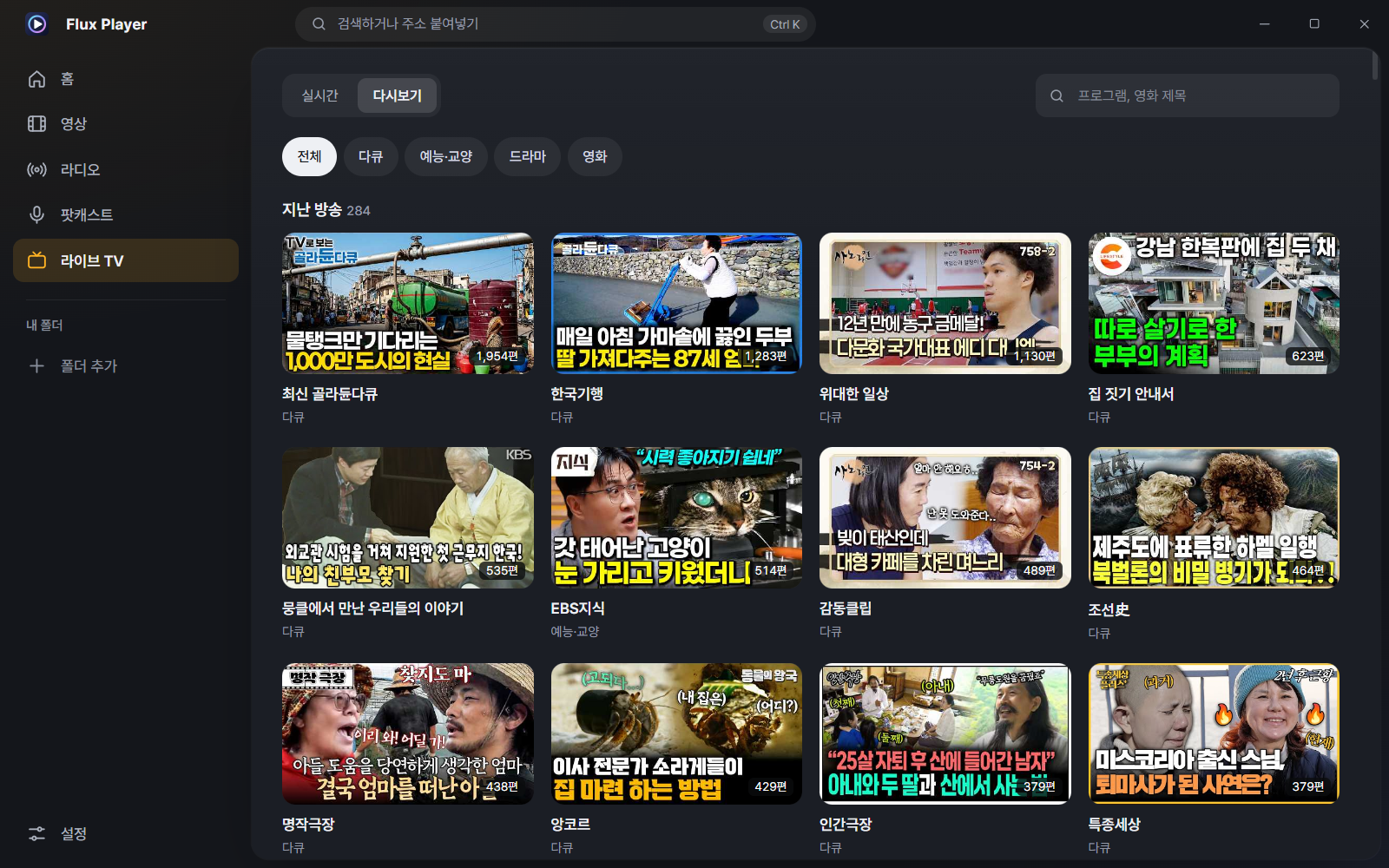
Keep the player open and watch TV too. 275 channels are sorted into terrestrial, news, sports, drama and overseas, and you can jump straight by number or gather favorites. Change channels with PgUp·PgDn, pick a channel with number keys — so you handle it like a remote. Broadcasts that require sign-in reconnect automatically so they don't cut out.
Click a channel to play it right in the center view; click again to go full view without interruption. If you prefer going straight to full view as before, you can change it in Settings.
Radio and podcasts
81 domestic stations (with their own station logos) and 50,000+ radio stations worldwide to listen to. Rewind what you missed with live 30-minute rewind, record it, or set a sleep timer. While playing, a sound-reactive visualization and the "now playing" program are shown.
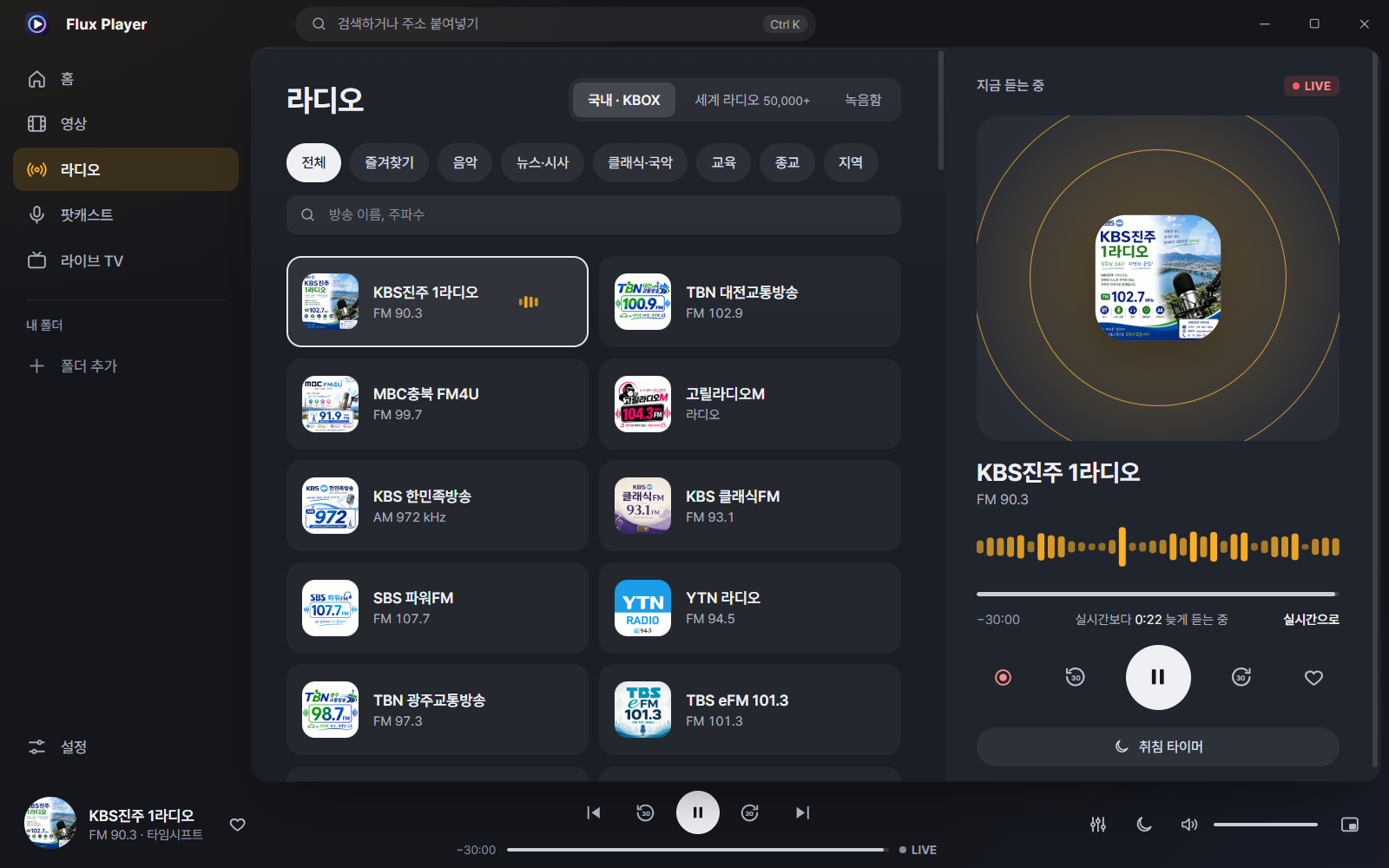
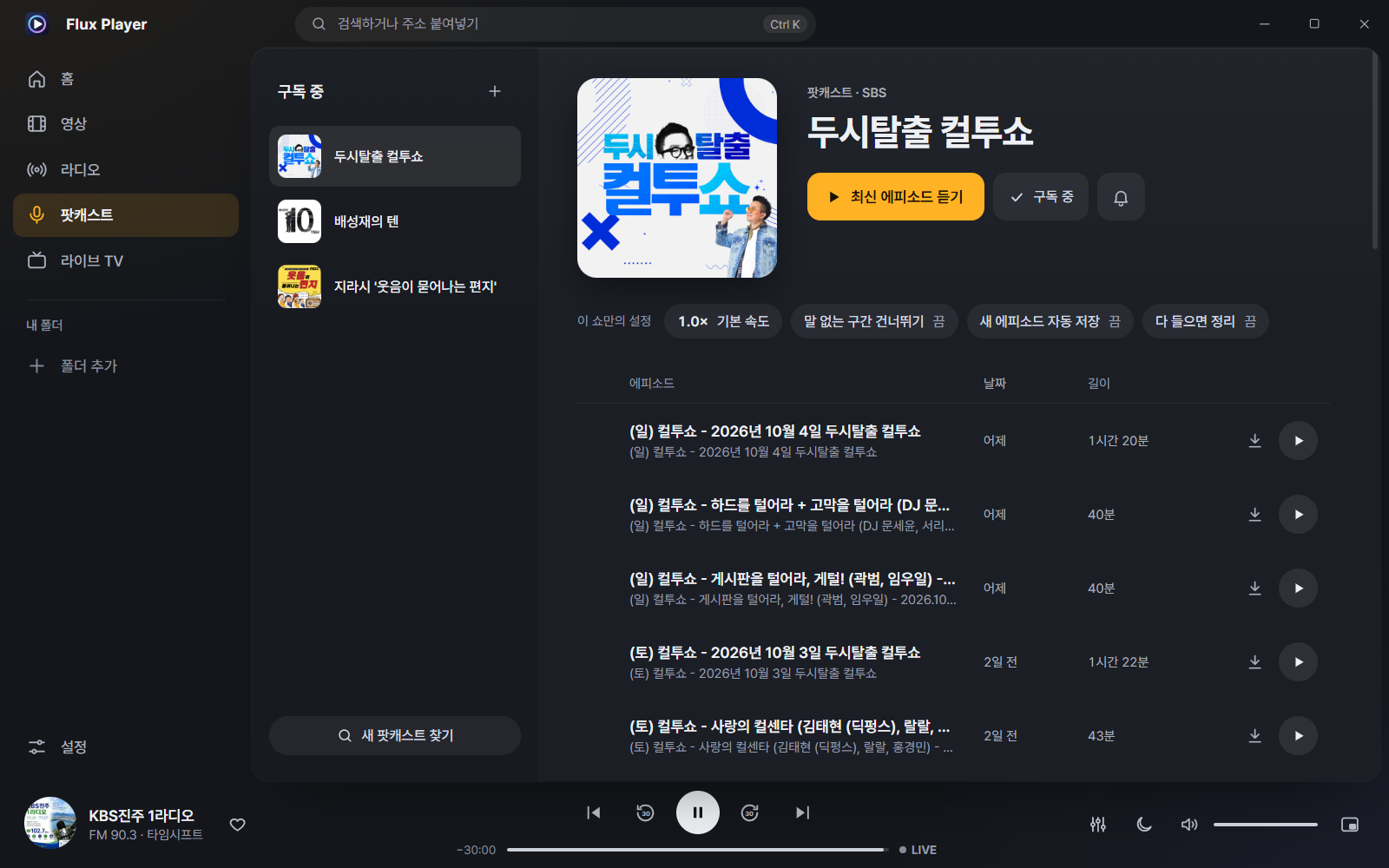
Podcasts include 325 KBOX picks by category, plus Apple Podcasts search. Subscribe and it tells you about new episodes; you can save them offline (set how many to keep automatically), resume, and use a different playback speed per show. YouTube and the like play right away when you paste a URL (Ctrl+U · it sets up the playback tool automatically the first time only).
Music, all in one place
Not just video — music is organized and played in Flux too. Click 'Music' in the sidebar and it's sorted by album, song and artist; add your Windows Music folder in one go and it finds subfolders automatically (after that it re-reads only changed files, so it's fast). Music isn't mixed into 'recent videos.'
- Gapless continuous playback between tracks, shuffle, repeat all / repeat one, play next · add to queue
- The 'Now Playing' panel on the right has the up-next list (drag to reorder/remove) and time-synced lyrics (.lrc) — tap a line to jump there
- Automatic album art (the image in the file or cover.jpg in the folder), automatic repair of garbled Korean tags (CP949) in old mp3s, loudness leveling (ReplayGain)
- Keyboard media keys and previous/next from the Windows media panel; 'Music' added to the start screen and the taskbar jump list
- 2,000 songs organized in 0.14 s, Music screen opens in 0.03 s (measured)
Four languages
From 8.2.0 it supports Korean · English · 日本語 · 简体中文. Pick a language on the first screen at install and it starts in that language, and Settings › General › Language lets you change it anytime (applied instantly, no restart). 'Auto' follows the language chosen at install, or the Windows display language if none.
- Menus, settings and notices, date/number formats, the taskbar jump list and preview buttons, notifications and error messages are all translated
- Japanese and Chinese render cleanly in Windows' default fonts. Live-TV categories and podcast genres are translated too (broadcast and program names stay as their original names)
- Automatic Korean particle handling: '플레이어'로 / '홈'으로 / '팔레트'를 — fixing awkward output like the old "'플레이어'으로"
Skip interval, your way
Set how far ← → jumps in one press to 3 · 5 · 10 · 15 · 30 seconds, or enter any value you want (0.1–600 s). In expert view you can set Shift+← → (short), Ctrl+← → (long) and the mouse-wheel step separately, and change it right away via right-click › Move·Repeat › Skip interval while playing. The ⟲ ⟳ numbers on the seek bar and the shortcut help (?) change to match your value too.
Comfortable to use
A collapsing menu (Ctrl+B) gives you a wider screen, and from anywhere you Ctrl+K to search and run commands. Windows media keys and lock-screen control, taskbar preview buttons and the jump list all work.
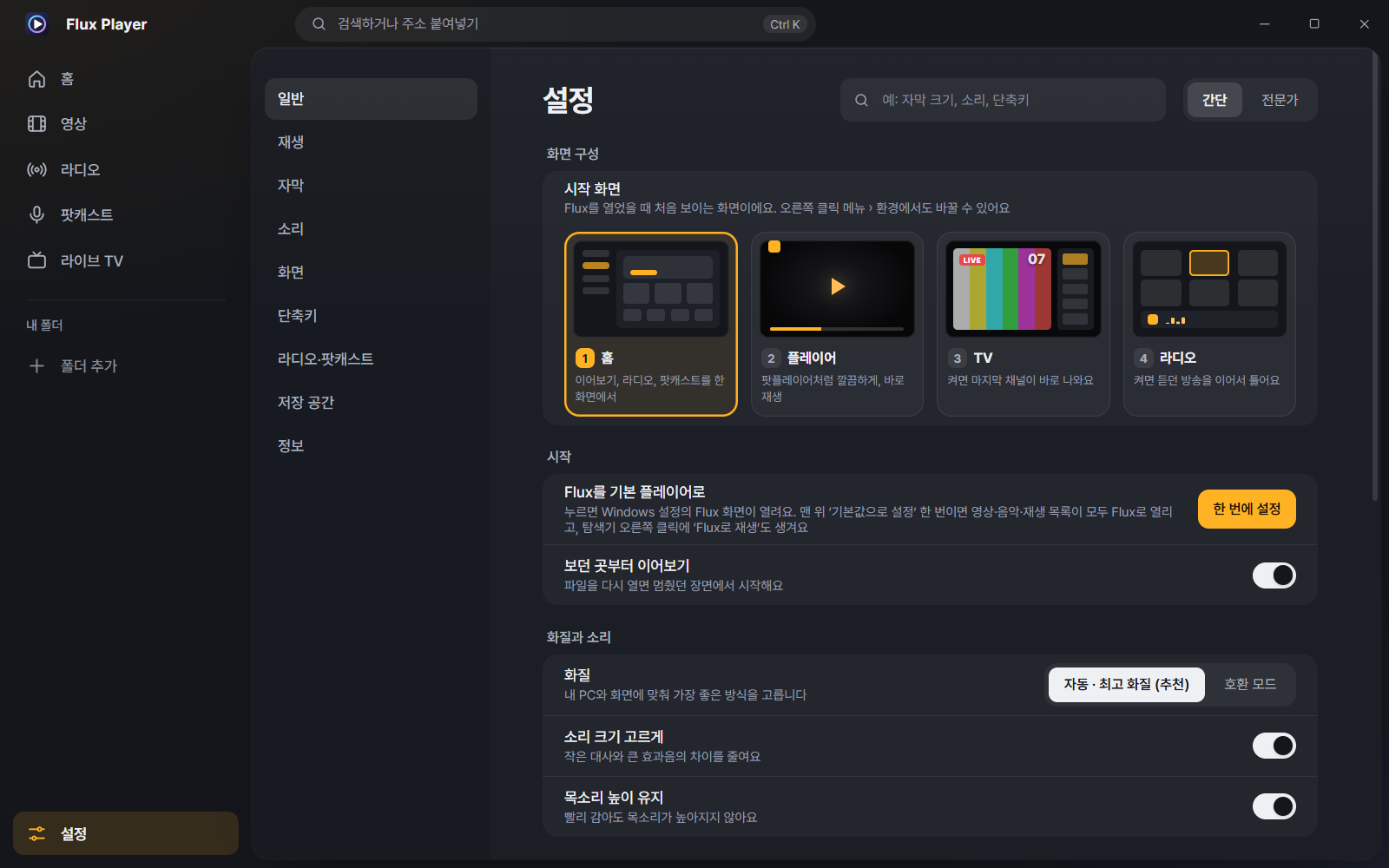
Installation and requirements
| Operating system | Windows 10 / 11, 64-bit |
| Required component | Microsoft Edge WebView2 runtime — included by default on most PCs, installed automatically during setup if missing |
| Hardware decoding | NVIDIA·AMD·Intel graphics from the last 5 years (plays without it too) |
| Internet | Not needed for file playback — only for live TV, radio, podcasts and YouTube |
| Installer version | FluxPlayer-8.5.0-Setup.exe (37.5 MB) — no administrator rights needed, installs to your user account |
| Portable version | FluxPlayer-8.5.0-Portable.zip (49.4 MB) — unzip and run Flux Player.exe. No install; you can carry it on a USB stick |
| MSI package | FluxPlayer-8.5.0.msi (49.6 MB) — for mass deployment on company/school PCs |
# PowerShell
Get-FileHash .\FluxPlayer-8.5.0-Setup.exe -Algorithm SHA256

# Expected (8.5.0)
# FluxPlayer-8.5.0-Setup.exe
# 6cb0ec5c81ec0483642ef98000b4d6cc8e550300fc998121a45437b25bddd84d
#
# FluxPlayer-8.5.0.msi
# d933b18f58ce5e68287d4aa13b6ef3a4edfef3c2f5fe4a0ef547c49a56f6cb62
#
# Portable version
# FluxPlayer-8.5.0-Portable.zip
# 0a658c286a0aaaded75302c407679ed2aa915812895be61ccd1fa3d0284155ad
Who made it and what's used
The playback engine is mpv / libmpv and FFmpeg (LGPL open source — see 'Open source' above for the source). The interface is built with Tauri + WebView2. The live-TV, radio and podcast listings use KBOX TV. The films on screen are the Blender Foundation open movies Tears of Steel and Sintel — (CC) Blender Foundation | mango.blender.org, durian.blender.org (CC BY 3.0). The broadcast footage and logos on the live-TV and radio screens belong to each broadcaster.
Open source — playback-engine source
Flux Player uses, as its playback engine, LGPL-licensed mpv and FFmpeg (the bundled libmpv-2.dll). The following is not Flux Player's own source but the corresponding source of the playback engine that must be made public under the LGPL. mpv is LGPL-2.1+, FFmpeg is LGPL-3.0+, and the full license texts are in the program's Settings › About › Playback engine › Open-source licenses and in the licenses\ folder of the install directory.
| Contents | Download |
|---|---|
The shipped libmpv-2.dll original (zhongfly/mpv-winbuild) | libmpv-dev-lgpl-x86_64 .7z (27.5 MB) |
| mpv source (commit c1529642089b) | mpv-c1529642089b.tar.gz (7.1 MB) |
| FFmpeg source (commit a35c8799920a) | FFmpeg-a35c8799920a.tar.gz (17.0 MB) |
| LGPL build method (includes compile-lgpl-libmpv.patch) | mpv-winbuild-zhongfly.tar.gz (22 KB) |
| Base build scripts (library list · where to fetch) | mpv-winbuild-cmake-shinchiro.tar.gz (80 KB) |
Frequently asked questions
I'm using 7.8.0 — can I use both?
Yes. 8.0 is a completely new program, so it installs separately. If you no longer need 7.x, remove it from Control Panel; leaving it as is won't cause any conflict.
I want to use PotPlayer shortcuts as they are.
Choose "Same as PotPlayer" in Settings › Shortcuts. The right-click menu is also split like PotPlayer into playback, sync, subtitles, sound, screen, window and tools.
How do I set it as the default player?
Click "Set all at once" under Settings › General › "Make Flux the default player," and the Windows Flux page opens. Pick Flux there for each format. Because Windows blocks programs other than browsers from changing default apps on their own, the final choice has to be made by you.
My subtitle characters come out garbled.
In the subtitle panel (S), change the encoding to Korean (CP949), UTF-8, Japanese, Chinese, etc. and re-read. Once chosen, the value is remembered for that file, so it shows correctly next time.
The video has no subtitles — can I still get them?
Use AI subtitle creation. Without sending anything to the internet, it transcribes speech on your PC and even translates (whisper).
Does it work on a PC with no speakers?
Yes. Even with no sound device the video still plays, and it tells you "no sound device found, playing without sound."
Are live TV and radio free?
Yes. The program is free and ad-free. The live-TV, catch-up, radio and podcast listings use KBOX TV's public listings. An internet connection is required, though.
My 4K HDR video stutters.
Please check that hardware decoding is on. The playback screen shows whether acceleration is active. With NVIDIA·AMD·Intel graphics from the last 5 years, 4K HEVC 10-bit HDR is handled in hardware; even without graphics, software playback still works.
Animations look reduced over remote desktop.
That's because it follows the Windows "animation effects" setting. That said, the playback state and connection indicator always move in any environment.