One app for ebooks, another for comics, a third for PDFs —
Now it is all one app.
Lumen Reader is a free Windows reader that opens ebooks, PDFs and comics in one place. It handles EPUB, TXT, MOBI, PDF and CBZ alike, and reads them aloud in a natural, human-sounding voice with no internet connection. Press play and the first words come out in about 0.04 seconds. No sign-up, no ads, no server. Your books and your reading history stay on your own PC.
0.04s From play to first sound measured at 40 ms |
31 languages High-quality offline voices 10 voices |
10MB Installer size portable build 13 MB |
9 UI languages KO, EN, JA, ZH and more |
0 cost Sign-up, ads, servers none of them |

Added translated read-aloud — listen to English books in Korean, or Korean books in other languages. Choose original + translation or translation only, and if you have an AI key (including a free Gemini key) that AI produces a more natural translation
Fixed read-aloud voice quality — the voice no longer turns electronic and buzzy after a few lines. Quality never drops below the level where the voice gets rough, more upcoming sentences are prepared in advance, and once quality changes it stays put for a while
Added slow-PC setting — choose "Keep quality / Read without pauses" in Settings › Sound › Voice manager (default: Keep quality)
Added reading-position highlighter — the part of the current sentence already read is painted like a highlighter (choose highlighter, whole sentence or underline). The new "Go to reading position" button on the playback bar jumps straight back to the sentence being read
Added existing tags in the tag editor — tags you have used appear in order of use; click to add or remove them, and type to filter the list
Improved larger book-folder view — the ▲ button next to the "Book folders" panel heading expands the folder area upward, and your choice is remembered
Added ongoing Calibre sync — new books and tag additions, edits and deletions in an imported Calibre library now follow automatically. Library management shows synced libraries with "Sync now" and "Unlink"
Improved AI assistant first screen — pick Gemini (free), Claude or ChatGPT, with step-by-step instructions for getting a key
Fixed Wikisource downloads — if the EPUB conversion server does not respond, the text is fetched directly and turned into an EPUB. Downloads are also much faster (a whole poetry collection in seconds)
LumenReader.exe in your existing folder with the new file. If you have already imported a Calibre library, run "Import Calibre library" once more after updating to start syncing.What I am proudest of: a voice that reads to you offline
Plenty of apps read books aloud, but most of them need an internet connection or sound robotic. Lumen Reader downloads high-quality offline voices once, and after that it reads to you like a person — on a plane, on the subway, anywhere.
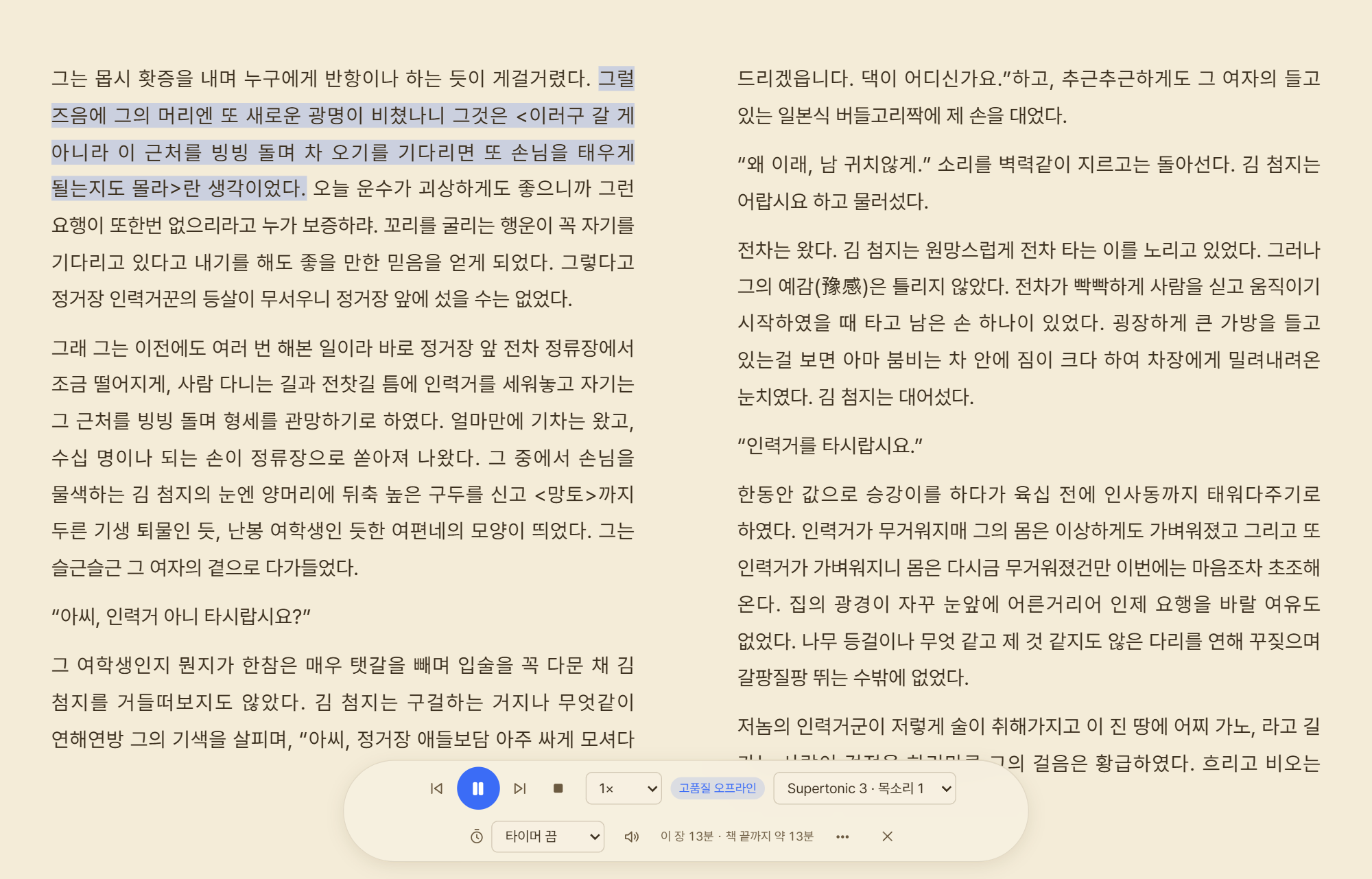
There are three kinds of voice engine: the built-in Windows voices, high-quality offline voices, and cloud voices.
| Engine | What it is | Internet |
|---|---|---|
| Windows built-in | Nothing to download, works right away | Not needed |
| High-quality offline | Supertonic 3 (31 languages, 10 voices, about 129 MB) recommended. Also KSS (Korean), Piper HFC Female (English) and Piper LibriTTS-R (904 English voices) | Not needed after the one-time download |
| Cloud voices | Azure AI Speech · OpenAI · Google Cloud TTS · ElevenLabs (your own API key). Fetched sentences are cached on the PC to save cost | Required |
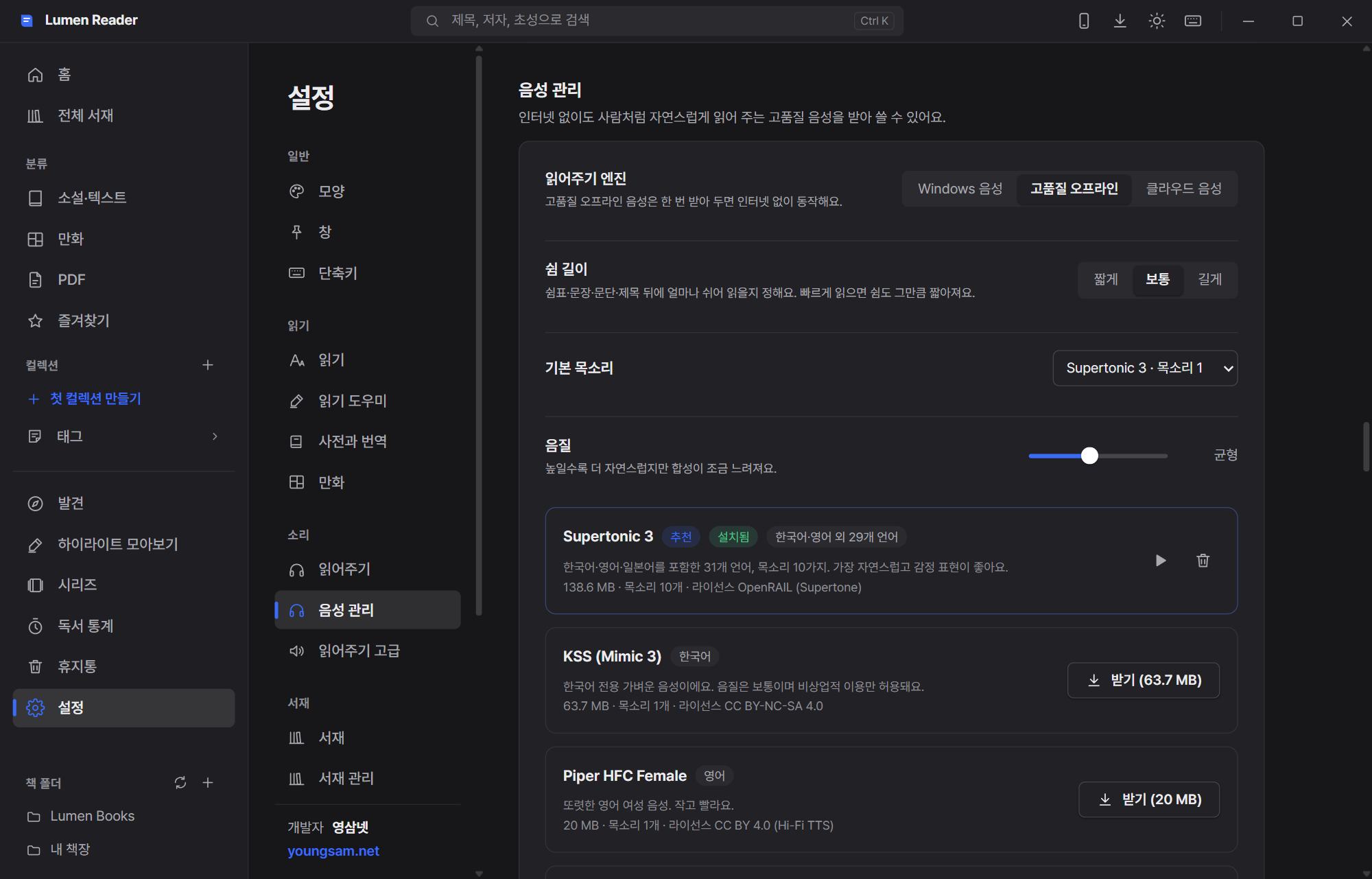
Speed, pause length, audio quality and a sleep timer (by the minute, or until the end of the chapter) are all adjustable, and dialogue can be read in a different voice. Close the window and playback keeps going from the tray, driven by global shortcuts and the media keys. A whole book can even be exported as an audiobook file. Any word it mispronounces can be corrected in the pronunciation dictionary.
Every format, one reader
The main reason people keep several readers installed is format support. So it was broad from day one.
| Ebooks | EPUB · MOBI · AZW3 (Kindle, DRM-free files) · FB2 |
| Text files | TXT (legacy encodings such as EUC-KR detected automatically) · Markdown · HTML · DOCX |
| Comics | CBZ · CBR · CB7 · ZIP · RAR · 7Z · image folders |
| Documents | PDF — even huge files load only the parts they need, so they open fast |
If you have ever opened a web-novel TXT and seen nothing but garbled characters, the automatic encoding detection alone will be welcome.
The small things that make reading a pleasure
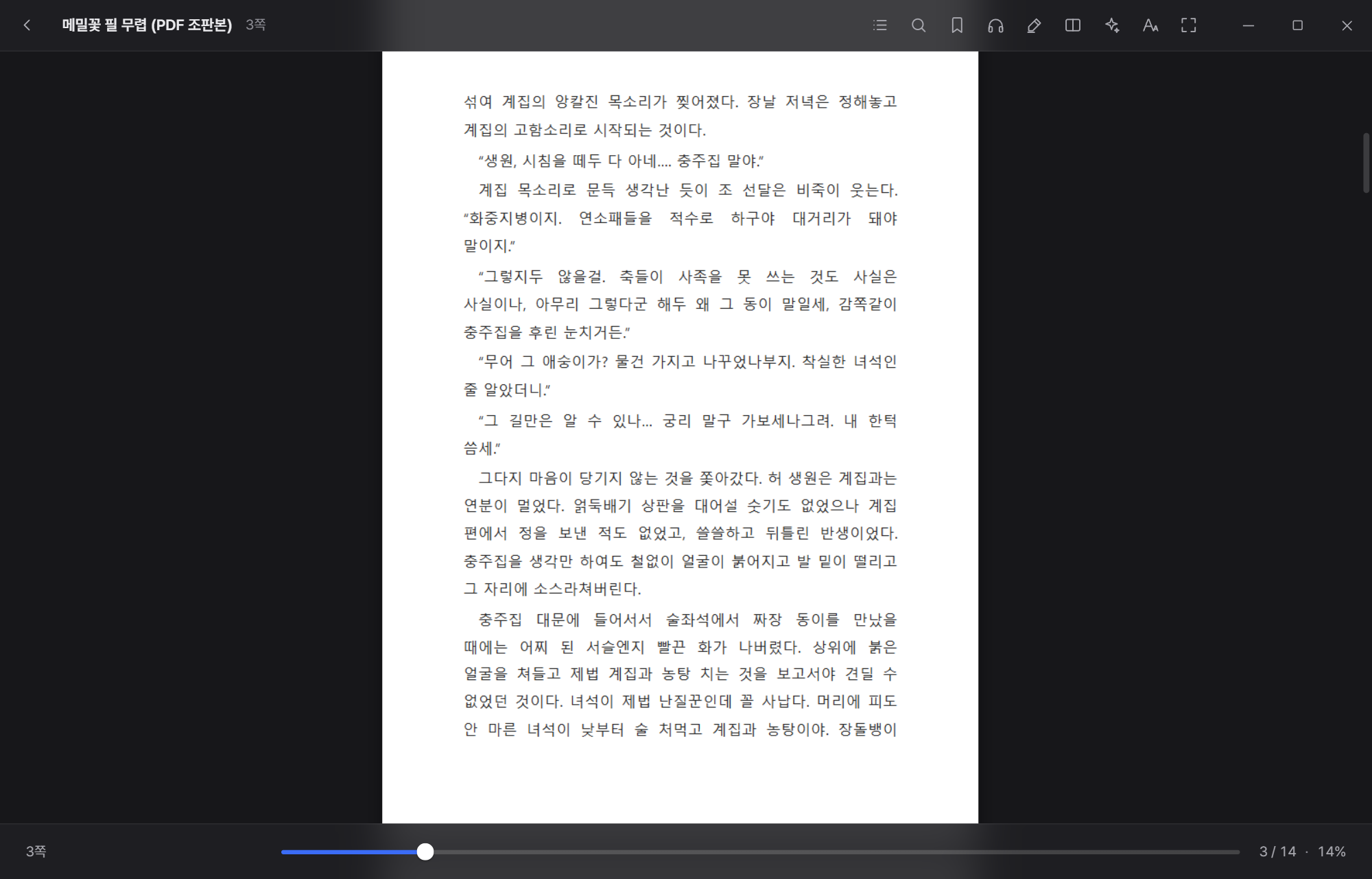
Four themes: light, sepia, dark and black. Font and size, line and paragraph spacing, margins, text width and alignment all bend to your taste. Paged or scrolling, one page or two, and page-turn effects (slide, paper curl, fade) are yours to pick.
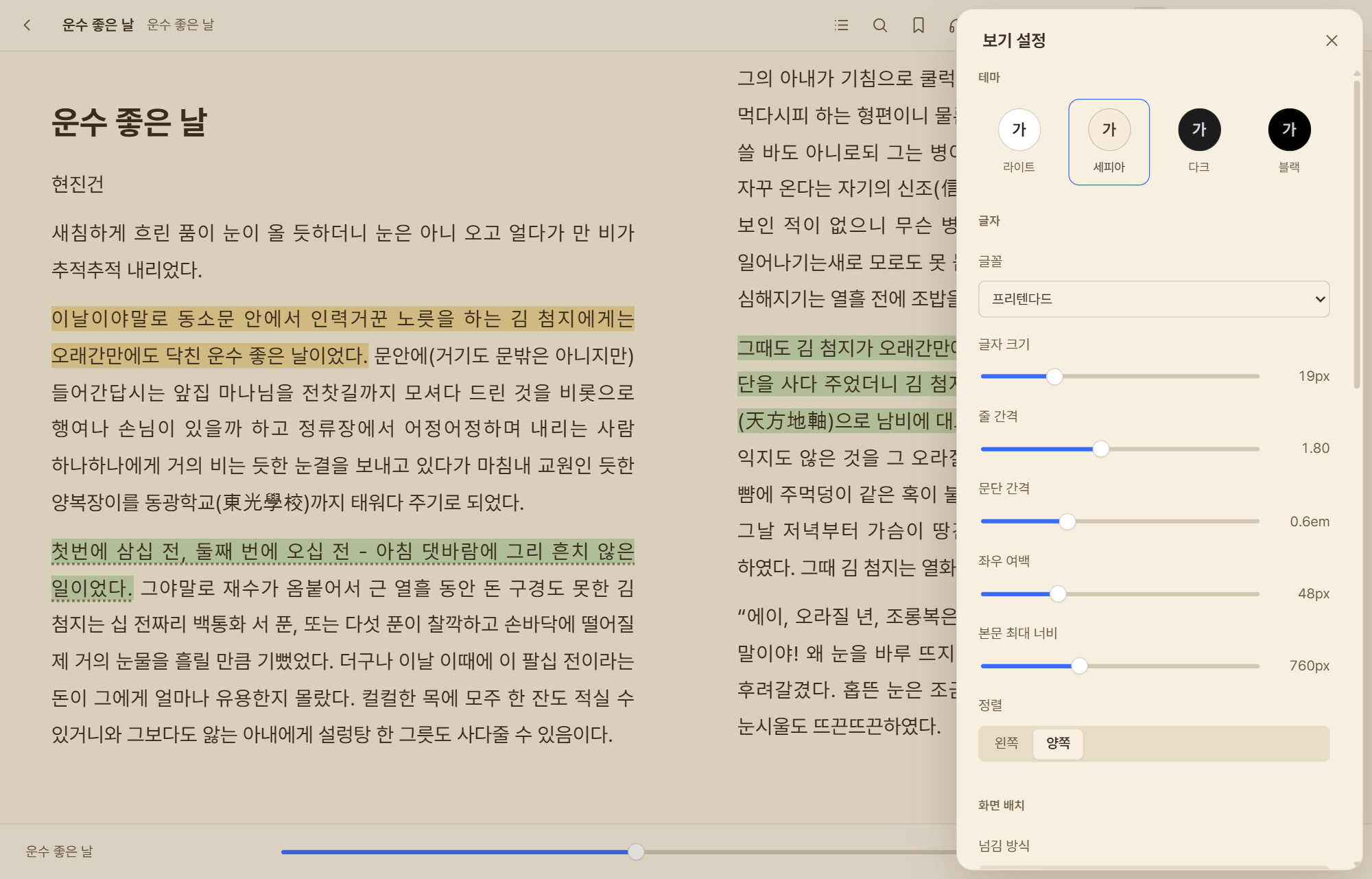

There is also a reading ruler that highlights the current line, eye-break reminders, and an option to ignore the book's own styling.
Serious about reading comics
Comics ask for something completely different from ebooks. Two-page view, the right-to-left progression of Japanese manga and the vertical scroll of webtoons are all supported, along with panel-by-panel view, margin cropping and splitting double-page spreads.
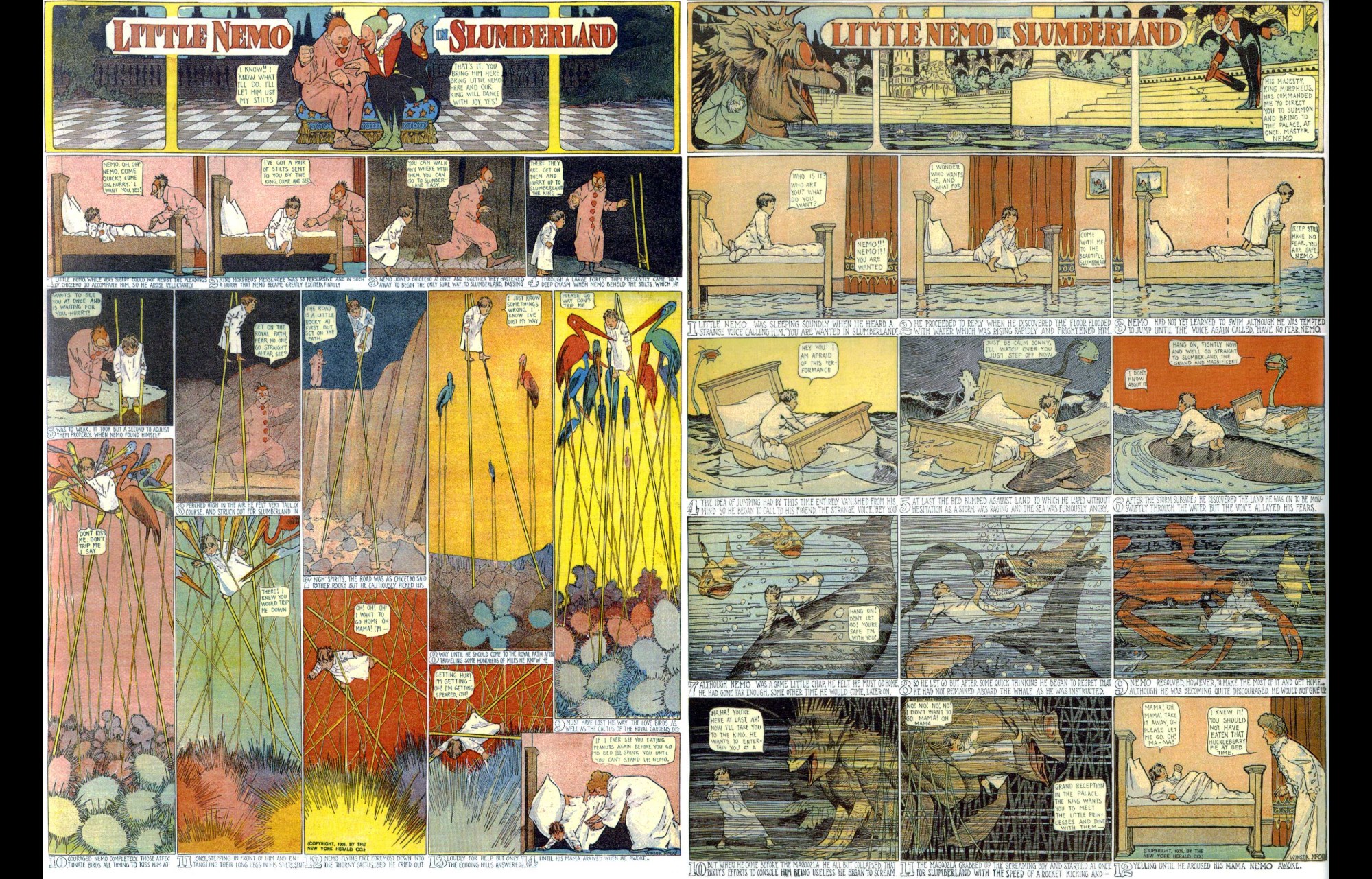
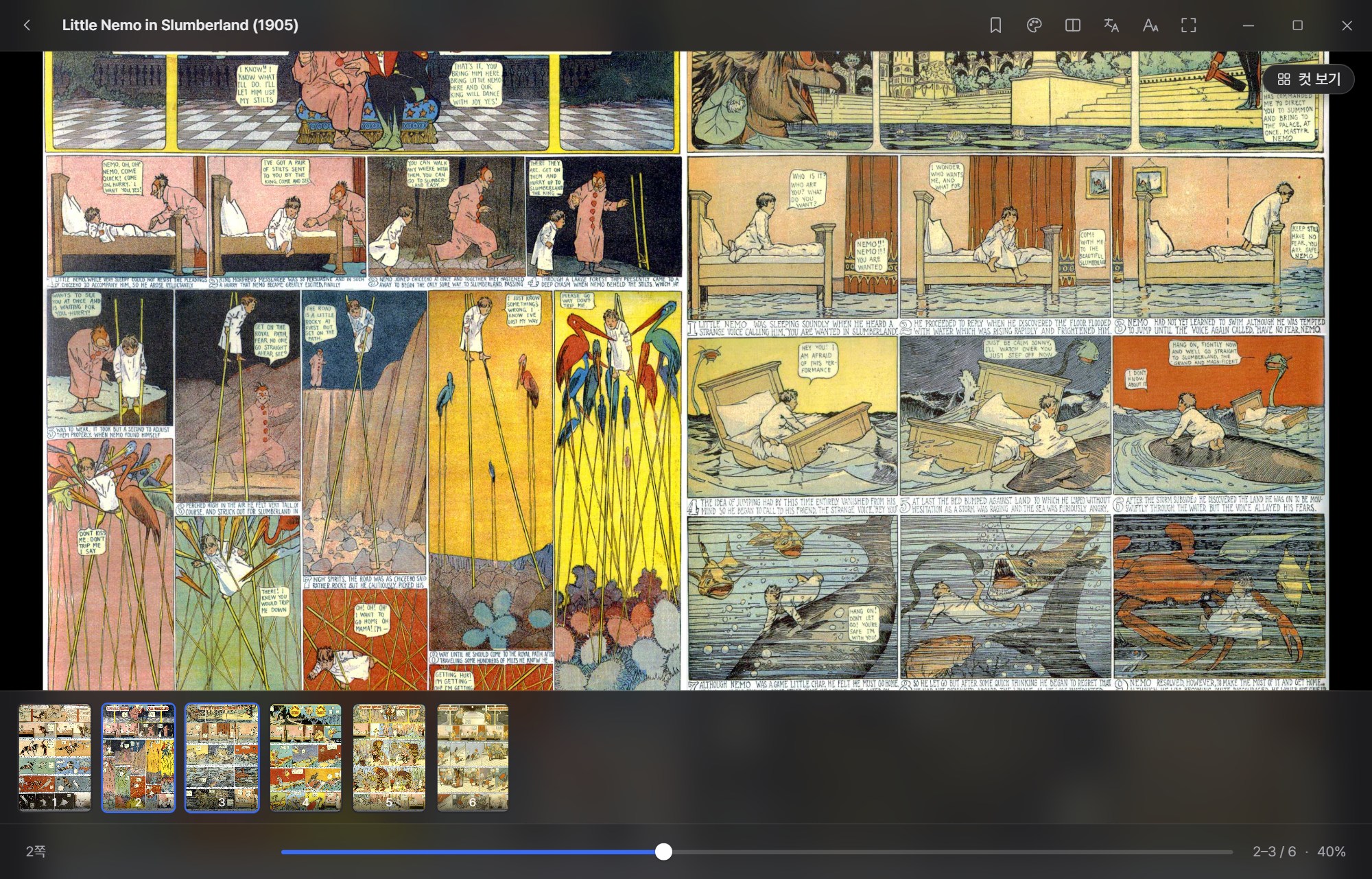
For badly scanned files there is brightness, contrast, saturation and sharpness correction, a grayscale view, and high-quality upscaling that makes low-resolution images crisp. Finish a volume and the next one opens by itself; if the files are too big, they can be converted to WebP.
Your library, and finding new books
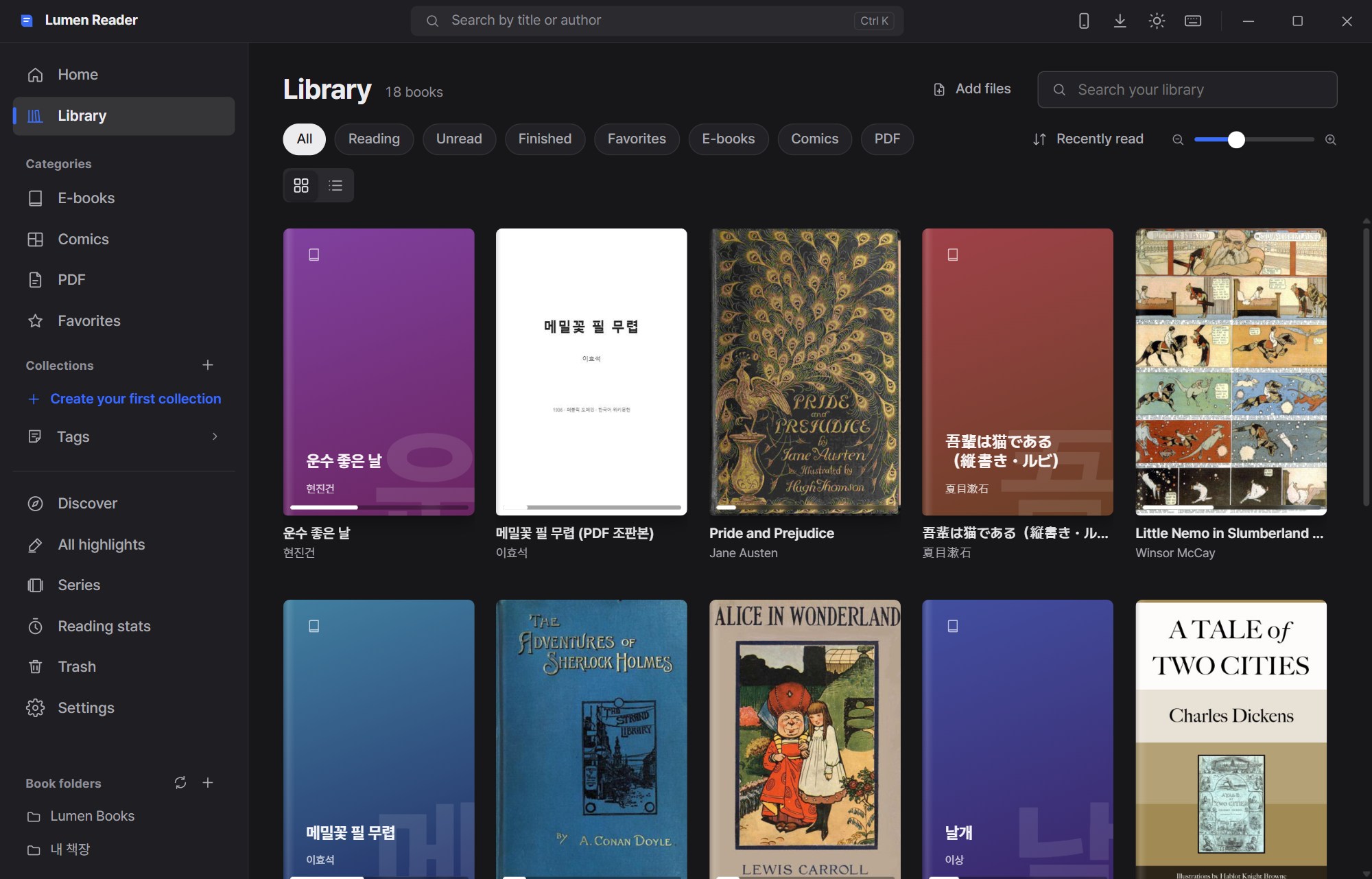
Point it at a book folder once and it finds and organizes everything, picking up new files as they appear. A book with no cover gets a cover generated from its title, and a picture sitting in the same folder as a TXT novel is used as its cover. If you do not like it, set your own cover from any image — the choice survives a rescan. The Book folders panel at the bottom left is a tree that expands into subfolders, so clicking one shows only that folder's books.
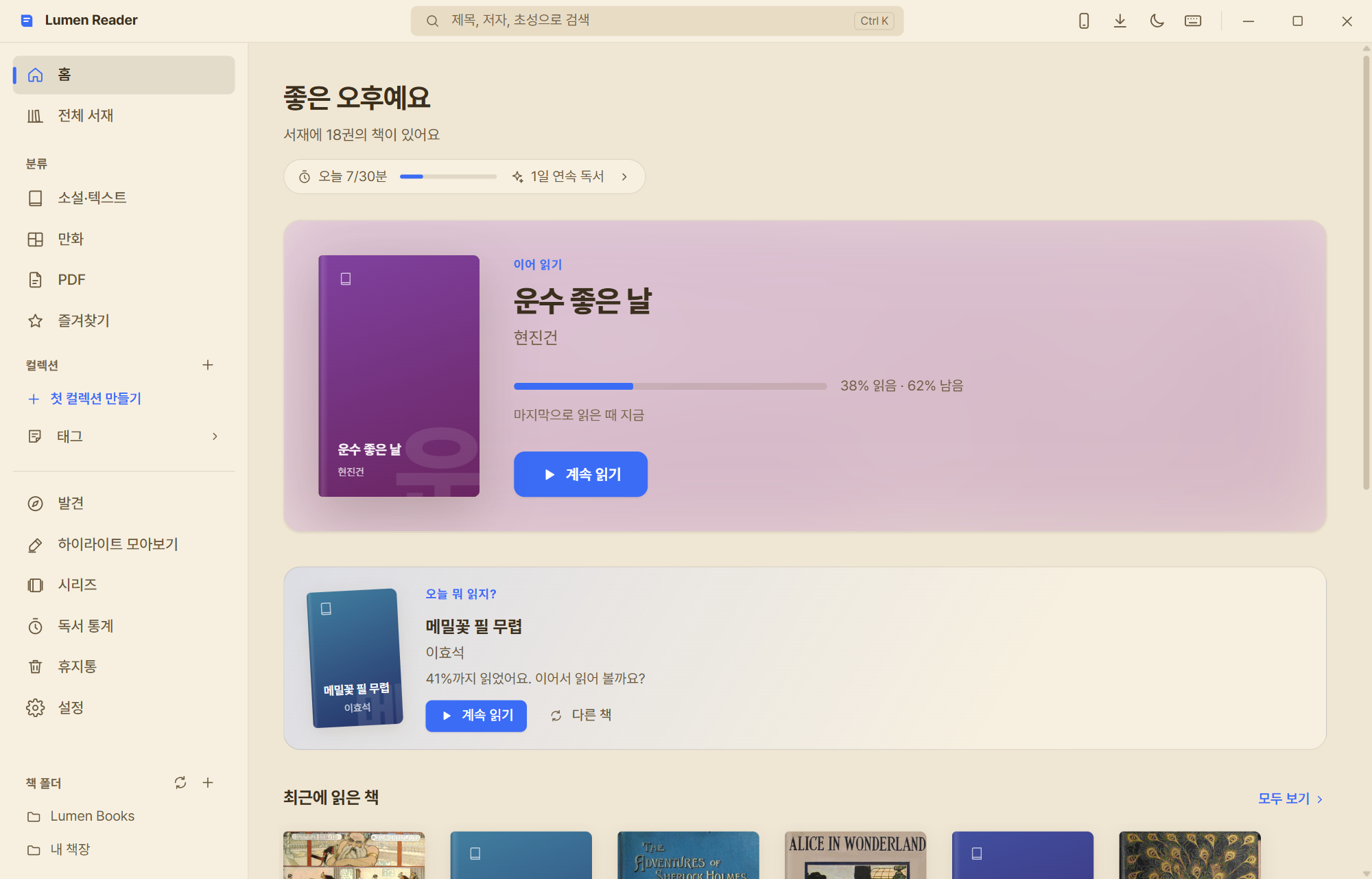
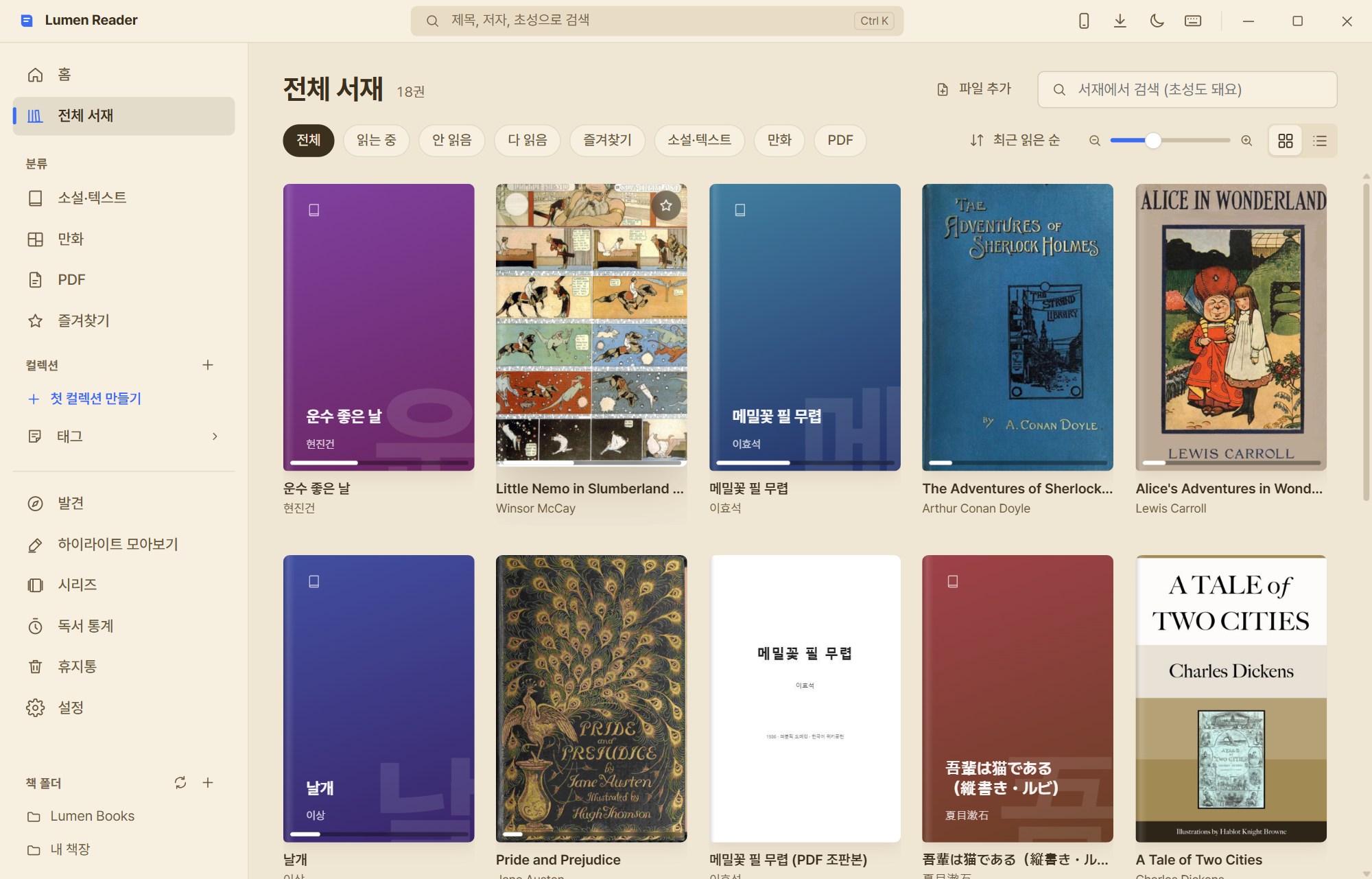
There are collections and smart collections, tags, star ratings and automatic series grouping, plus duplicate finding, a trash bin, metadata editing, metadata lookup from Open Library, Calibre library import, and backup and restore. Books you would rather not have others see can be locked away in the private library, and when you want no trace left behind, read in incognito mode.
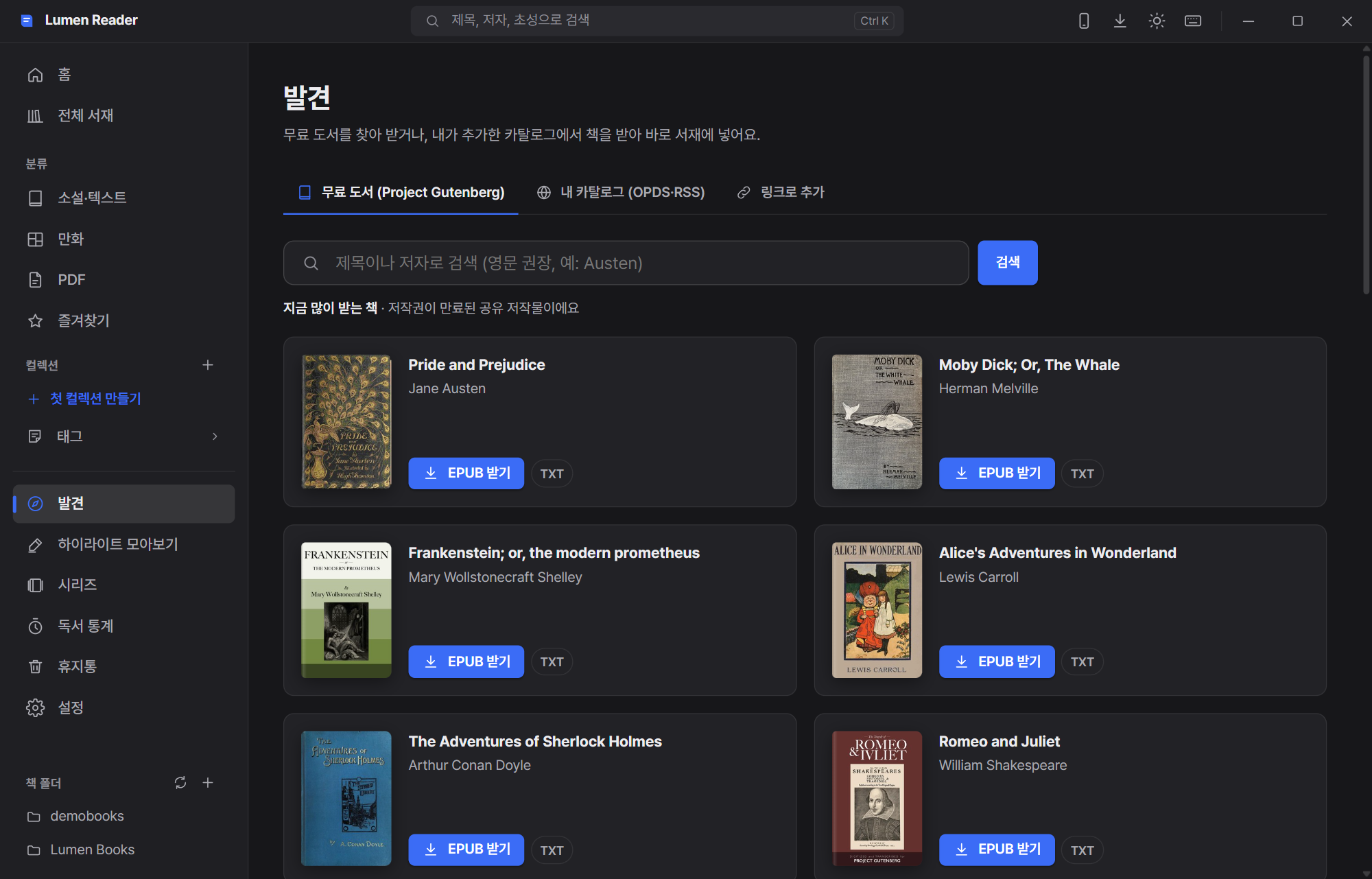
Paste the address of an article or blog post and it is cleaned up into a readable EPUB and saved to your library. What ships with the app is public-domain material; any other catalog is something you add yourself.
When you want to read like you are studying
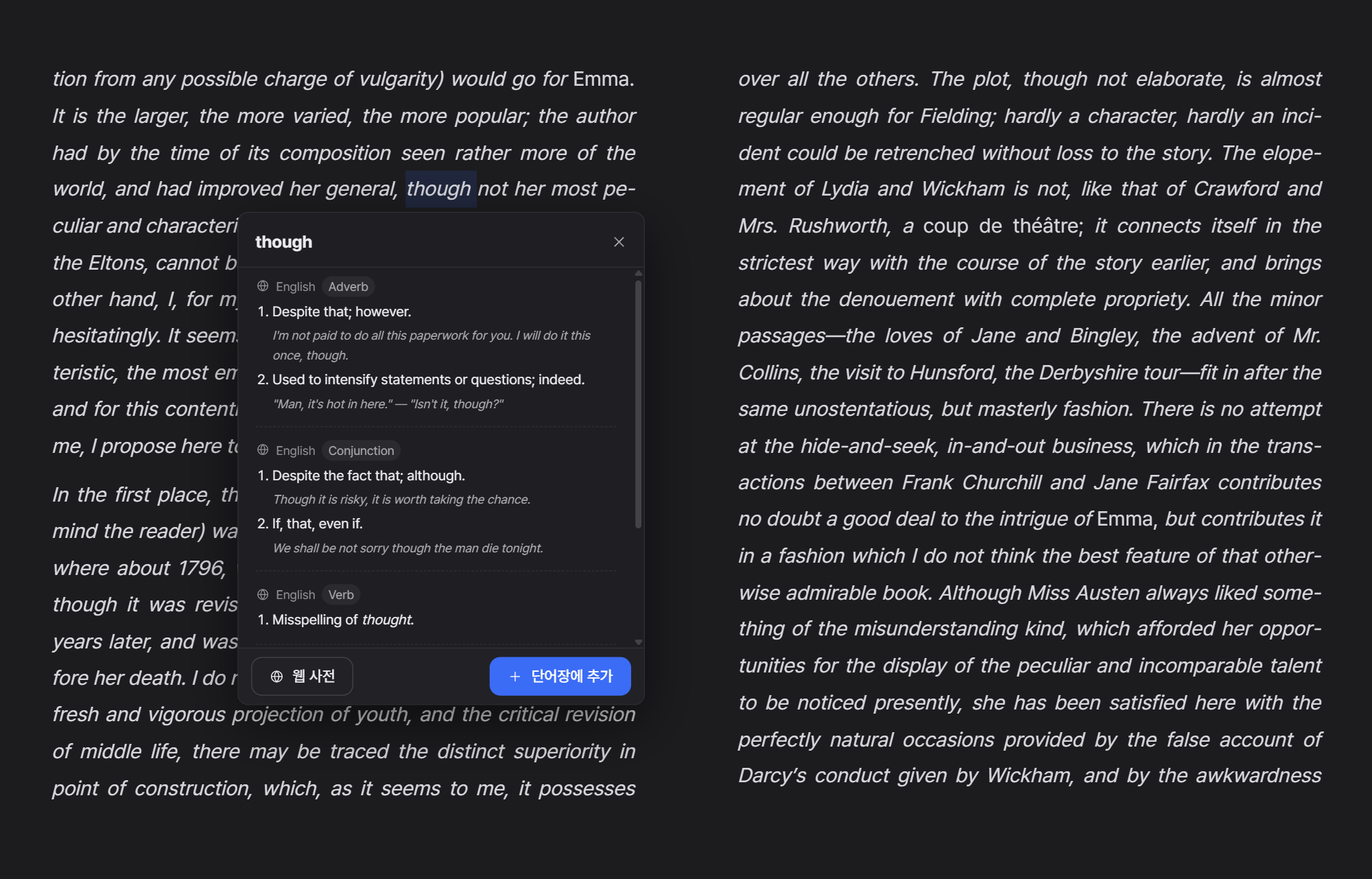
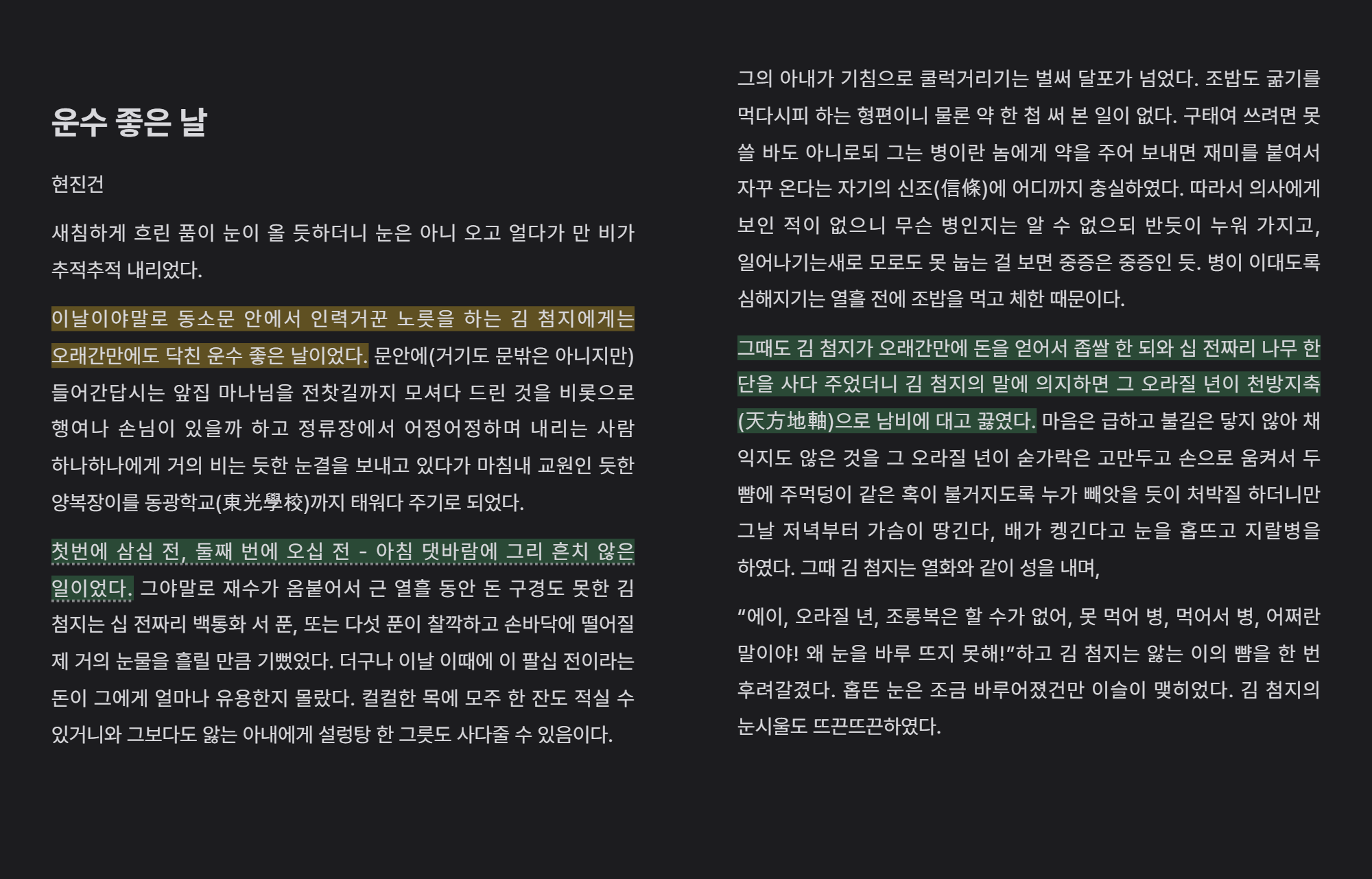
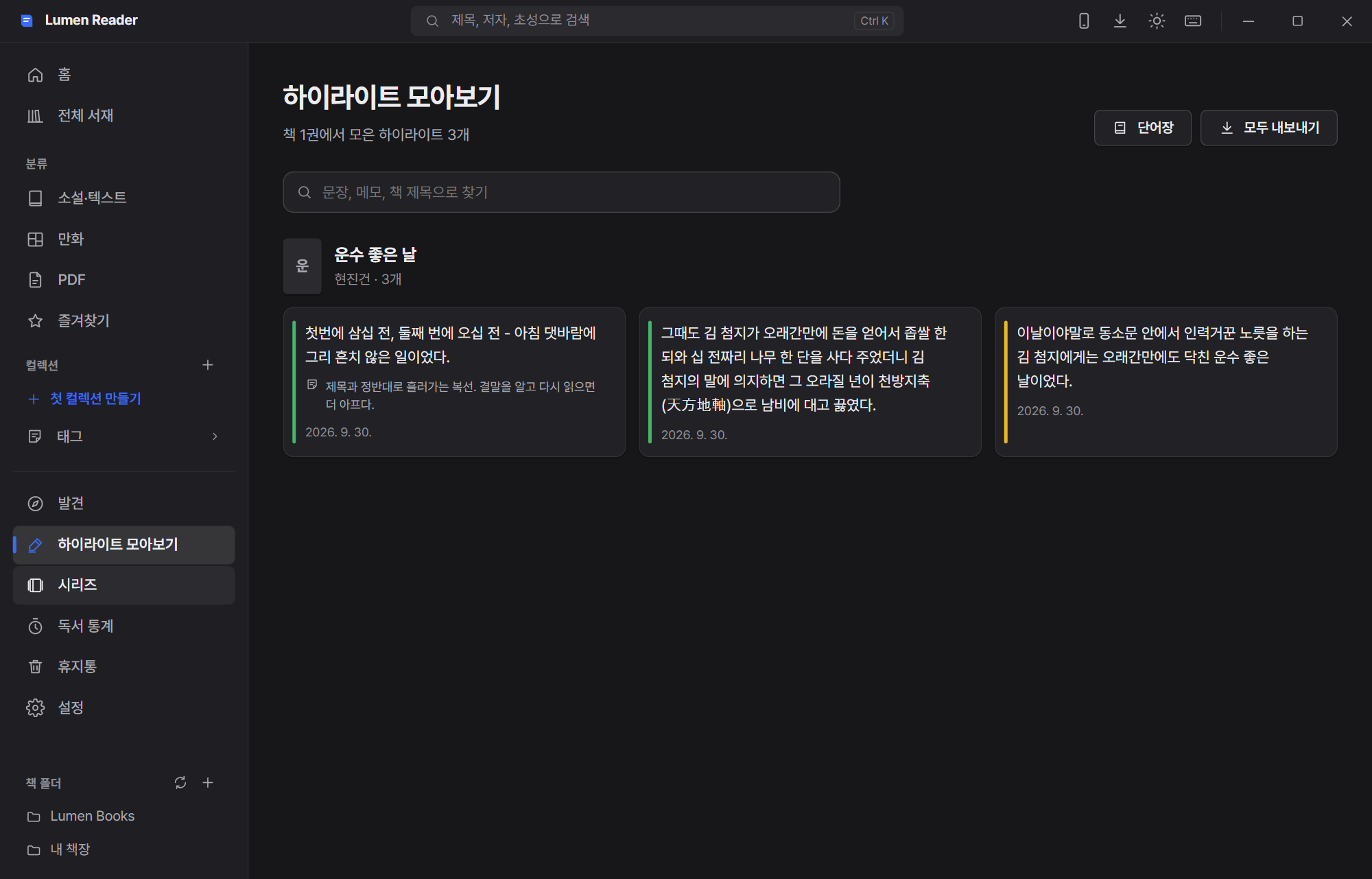
Come across a word you do not know in an original-language book and all you do is select it. An offline StarDict dictionary and the online Wiktionary show the meanings by part of speech with examples, and the word goes straight into your vocabulary list for review with spaced repetition.
An AI reading companion (optional)
Everything works with AI switched off. Turn it on only when you want it — and above all, it is built to avoid spoilers.
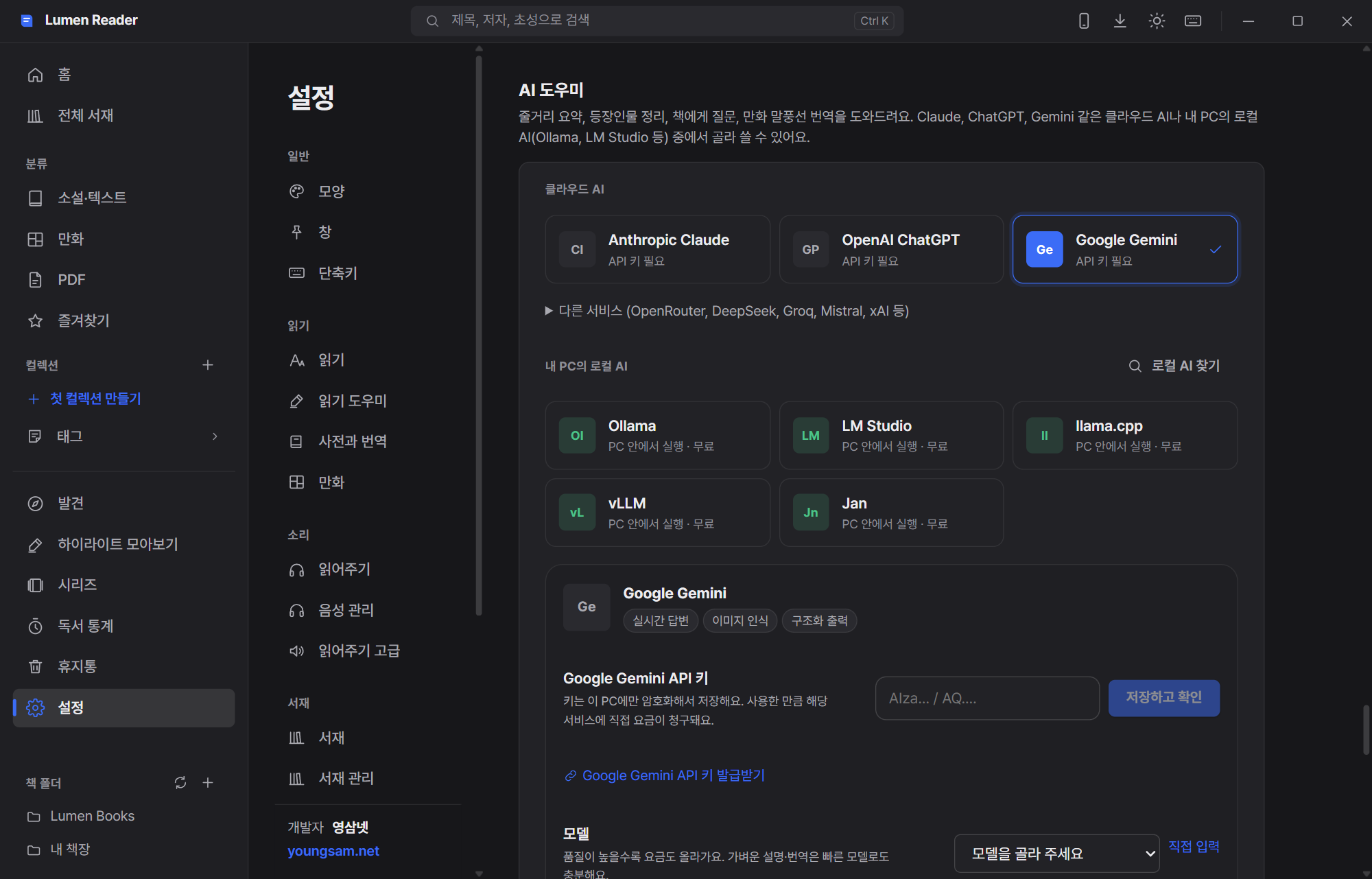
Choose a local AI and the book never leaves your PC, and nothing costs anything. With a cloud service, only the part it needs, at the moment you ask is sent, and the API key is stored on this PC alone, encrypted by Windows (DPAPI). If a server is busy it retries automatically and falls back to another model from the same provider, and it keeps an eye on free-tier limits and your monthly budget.
Conveniences that stick to your hands
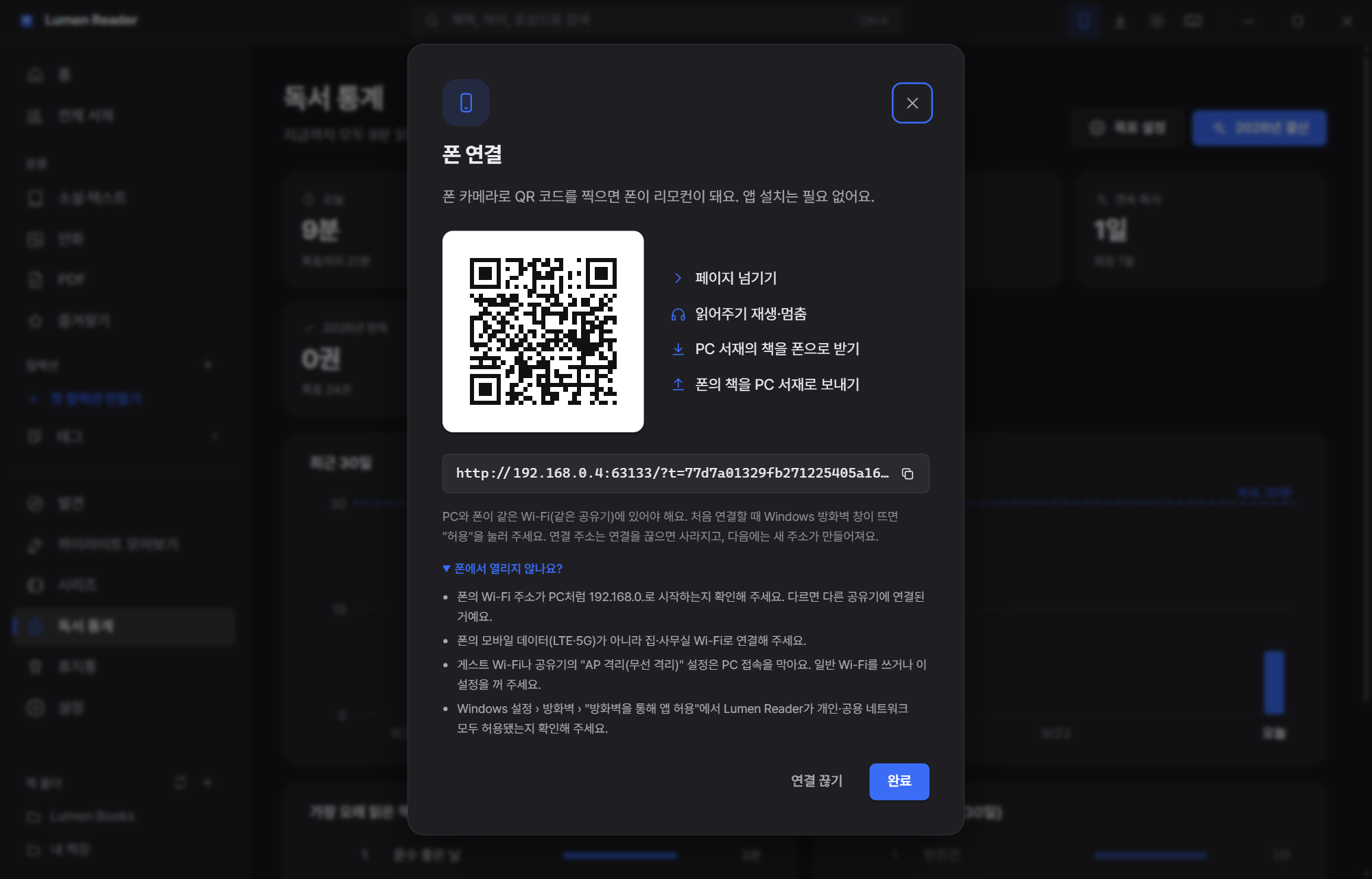
The phone remote is nothing more than scanning a QR code on the same Wi-Fi. With no app to install, you turn pages in the phone browser and start or stop the read-aloud, and you can pull a book from the PC to the phone or push one the other way. Books in the private library never appear on the phone, and the connection token is created fresh for every session.
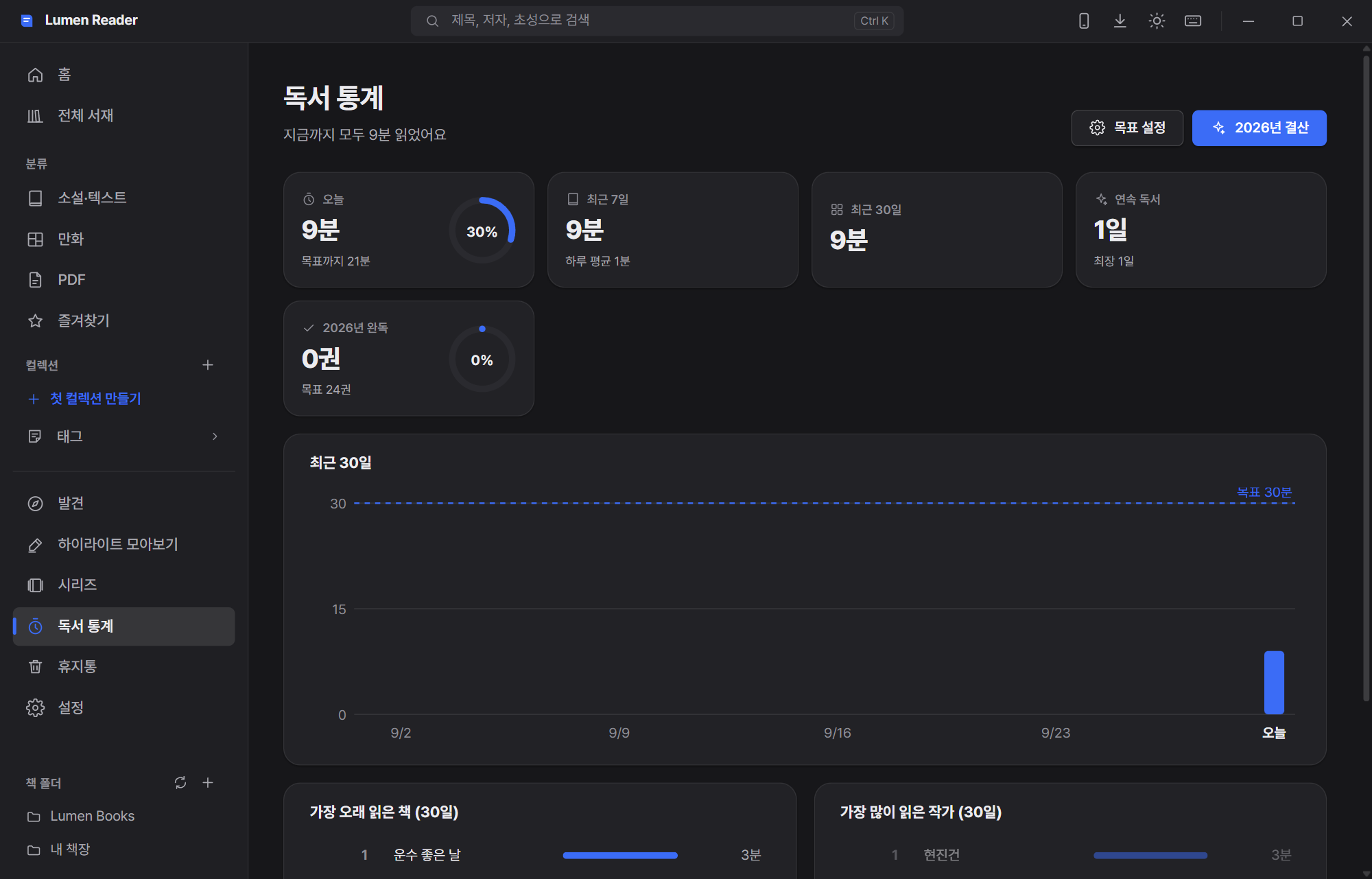
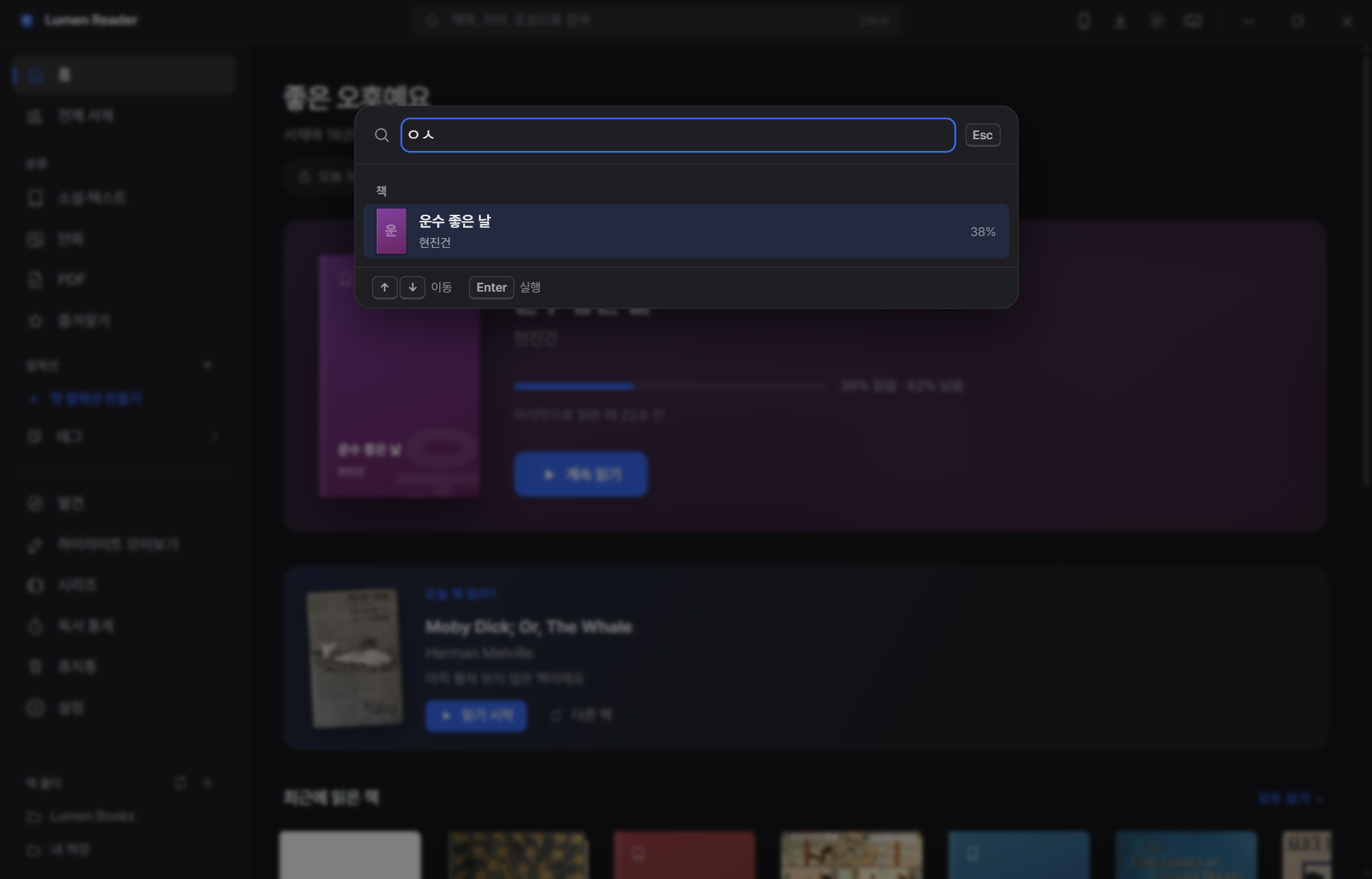
On top of that there is side-by-side view and tabs (an original next to its translation), a mini window that stays on top, gamepad, touch and pen gestures, and reading-position sync across several PCs through a cloud folder (OneDrive, Dropbox, Google Drive). Shortcuts are fully remappable, and there is 90-150% UI scaling, high contrast, reduced motion, full keyboard operation and screen-reader support. Every theme meets WCAG AA text contrast.
Nine languages, and the first run
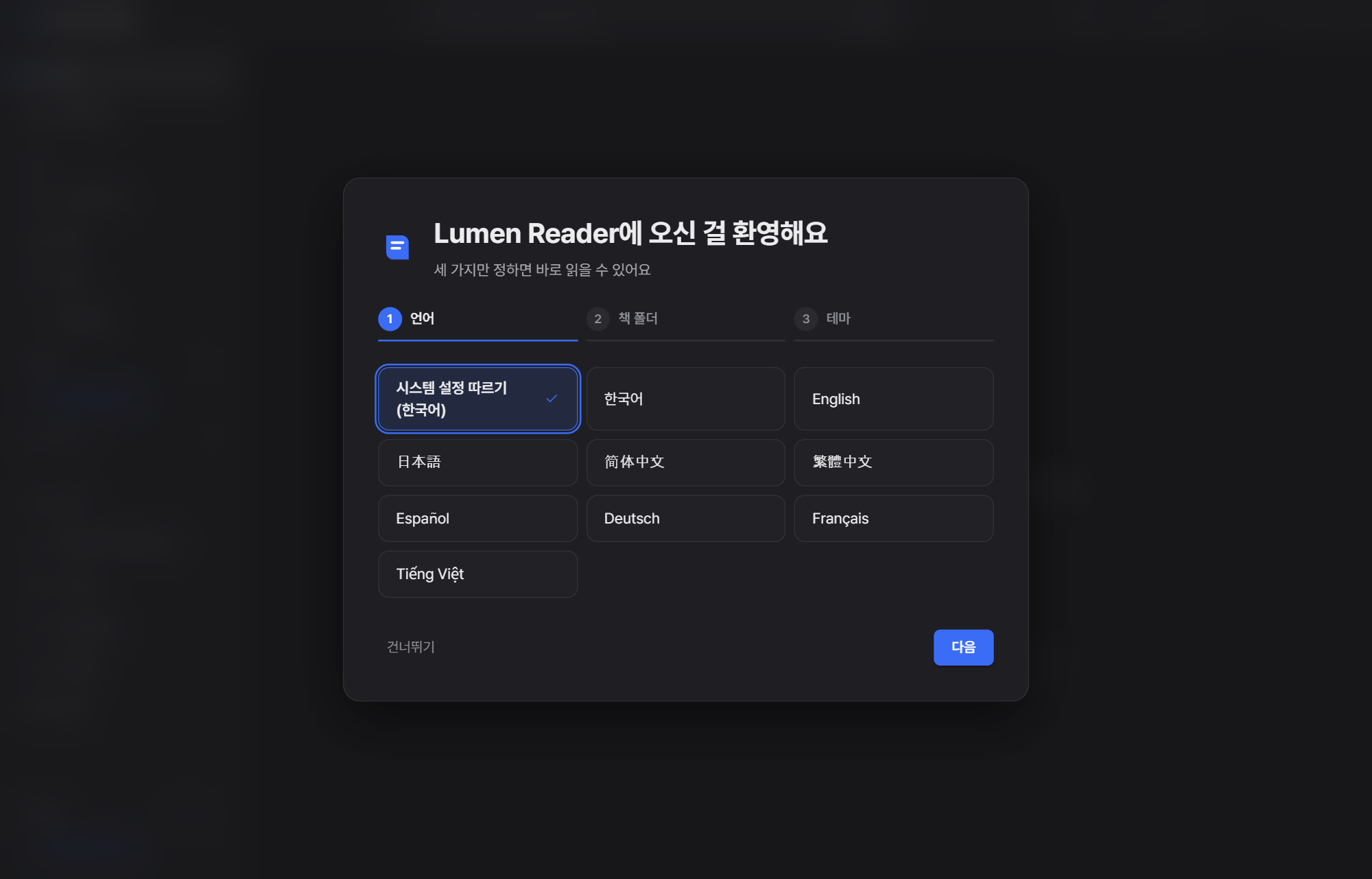
한국어 · English · 日本語 · 简体中文 · 繁體中文 · Español · Deutsch · Français · Tiếng Việt are supported. On the first run you choose three things — language, book folder, theme — and you are ready.
How it was built
· SQLite (rusqlite) for the database, notify for watching the book folder
· PDF rendering is pdf.js with a transport layer that reads only the byte ranges it needs, so even huge files stay light on memory
· Speech is sherpa-onnx + ONNX Runtime, synthesized by a neural model inside the PC. Synthesis runs at roughly 0.5x real time
· Covers, pages and book resources stream directly over a dedicated internal protocol (
lumen://)· Code size (measured): Rust about 22,400 lines, TypeScript/React about 42,300 lines, CSS about 9,300 lines
· Automated tests: about 160 Rust unit and integration tests, plus 15 end-to-end UI scenarios — passing on both the installed and the portable build
· Book HTML is sanitized and a strict CSP blocks outside scripts; AI and cloud-voice keys are encrypted with DPAPI and never written to logs or backups
Making the read-aloud sound natural took the most work of all. Numbers, units and ranges are rewritten sentence by sentence the way a person would say them, pauses are given different lengths after commas, sentences, paragraphs and headings, and pre-synthesized audio is stitched together to remove the gaps. In vertical writing, pages break on line boundaries so the next line's furigana never peeks through or gets clipped at the page edge.
Installing, and what you need
| Operating system | Windows 10 / 11 (64-bit) — no macOS or Linux build yet |
| Requirement | Microsoft Edge WebView2 runtime (already present on most PCs) |
| Installer | LumenReader_1.3.2_Setup_x64.exe (about 10 MB) — double-click to install |
| Portable | Unzip and run LumenReader.exe (about 13 MB) — library and settings live inside the folder, so it travels on a USB stick |
| High-quality voice | Download Supertonic 3 (about 129 MB) once from Settings → Voice manager |
| Price | Free · no sign-up · no ads · no server |
# PowerShell
Get-FileHash .\LumenReader_1.3.2_Setup_x64.exe -Algorithm SHA256
Get-FileHash .\LumenReader_1.3.2_Portable_x64.zip -Algorithm SHA256

# Expected values (1.3.2)
# LumenReader_1.3.2_Setup_x64.exe
# f004d76b0220bff19292d77b17c2e8f66599125796f836325ddc9b062ced7b52
#
# LumenReader_1.3.2_Portable_x64.zip
# 5a3790237d63c500cf5c1b26fdda3af8c24be1dd6abefadcaaaa06ed54037a22
#
# LumenReader.exe inside the zip
# 43e7fde3b6d593bfcb71dad3fdb54de60afb3388cb51ffaff0524fa9219ef8f8
The honest limitations
- For now it is Windows only. There is no macOS or Linux build.
- With no code-signing certificate, SmartScreen shows a warning on the first run.
- Books with DRM cannot be opened. No DRM removal is included, and none ever will be.
- The AI features need an API key for whichever service you use, and free tiers have daily limits. Cheaper models sometimes render character names awkwardly.
Frequently asked questions
Is Lumen Reader free?
Yes, it is free. There is no sign-up, no advertising and no server. Your books and your reading history are stored only on your own PC.
Do I need an internet connection?
No. Reading, read-aloud with the offline voices, and managing your library all work with no connection. You only need one to download a book from Discover, to use the online dictionary, or to use a cloud AI or a cloud voice.
Which file formats can it read?
EPUB, PDF, TXT (legacy encodings such as EUC-KR detected automatically), MOBI and AZW3 (Kindle), FB2, Markdown, HTML, DOCX, and comic files (CBZ, CBR, CB7, ZIP, RAR, 7Z and image folders).
Can it open books I bought from Kindle or another store?
Books protected by DRM cannot be opened, and no DRM removal is provided. Any DRM-free EPUB, PDF, TXT or comic file opens fine.
My web-novel TXT file shows garbled characters.
Legacy encodings such as EUC-KR are detected automatically and displayed correctly. Just open the file as it is, with no conversion.
Does the read-aloud voice sound robotic?
Download the high-quality offline voice (Supertonic 3, about 129 MB) once in Settings and it reads in a near-human voice. After that it works with no internet, and the first sound comes about 0.04 seconds after you press play.
Does anything about my books leave the PC?
By default everything stays on your PC. Only when you actively use an AI feature, at that moment, is the part of the text it needs sent to the AI service you chose. Pick a local AI such as Ollama or LM Studio and the book never leaves your PC at all.
The phone connection does not work.
The phone and the PC have to be on the same router's Wi-Fi. Mobile data and guest Wi-Fi will not connect. Check the "Not opening on your phone?" checklist inside the app.
Is there a macOS or Linux version?
As of 1.3.2 it is Windows only, running on Windows 10 and 11 64-bit.
Does it handle Japanese vertical writing and furigana?
Yes. Japanese and Chinese vertical writing and ruby (furigana) are supported, and the read-aloud can follow the furigana. In vertical mode, pages break on line boundaries so the next line's furigana is never clipped at the page edge.
Can I carry it on a USB stick?
Use the portable build. Unzip it and run LumenReader.exe; the library and settings are kept in that folder, so you can carry on with your own library on another PC.