
Archives and documents whose passwords you forgot,
recover them right on your own PC, no internet needed.
ZIPVelocity brings back the forgotten passwords of archives (ZIP·7z·RAR) and documents (PDF·Excel·Word·PowerPoint) you own, recovering them right inside your own computer. The high-speed engine built by Youngsam uses GPU acceleration and every CPU core together to find them fast, and faster still when you add anything you remember. It never uploads your files anywhere, and it's completely free, with no ads and no login.
718×10⁴/s GPU-accelerated guesses on an RTX 3090 |
10×10⁴/s CPU parallel search on 24 threads |
100% on your PC only no upload |
10formats ZIP·7z·RAR·PDF Excel·Word·PPT |
0KRW ads · login none at all |
Now PDF, 7z & RAR too — new in 0.4.0
| What it can do | Description | Search |
|---|---|---|
| PDF open password | Finds the password of a PDF that won't open at all. Supports RC4-40/128, AES-128 and AES-256 | CPU · GPU(AES-256) |
| PDF permissions password removal | Saves a copy with the restrictions removed from a PDF that opens but blocks printing, copying or editing | Instant |
| Password-free PDF copy | Using a recovered or already-known password, saves a copy of the PDF without a password | Instant |
| 7z open password | Also finds AES-256 7z, including 7z with header encryption that hides even the file names | CPU multithreaded |
| RAR open password | Finds RAR5 data and header encryption | CPU |
- Confirmed, not guessed — a candidate password is verified by actually decrypting the entire file, and only one that passes is shown as "done"
- Implemented in-house, no PDF library — PDF standard security handling is built from scratch, covering both older-structure and modern-structure PDFs (cross-reference streams, object streams)
- The original stays as is — the original is opened read-only and results are always saved as a new copy, so existing files are never overwritten
- File selection and drag-and-drop now accept
.pdf·.7z·.rar. ZIP, Excel and Office features are unchanged, and tests confirmed nothing regressed
Excel & Office document recovery (from 0.3.0)
Excel has two kinds of protection, handled differently.
- Sheet / workbook-structure protection that blocks editing (the file opens, but you can't edit it) — for XLSX and XLSM it saves a copy with the chosen protection removed. It doesn't recover the original protection password; it makes a new, unprotected copy
- An open password that stops the file opening at all — it searches the open password of Excel, Word and PowerPoint on the CPU/GPU, and saves a password-free copy using a known or recovered password
An Office password found is marked "done" only after it passes actual decryption and document verification. It never overwrites the original or existing files (it saves under a new name) and never runs macros.
Supported formats (blue = added in 0.4.0)
What ZIPVelocity is
Old backups, downloaded files, an archive you made yourself long ago… a ZIP you can't open because you forgot the password — everyone has one. ZIPVelocity brings those files back inside your own computer without sending them anywhere. It installs light, and it's as simple as one button. From 0.3.0 it recovers Excel and Office documents, and from 0.4.0 PDFs and 7z / RAR archives too, the same way.
Why ZIPVelocity
1. 100% on your own computer, with no internet connection
It is fundamentally different from online recovery services that upload your file to an outside server. All analysis happens on your PC only, and no internet connection is needed at all. The original ZIP is opened read-only, never modified, and the password it finds is not written to any log file. The more sensitive the material, the more at ease you can be.
2. GPU acceleration + every CPU core, the Youngsam high-speed engine
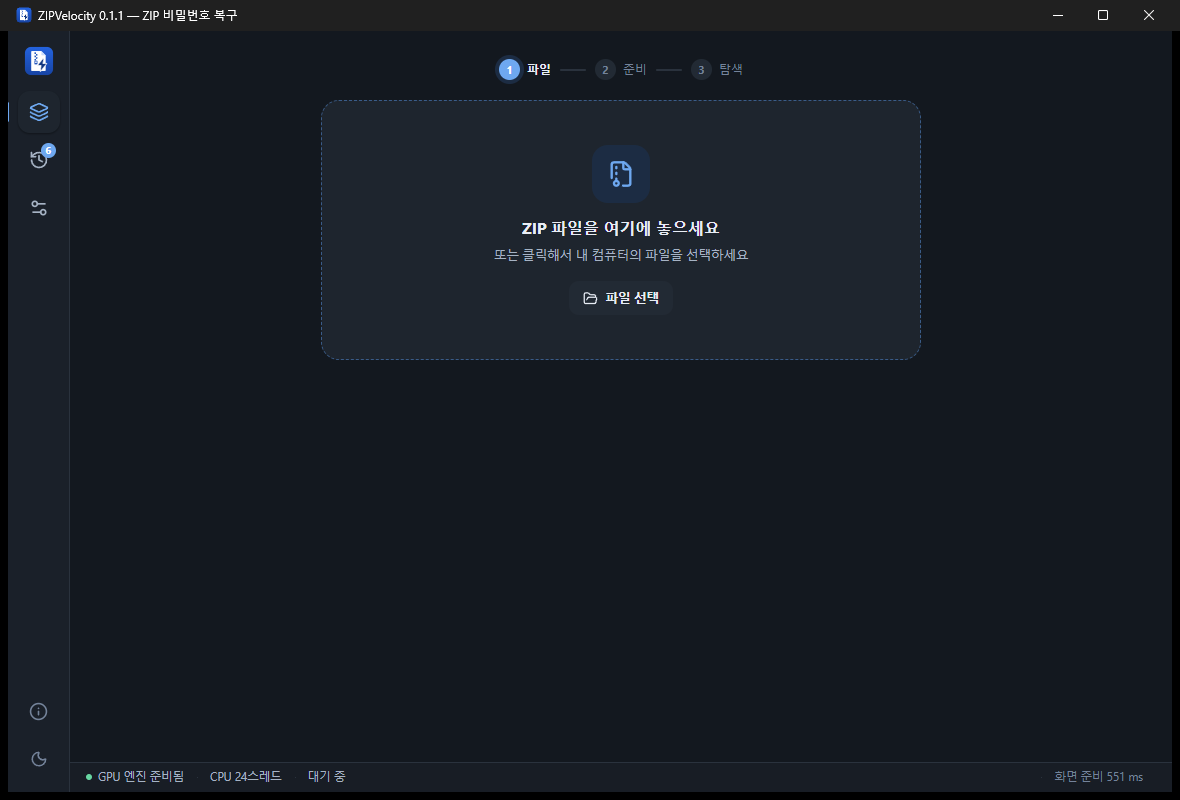
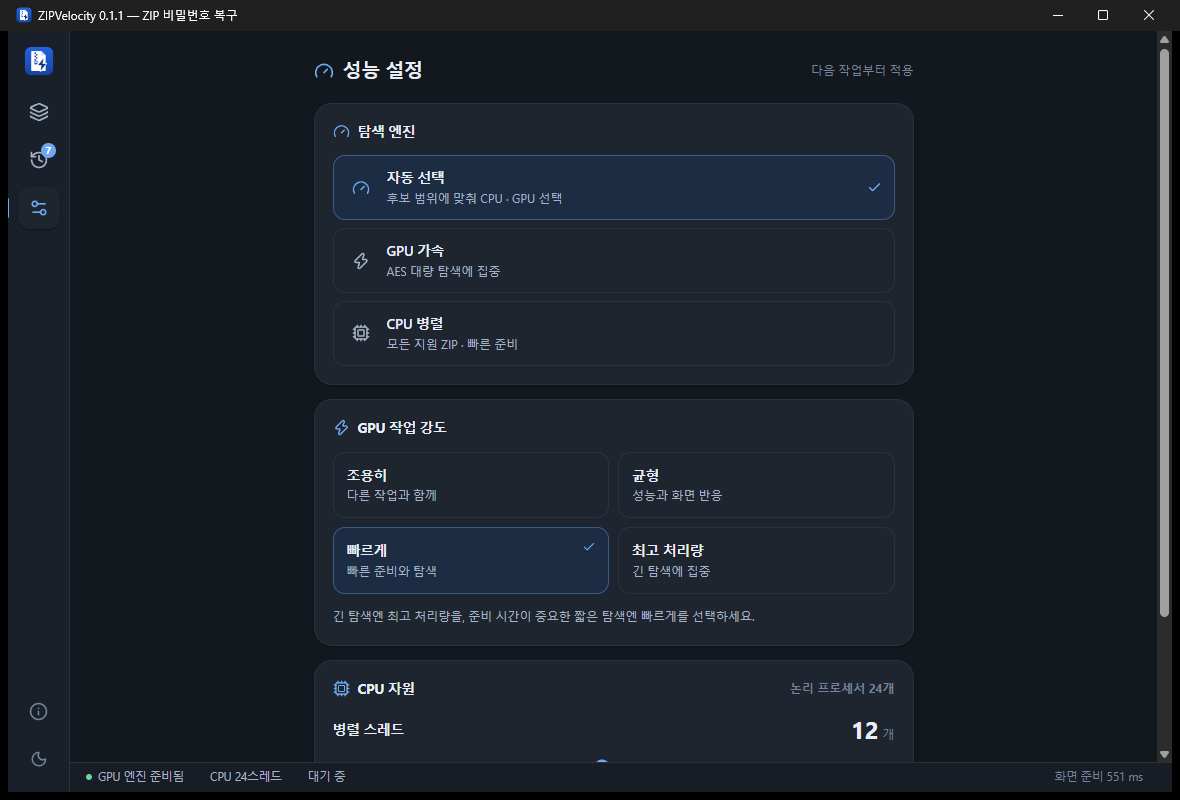
The recovery engine designed in-house by Youngsam uses graphics-card (GPU) acceleration and parallel processing across every CPU core together. Short jobs run instantly on the CPU, large searches on the GPU — it picks the engine automatically to fit the situation, so you never have to worry about it. Being a native Rust program with no separate runtime like Python, it launches instantly too.
3. Dramatically faster by using "what you remember"
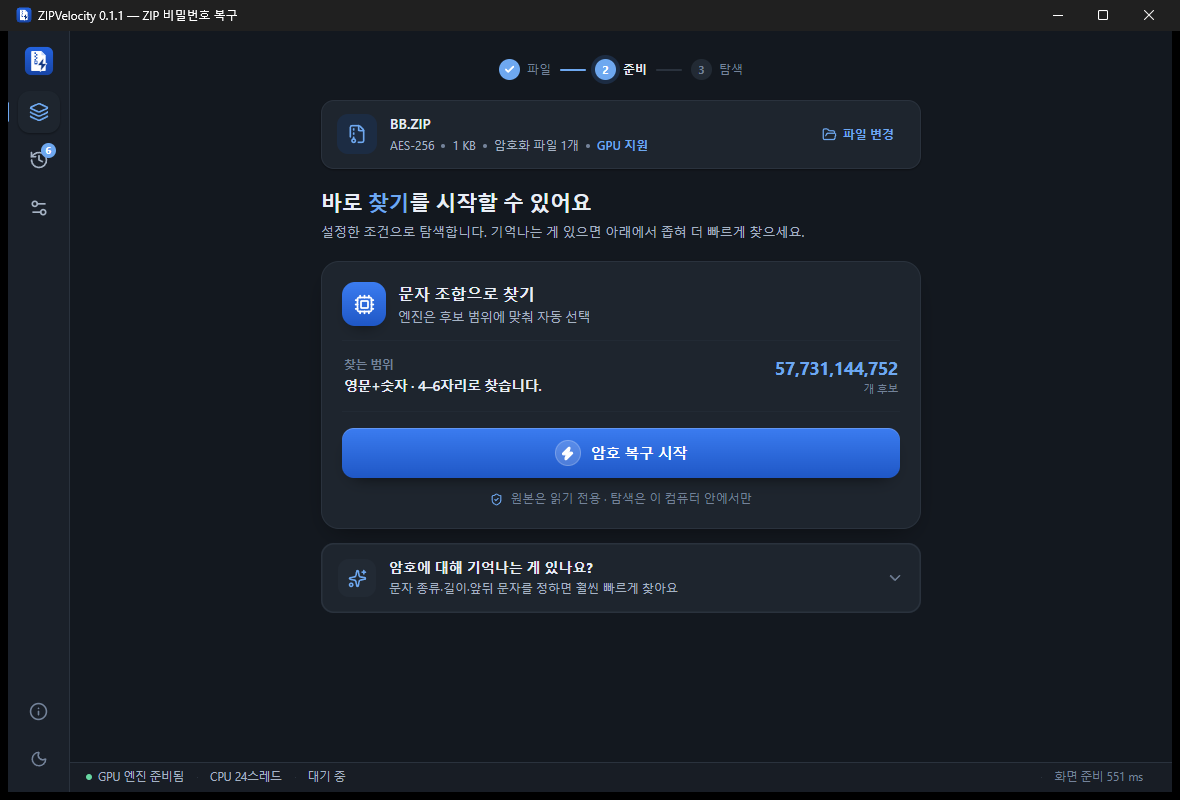
What matters most for recovery speed is the number of candidates to try. ZIPVelocity uses whatever little you remember to cut that number down sharply.
- The character types you used — digits / lowercase / uppercase / letters+digits / everything including symbols
- The password length range
- characters at the start or end (e.g.
loveat the front,!)
If "I remember the first part but the last letter or two is fuzzy," narrow just that part and billions of combinations can finish in seconds. The more you remember, the faster it gets.
4. An easy screen even first-timers can use right away
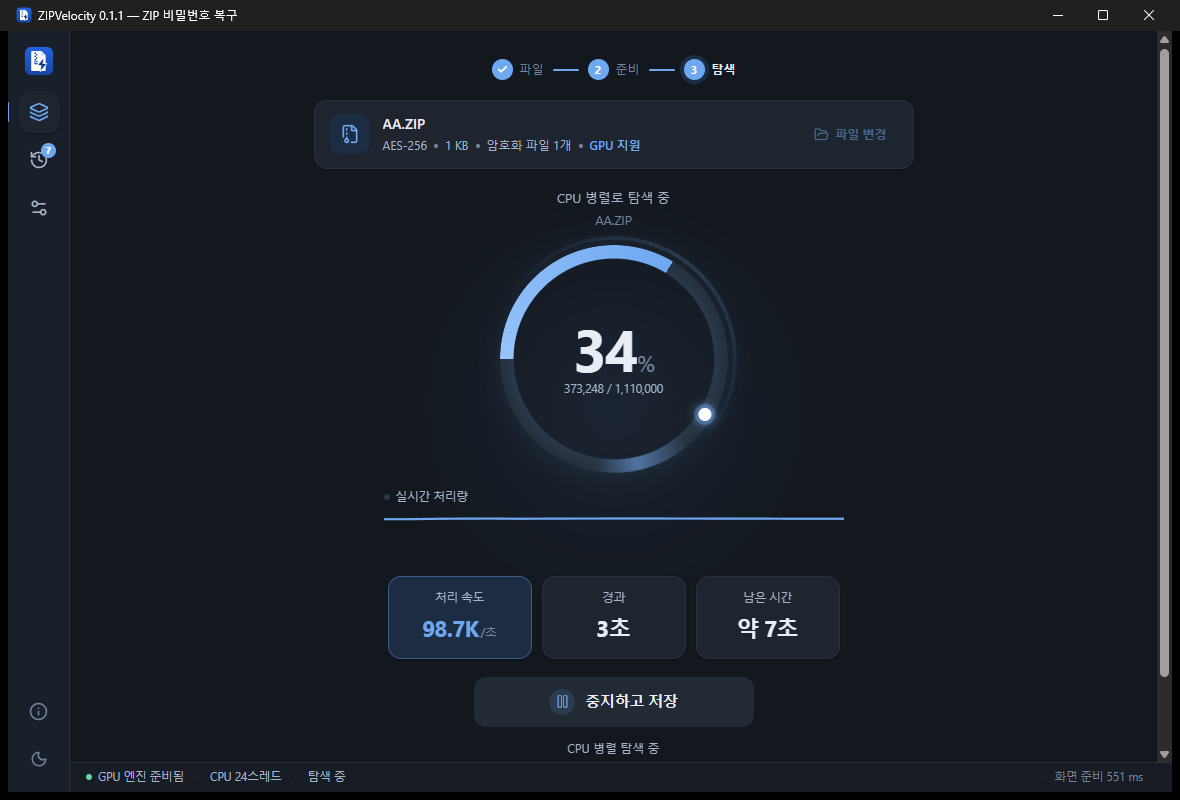
Drag a file in and a single "Start recovery" button is all it takes. The advanced options appear only when you expand "Anything you remember about the password?" The moment it's found, you jump to the done screen and can copy the password right away.
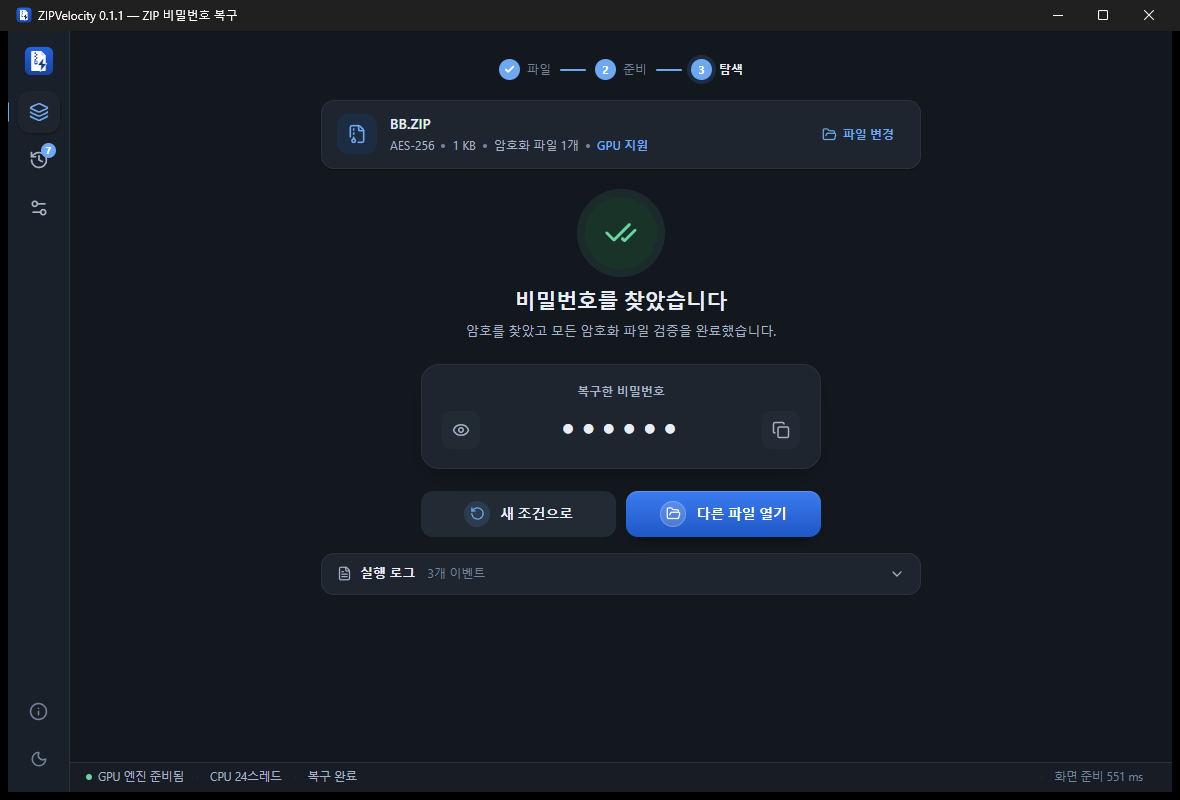
5. Broad ZIP support and accurate full verification
- AES-256 / 192 / 128 and legacy ZipCrypto encryption all supported
- Korean passwords handled too
- If a ZIP holds several encrypted files, it opens them all for full verification — filtering out the "looks right but won't open" false hits
6. Stop and resume
Even a long search saves its position when you stop, so you can pick up where you left off later. Handy when you need your PC for something else for a while.
7. Four languages — Korean · English · 日本語 · 中文
You can switch the whole interface to Korean, English, Japanese or Chinese, so users abroad can start right away, not just those in Korea. It detects your system language automatically, lets you change it anytime under Settings > Language, and even the window title changes with your choice.
8. Light · dark themes
It supports both an easy-on-the-eyes dark mode and a clean light mode. You can also let it follow your system setting automatically.
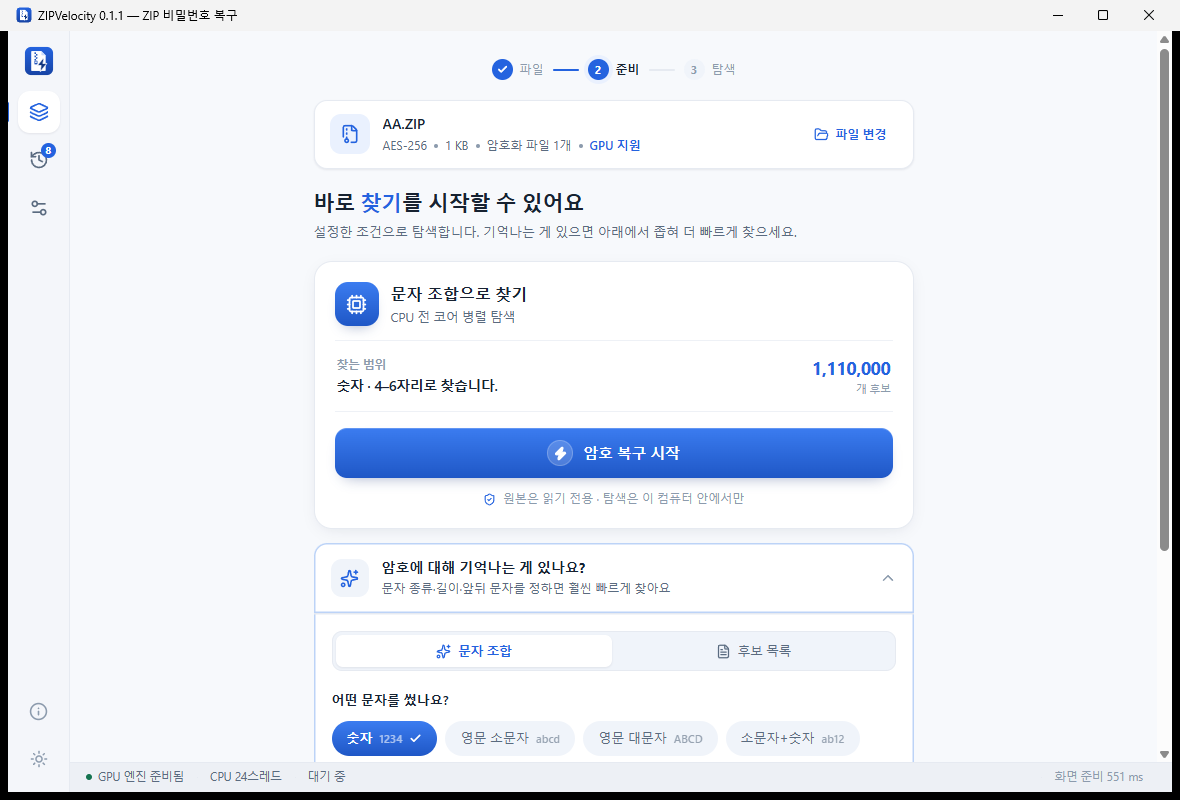 Light theme |
Dark theme |
Real test results
Behavior verified firsthand on the development PC (AMD Ryzen 9 3900X · NVIDIA RTX 3090).
| Situation | Result |
|---|---|
AES-256 encrypted ZIP, password 1234 | With GPU acceleration, recovered in under 6 seconds, with full verification of every encrypted file passed |
| CPU parallel search (AES-256) | About 100,000 per second processed (24 threads) |
| GPU-accelerated guess rate | About 7.18 million per second (on an RTX 3090) |
| Other | Stop → resume, distinguishing "not found within range" (normal finish), and correct behavior with Korean and symbol conditions all confirmed |
Compared with paid recovery programs
ZIP password recovery has mostly been handled by paid programs (e.g. Passware, ElcomSoft Advanced Archive Password Recovery, PassFab). ZIPVelocity offers that core capability for free, and more simply.
| Item | Typical paid recovery program | ZIPVelocity |
|---|---|---|
| Price | Paid license (tens to hundreds of thousands of won) | Completely free |
| Where it runs | Mostly local (some online services upload) | 100% local · no internet needed |
| GPU acceleration | Varies by product | Supported (auto-selected) |
| Language | Mostly English-centric | Korean · English · 日本語 · 中文, four languages |
| Ease of use | Tends to be complex with many options | Start with one button, advanced is tucked away |
| Install / size | Install required · tens to hundreds of MB | Installer 6.9 MB · portable 15.9 MB |
| Original protection | Varies by product | Always read-only |
Each paid product's exact specs, price and policy may change, so check the official site. The table above compares general characteristics.
How to use — just 3 steps
- Drag and drop a ZIP file (or "Choose file")
- If you remember anything, enter the character type, length, leading/trailing characters (fine if you don't)
- "Start recovery" — once found, the password is shown right away
Installation and requirements
| Operating system | Windows 10 / 11 (64-bit) |
| Installer version | ZIPVelocity-0.4.0-x64-setup.exe → run to install |
| Portable version | 0.4.0 is offered as an installer only. If you need a portable version, you can use the 0.3.0 portable version in the version history below (without the PDF, 7z and RAR features) |
| Required runtime | For display it needs the Microsoft Edge WebView2 runtime (built into Windows 11, and installed on most Windows 10 PCs) |
| GPU | if present it accelerates automatically; without one it runs on the CPU |
| Price | Free · no ads · no login · no tracking |
# PowerShell
Get-FileHash .\ZIPVelocity-0.4.0-x64-setup.exe -Algorithm SHA256

# Expected (0.4.0)
# ZIPVelocity-0.4.0-x64-setup.exe
# 83fb4e59781ba8b7dc83fb2c748de36684fbd25276f5130a9c9c78ef09874bf9
Please follow this
Frequently asked questions
Do you upload my file to the internet? Is it safe?
No. All analysis happens on your computer only, with no internet connection needed at all. The original ZIP is opened read-only and not modified, and the password it finds is not written to any log file.
Which ZIPs are supported?
AES-256 / 192 / 128 and legacy ZipCrypto encryption are all supported, and Korean passwords are handled too. If a ZIP holds several encrypted files, it opens them all for full verification, filtering out false hits that look right but won't open.
Can it unlock PDF passwords too?
Yes, from 0.4.0. The open password that stops a file from opening is searched on the CPU, and AES-256 PDFs are searched faster on the GPU. For a permissions password that lets the file open but blocks printing, copying or editing, it saves a copy with the restrictions removed right away, with no need to find the password. If you already know the password, it can also make a password-free copy of the PDF.
Does it work with 7z and RAR archives?
Yes, from 0.4.0 it finds the open password of 7z (AES-256, including header encryption that hides even the file names) and RAR5. 7z is searched on several CPU cores at once, RAR on a single CPU core. The older RAR4 format is not on the supported list yet.
What if I don't remember the password at all?
That's fine. It works even if you just press "Start recovery" with no conditions. But entering any one of character type, length, or leading/trailing characters greatly reduces the candidates to try and makes it much faster.
How long does recovery take?
It depends on the password's complexity. For a short number or when you remember part of it, a few seconds to a few minutes is enough. Conversely, anything 10+ characters mixing upper/lowercase letters, digits and symbols is realistically beyond exhaustive search for any program. Entering the conditions you remember is the surest way.
Can I use it without a GPU?
Yes. Without a graphics card it runs on parallel processing across every CPU core. If a GPU is present, it is used automatically for acceleration.
Can I use it without installing?
0.4.0 is offered as an installer only. If you need to use it without installing, download the 0.3.0 portable version (ZIP, Excel and Office only) from the version history, unzip it and run ZIPVelocity.exe. For display you need the WebView2 runtime.
Is it really free?
Yes, completely free. No ads, no login, no user tracking. You are free to redistribute it as received; only selling the program itself is not allowed.