Free AI word processor — a Microsoft Word alternative (opens & saves .docx/.hwpx, optimized for Korean)
A free word processor you can use instead of Microsoft Word (MS Word). Opens and saves Word files (.docx) and Hangul files (.hwpx) as they are, and lets you polish, summarize and translate right inside the document with the AI subscription you already have (Claude · ChatGPT · Gemini) or local AI (Ollama). Word-unit (eojeol) line breaking, Korean-style dates and numbering, Hanja conversion. Free for Windows.
v1.0.0·Published October 30, 2026·Updated October 30, 2026·Downloads 12
#워도라#Wordora#MS 워드 대체#워드 대체#마이크로소프트 워드 대체#오피스 워드 대체 프로그램#무료 워드프로세서#AI워드프로세서#docx 편집기#한글 hwpx#워드프로세서#무료워드#워드대체#한글대체#HWPX#DOCX#AI문서작성#맞춤법검사#보고서작성#기안문#회의록#ChatGPT#Claude#Gemini#Ollama#무료프로그램+20
Downloadv1.0.012
1/8
W
Wordora AI v1.0.0
AI Word Processor · WINDOWS 10 / 11
Free AI word processor — a Microsoft Word alternative Your existing AI subscription, right inside your document
Write the Korean documents you use every day — reports, approval drafts, meeting minutes — quickly and correctly. Connect your existing Claude · ChatGPT · Gemini subscription—and polish, summarize and translate right inside the document.
FreeNative (Rust)HWPX · DOCXOffline editingMade by Youngsam.net
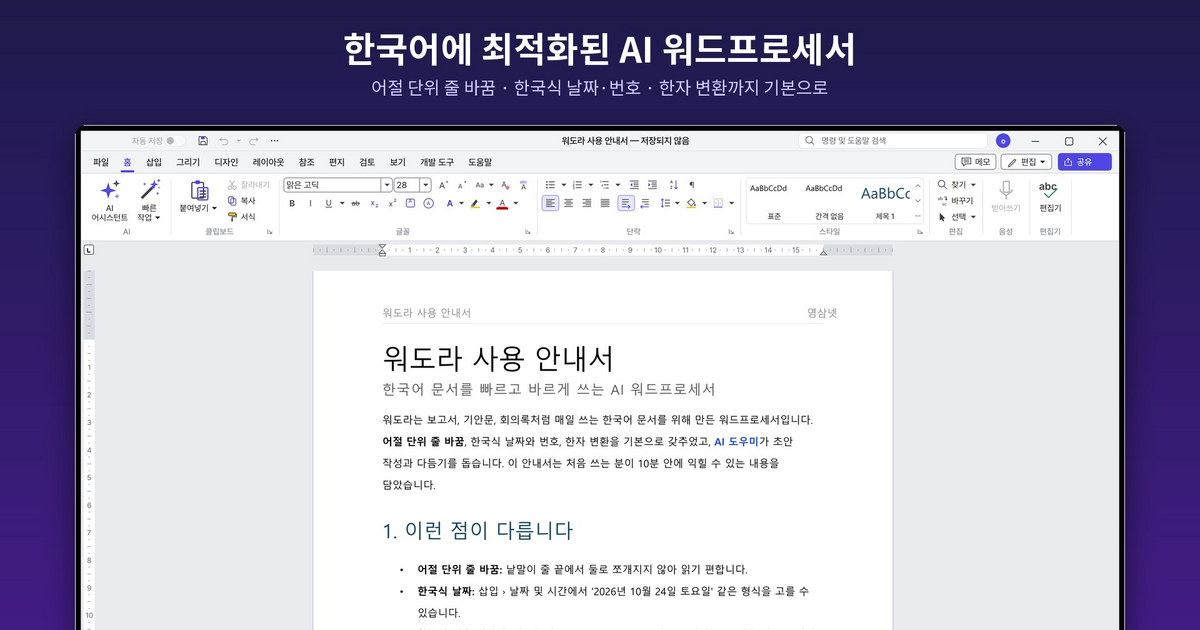
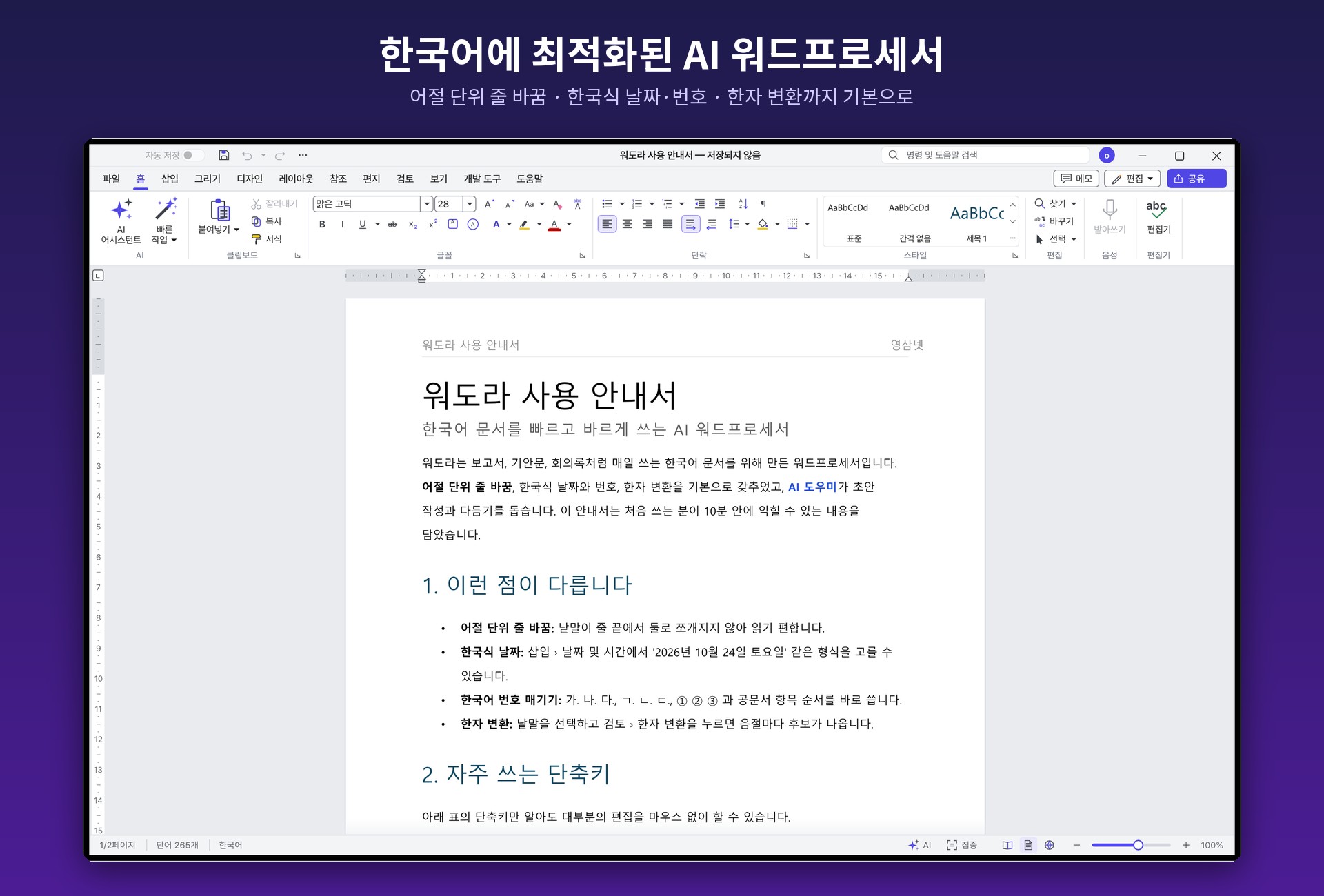
Main window — word-unit (eojeol) line breaking, Korean-style dates and numbering, and Hanja conversion built in.
$0
No extra cost
Use your existing AI subscription
~80MB
Installer
Native, no Electron
7
document formats to open & save
+ PDF export
27
UI languages
Korean included
01 · FAST
Fast and light
Built without web tech (Electron), natively in Rust from the ground up — even large documents scroll and edit without stutter.
⚡
Smooth even with large documents
A native app with no browser engine underneath, so scrolling and editing stay smooth even in long documents.
📦
Installer about 80MB
Every editing feature works without an internet connection.
🪟
Remembers window size & position
The window reopens at the size and position it had when you closed it.
02 · KOREAN
Optimized for Korean
Everything you need to write Korean documents, built in.
Line breakingWord-unit (eojeol) line breaking — words never get split in two at the end of a line.
DatesKorean-style dates — 2026년 10월 30일 금요일
Numbering가. 나. 다. / ㄱ. ㄴ. ㄷ. / ①②③ — the item order used in official Korean documents, ready to go.
Hanja · FontsHanja conversion, Malgun Gothic as the default font, cm ruler
Spelling · GrammarFixed with a single AI proofread
Hancom documentsOpen & save HWPX documents
03 · AI
AI built in — just sign in
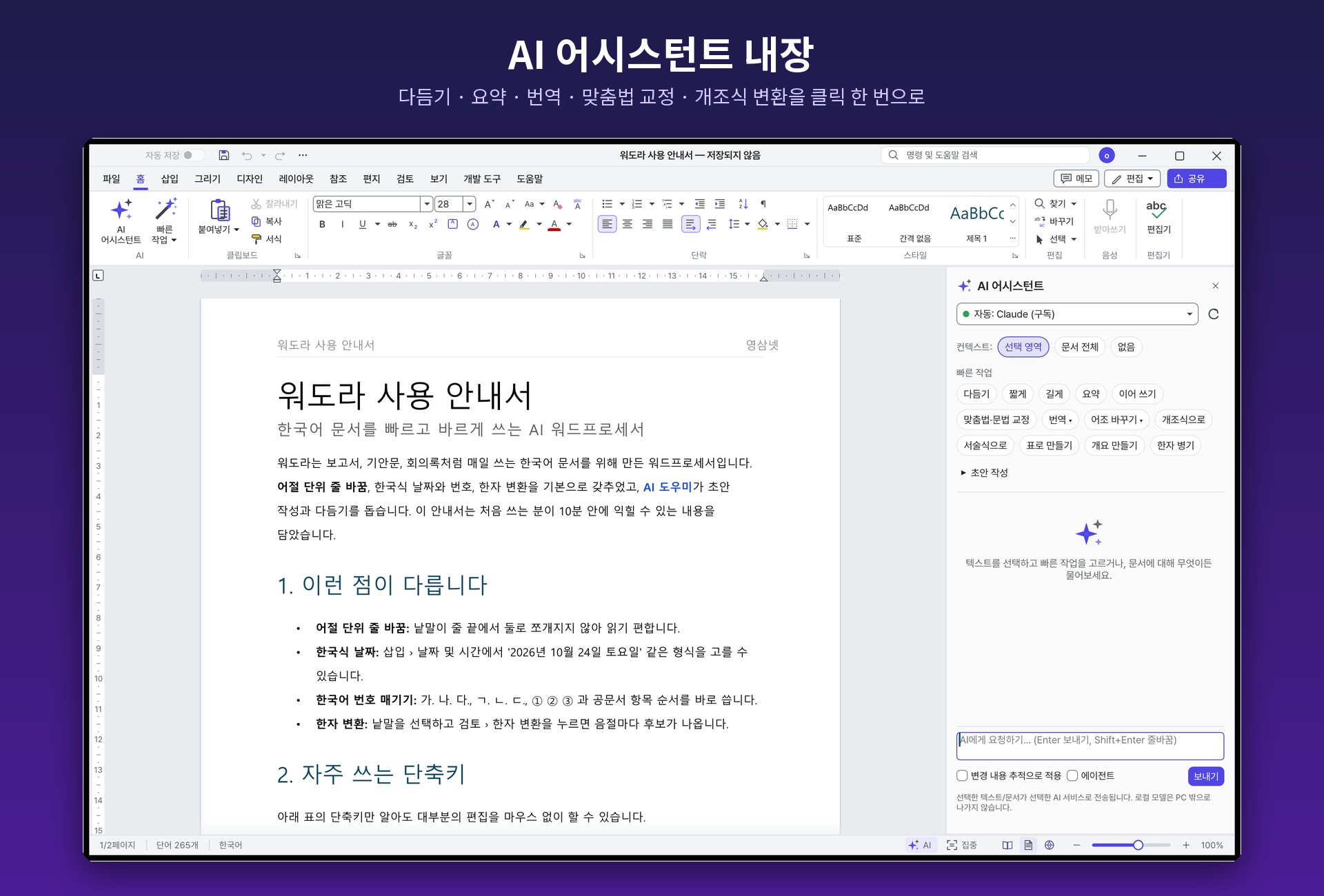
Work on a selection or the whole document straight from the AI Assistant panel on the right. It uses the subscription you already pay for, so there's no extra cost.
AI Assistant — polish · summarize · translate · spell-check · convert to bullet points, in one click.
PolishShorterLongerSummarizeContinue writingSpelling & grammar checkTranslateChange toneBullet points / prose conversionMake a tableMake an outlineAdd Hanja alongside
Apply with Track Changes Review each AI edit one by one and accept or reject it. Your sentences never change behind your back.
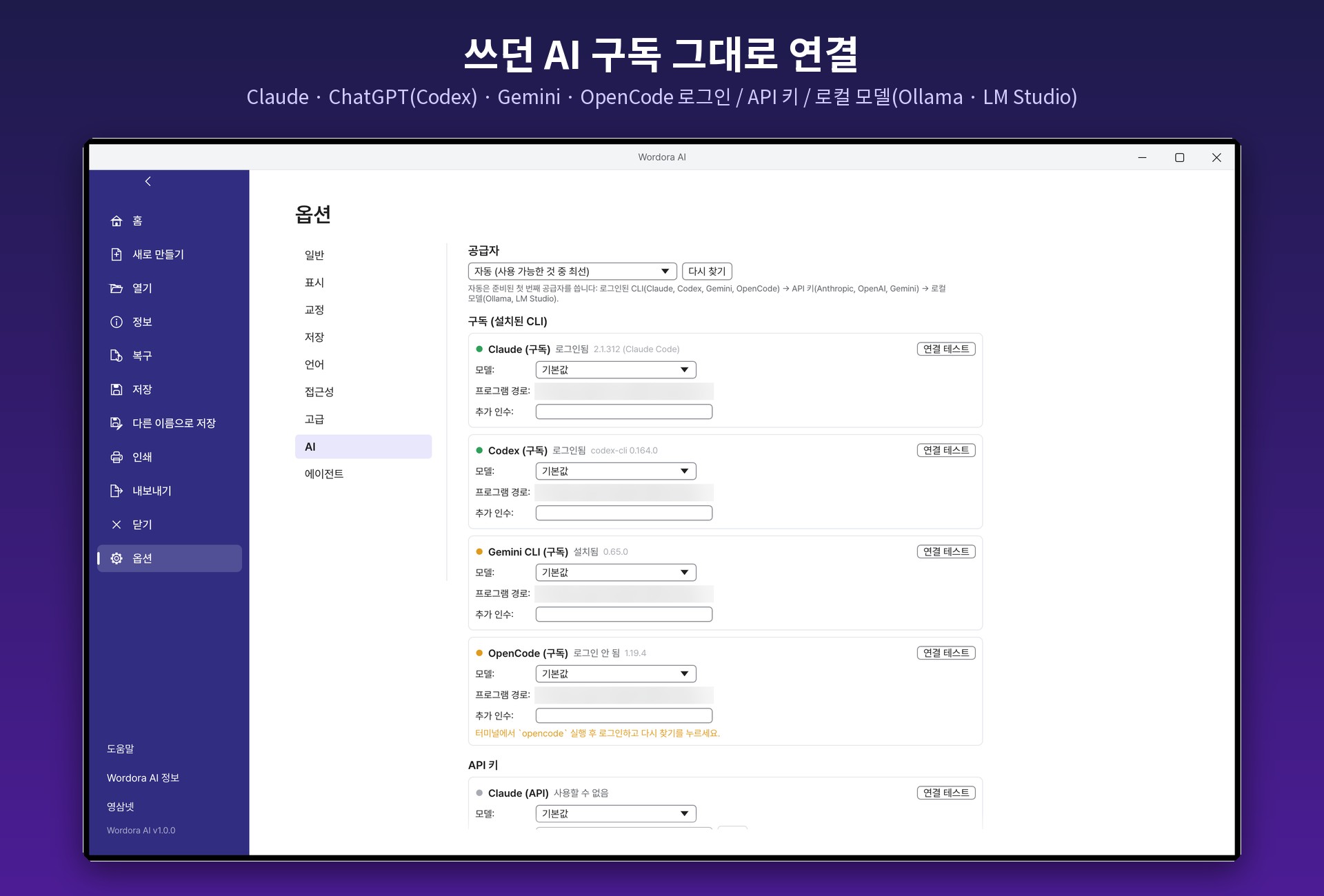
AI connection settings — check and test the connection status in File › Options › AI.
Subscription sign-inClaude (Claude Code) · ChatGPT (Codex) · Gemini (Gemini CLI) · OpenCode — use the subscription you already pay for
API keyAnthropic · OpenAI · Google Gemini — keys stored encrypted in Windows Credential Manager
Local modelsOllama · LM Studio — your documents never leave your PC
Auto modeFinds and connects to an available AI automatically
04 · FAMILIAR
Familiar to use, broadly compatible
The familiar Ribbon menu, command search and shortcuts you already know. Open it for the first time and you'll know where everything is.
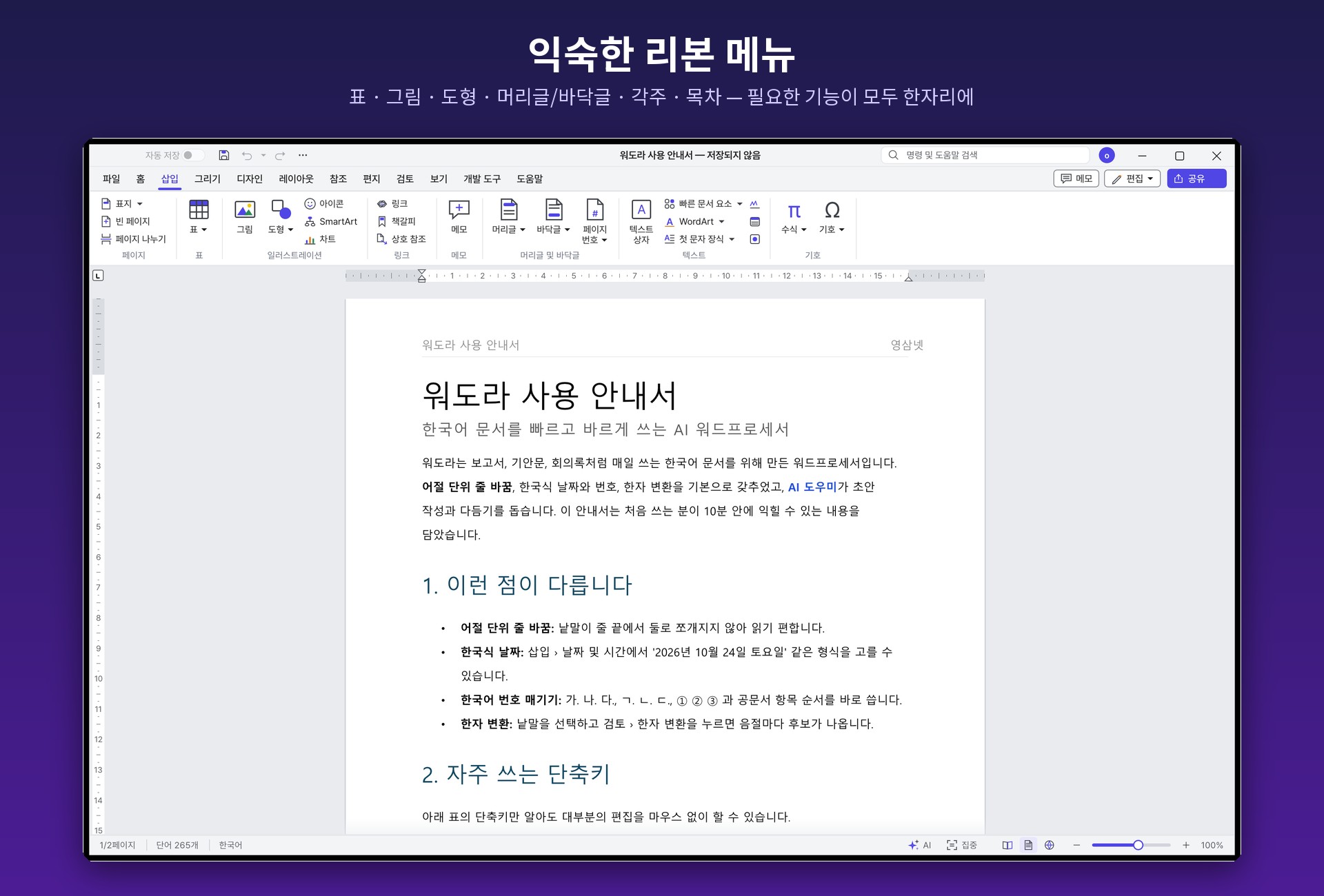
Ribbon menu — tables · pictures · shapes · headers/footers · footnotes · table of contents · comments · track changes, all in one place.
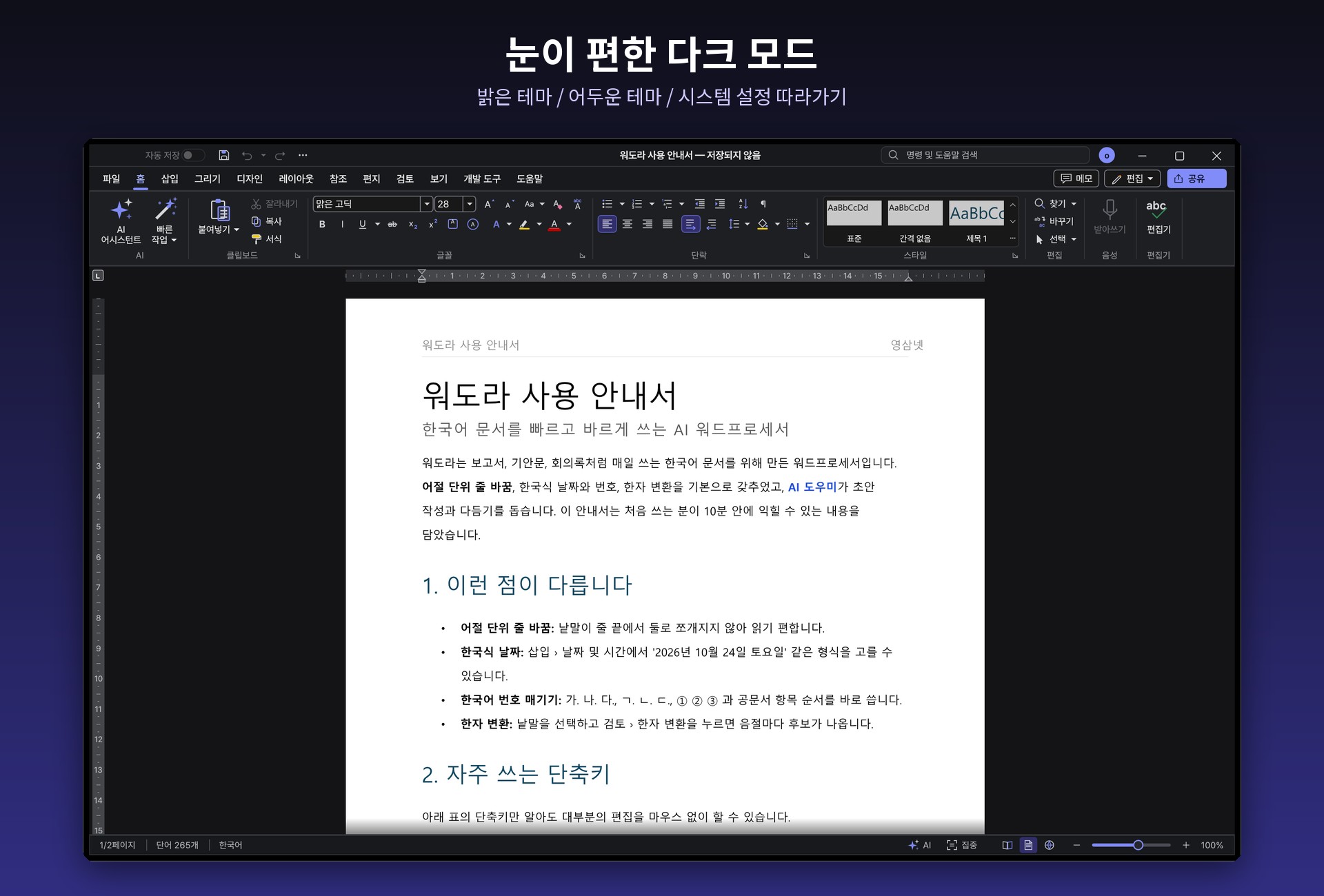
Dark mode — light theme / dark theme / follow system setting. 27 UI languages, Korean included.
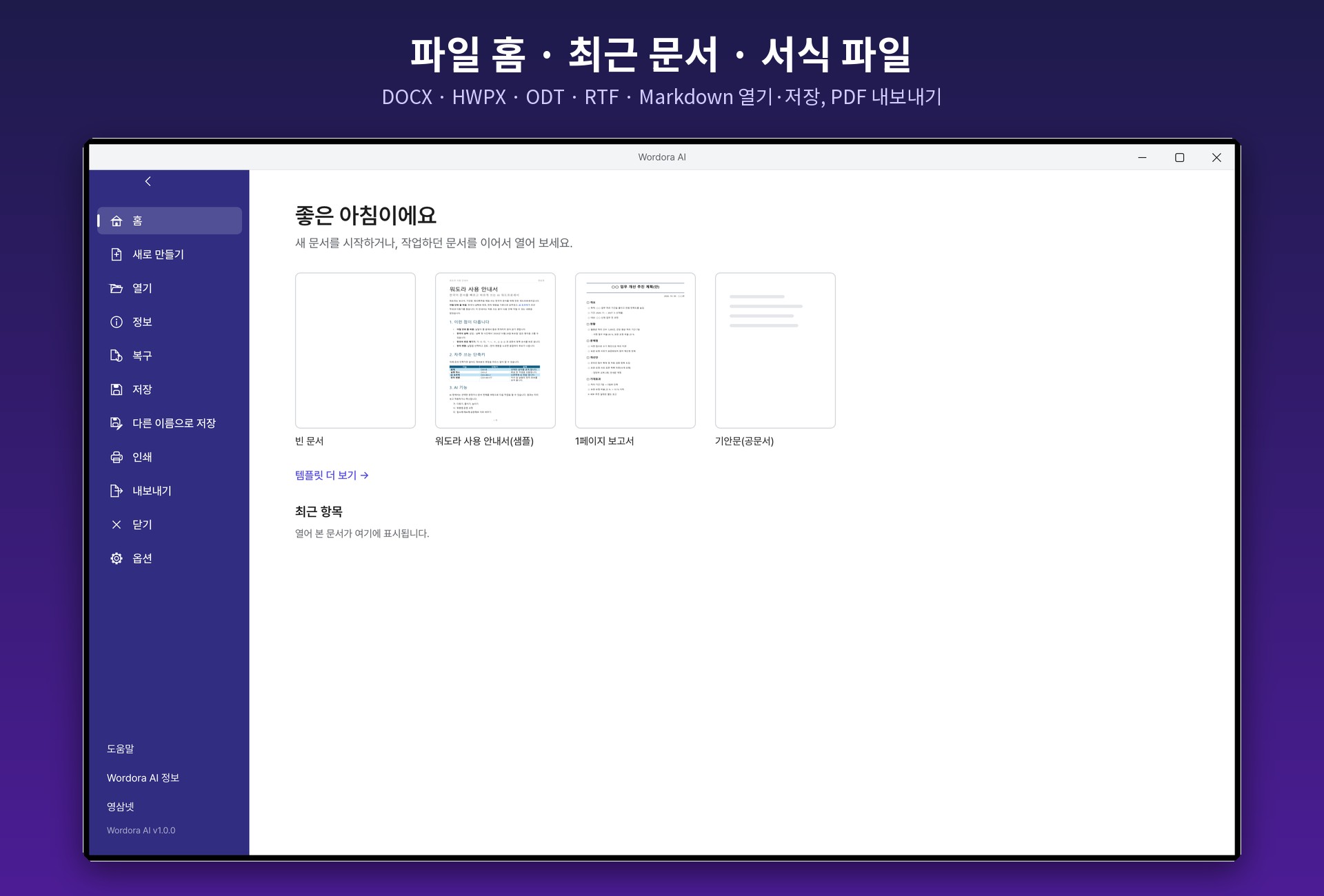
File home — start right away from a blank document, a template or a recent document.
Open · SaveDOCX · HWPX · ODT · RTF · Markdown · HTML · TXT
ExportPDF
05 · UPDATE
Safe automatic updates
Notifies you when a new version is out and installs it in one click.
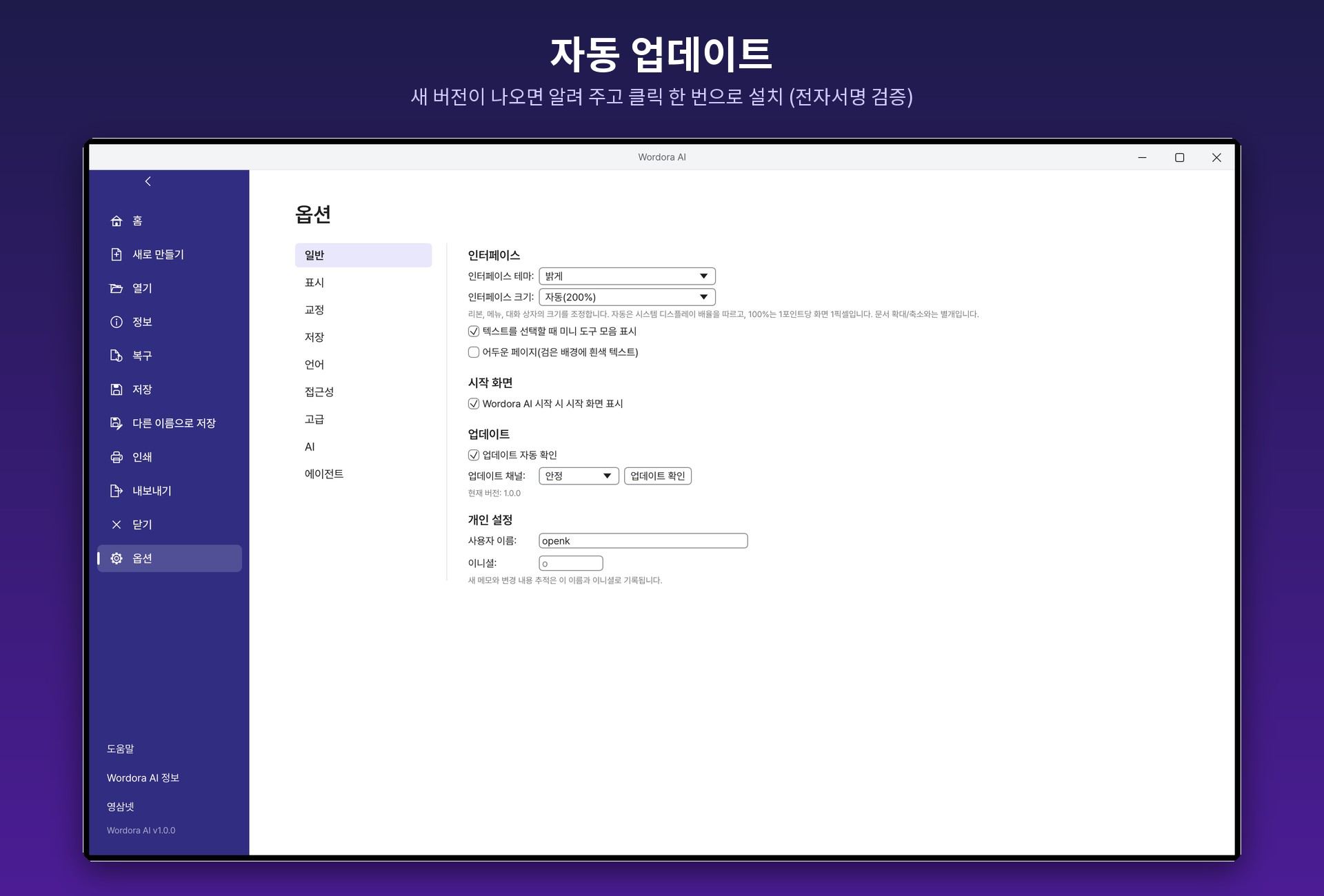
Update settings — turn automatic checking on or off in File › Options › General.
🔔
New version alerts
Notifies you when a new version is out and installs it in one click.
🔏
Digital signature verification
Update files are verified with a digital signature (ed25519) before installing.
🛟
Automatic recovery
Recovers the document you were working on if something goes wrong.
06 · INSTALL
How to install
1
Download and run
Download and run the installer below (Wordora-1.0.0-windows-x64-setup.exe).
2
Or use the portable version
Unzip the portable version (Wordora-1.0.0-windows-x64-portable.zip) and run wordora.exe. No installation needed.
3
If a SmartScreen warning appears
More info → Run anyway — click them in order.
4
Check the AI connection
To use AI, check the connection status in File › Options › AI.
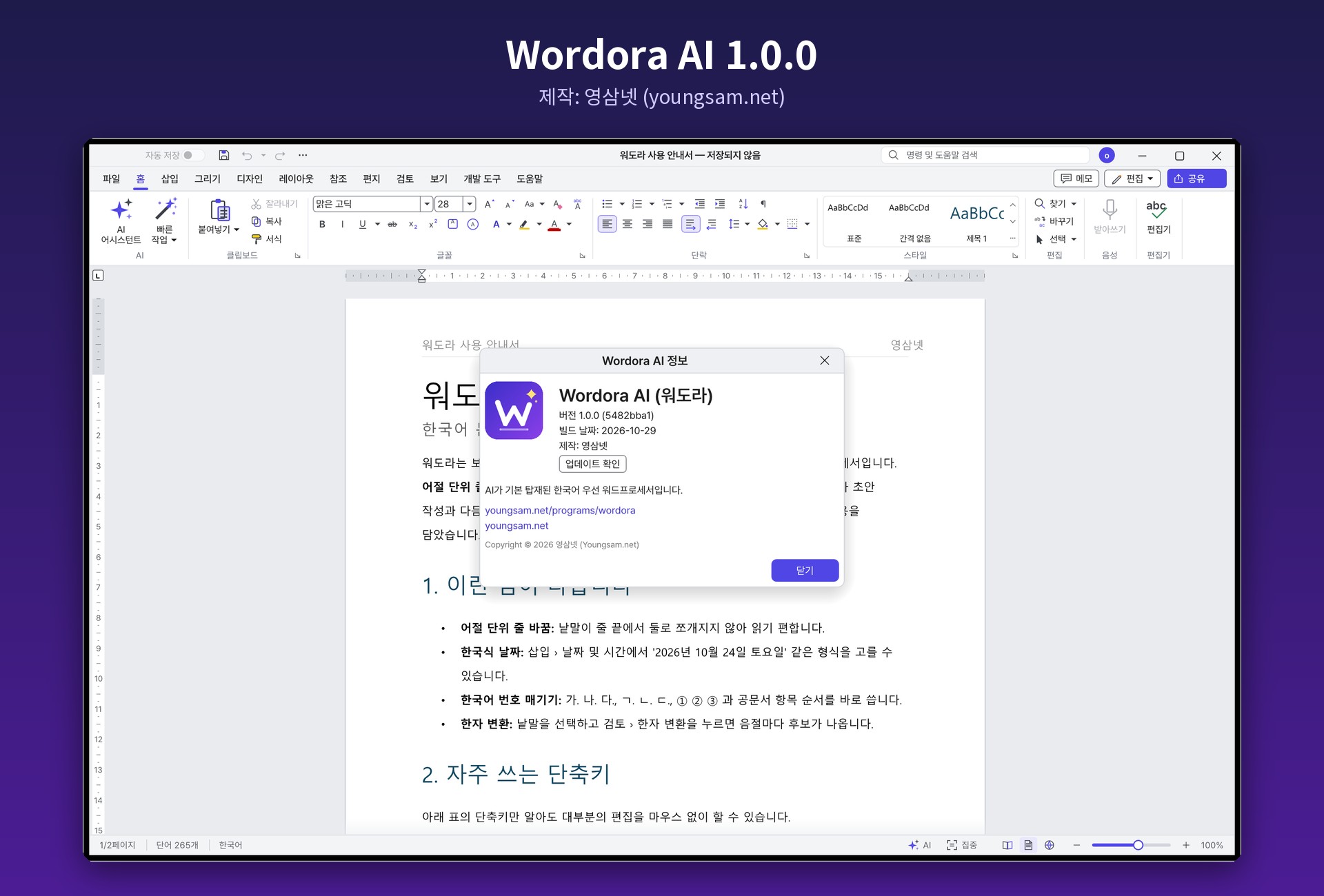
Version info — check the version and look for updates in Help › About Wordora AI. Made by Youngsam.net.
08 · FAQ
FAQ
Is Wordora AI free?
Yes, it's free. It runs on Windows 10 and 11 (64-bit).
Do I have to pay extra to use the AI features?
If you're signed in to a Claude · ChatGPT · Gemini subscription you already have (Claude Code · Codex · Gemini CLI) or to OpenCode, it connects as-is at no extra cost. You can also use an API key (Anthropic · OpenAI · Google Gemini) or a local model (Ollama · LM Studio).
Is my document content sent anywhere?
When you use an AI feature, the selected text or document is sent to the AI service you chose. With a local model such as Ollama or LM Studio, your documents never leave your PC. Regular editing without AI works with no internet connection.
Can it open Hancom (HWPX) documents?
Yes. It can open and save HWPX documents. It also opens and saves DOCX · ODT · RTF · Markdown · HTML · TXT, and exports to PDF.
Can I review AI edits before applying them?
Yes. Turn on “Apply with Track Changes” and the AI's edits are shown as tracked changes, so you can accept or reject each one.
A "Windows protected your PC" window appears during installation.
Click [More info] → [Run anyway] to continue the installation. You can confirm the downloaded file matches the original with the SHA-256 value above.
Can I use it without installing?
Yes. Download the portable version (zip), unzip it and run wordora.exe. The portable version is updated by downloading the new zip and replacing the folder.
How do updates work?
When a new version is out, the app notifies you and installs it in one click. Update files are verified with a digital signature (ed25519) before installing.
Version history(1)
v1.0.0Latest
October 30, 2026
■ 첫 공개
· 한국어에 최적화된 AI 워드프로세서 Wordora AI(워도라) 1.0.0