
a terminal that shows who is waiting for you
VibeTerm is a free Windows SSH and terminal app built for vibe coding — writing code with AI CLIs such as Claude Code, Codex and Gemini. It handles remote servers and your local PC shell in tabs and split panes in one window, and notices whether the AI running in the terminal is working, waiting for your input or finished, then tells you with a notification.
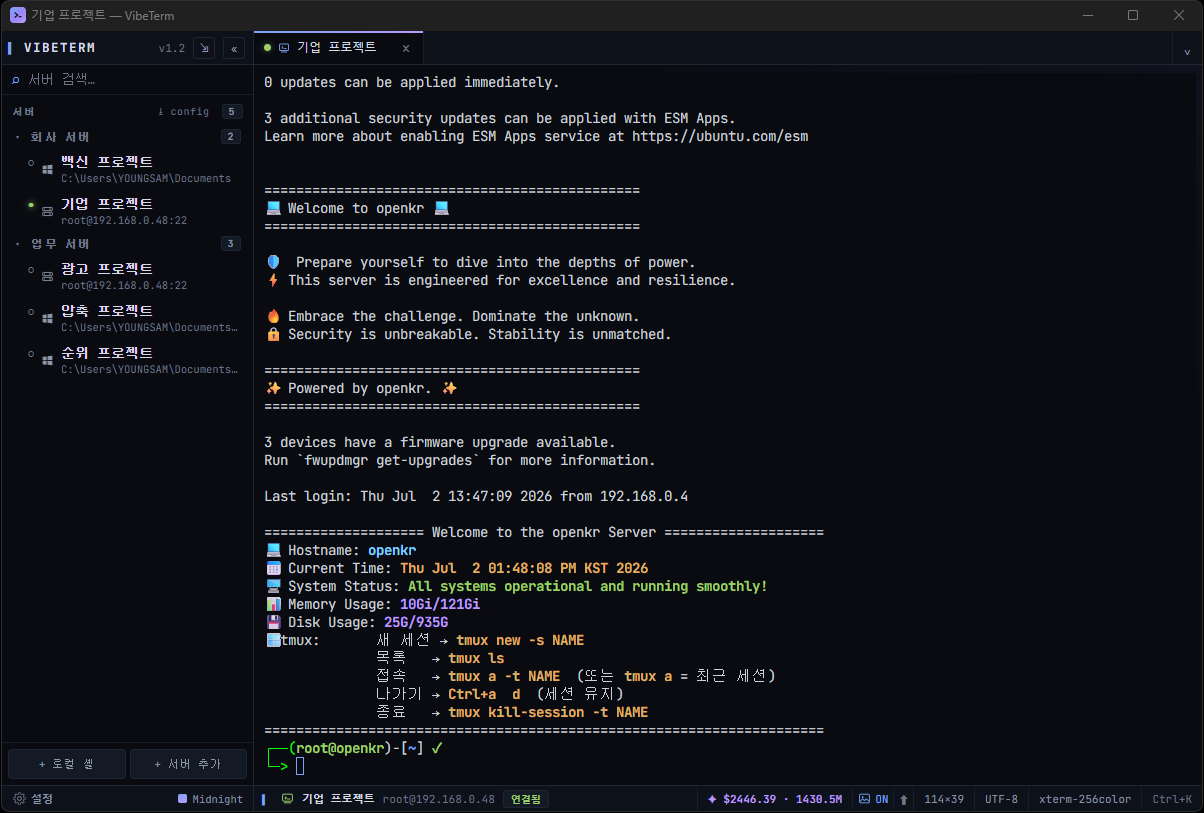
It doesn't stop at connecting — it understands the AI on top
A typical SSH client's job ends once it connects you to a server. VibeTerm reads the state of the AI agents running on top of it, so you don't have to keep watching the screen.
※ "Typical SSH client" means a common setup, not a specific product; products differ.
Stop checking whether the AI is done
VibeTerm automatically detects the state of CLI agents running in the terminal — Claude Code, Codex, Gemini, Aider and others. Even when the window is in the background, it only calls you when it matters.
Agents that direct agents — coordination
From inside a pane, a lead agent uses the vibeterm command to launch helper agents in isolated git worktrees, hand them work, and collect the results when they finish. It is off by default — turn it on in [Settings › AI] and with per-project and per-tab switches.
vibeterm spawn — launch a helper in an isolated worktree.vibeterm prompt — give it a task. Risky actions are confirmed in an approval dialog.vibeterm wait — wait until the helper is done.vibeterm read — collect the result.An agent in a remote (SSH) server pane can also be the lead, and two tabs you already have open are linked just by dragging one onto the other. Both linked AIs are told about each other's roles and can check again anytime with vibeterm whoami. Coordination activity is logged.
What you need to run several agents at once
SSH and file transfer in one window
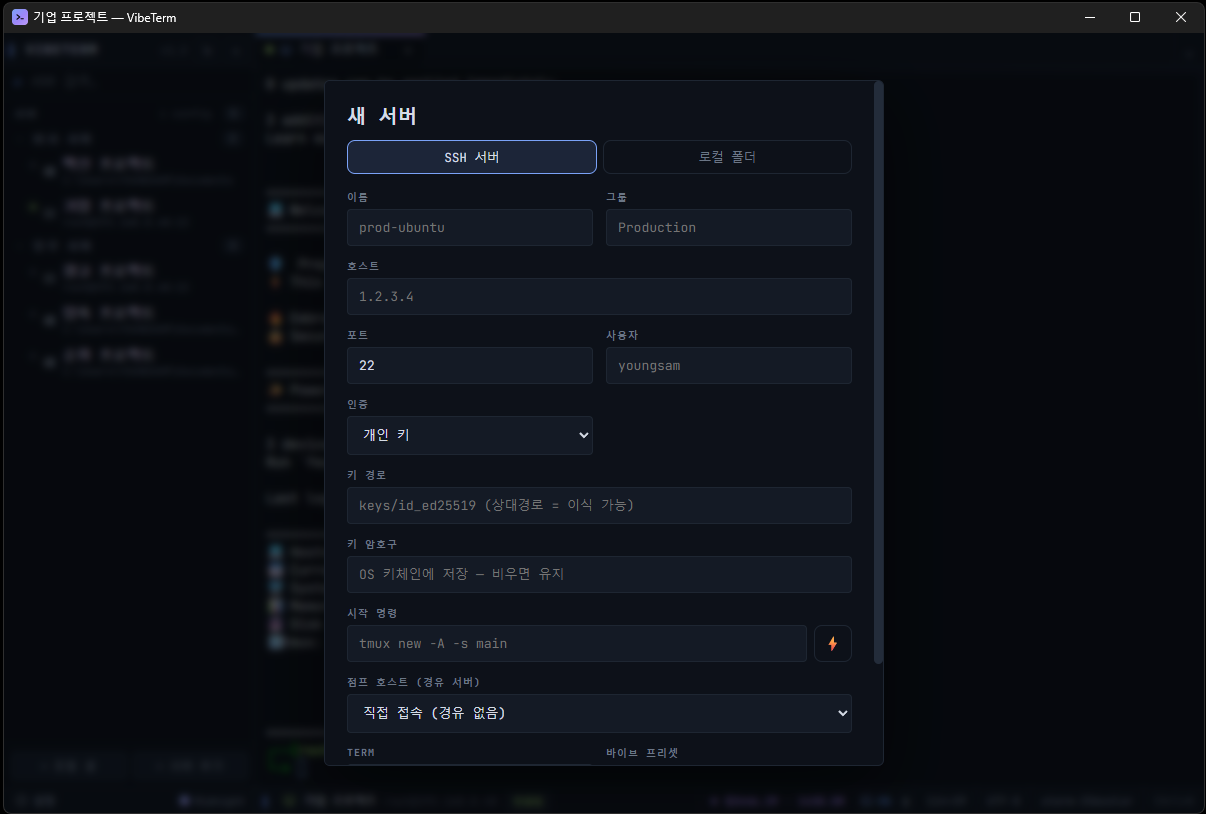
SSH and SFTP are built in via the Rust library russh — nothing else to install.
Terminal basics and shortcuts
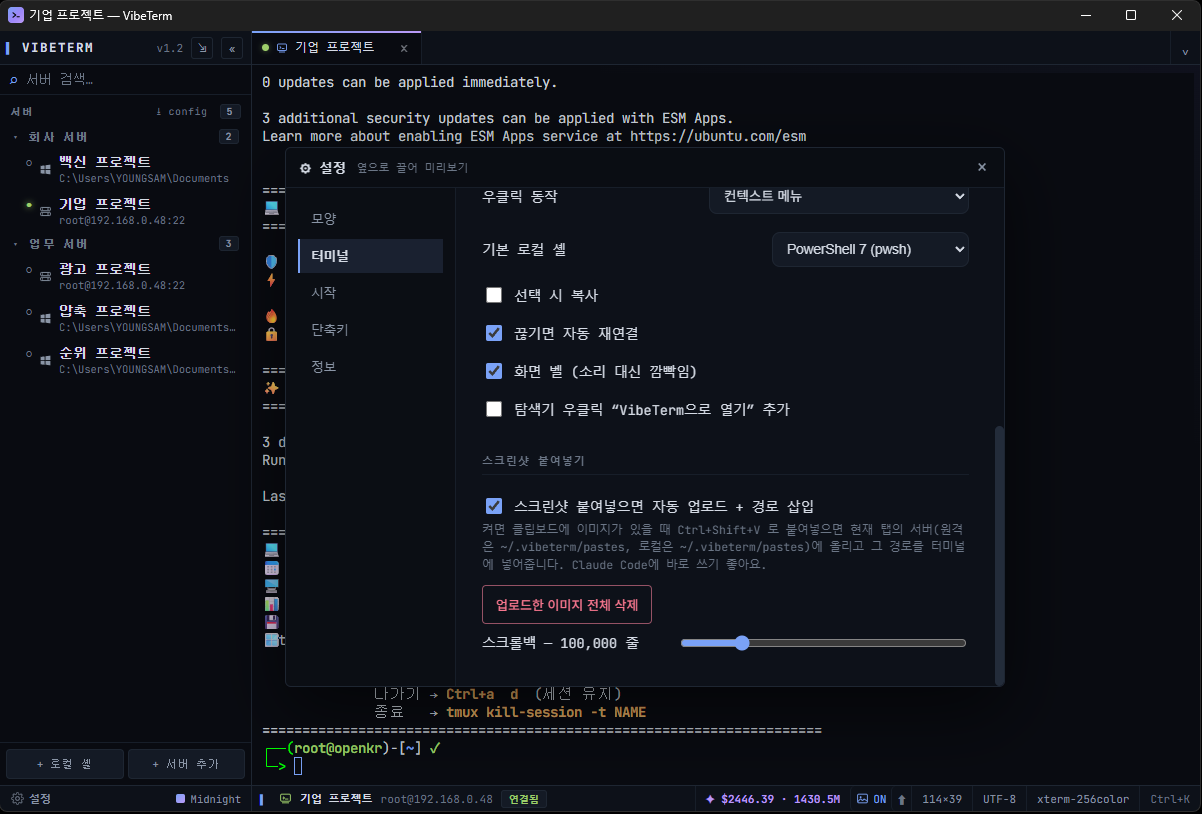
WebGL rendering, tabs · splits · zoom, a command palette, broadcast input to several panes at once, snippets with variables ({{cwd}} · {{?question}}) and scheduled runs, automatic session logs, a global summon hotkey and coding ligatures. Every shortcut can be changed.
12 themes and 4 languages
Choose from 12 themes including Midnight, Neon, Matrix, Dracula, Arctic, Solar, Ember, Crimson and Ocean, and give each server its own color to tell production from development. Menus are in 한국어 · English · 中文 · 日本語.
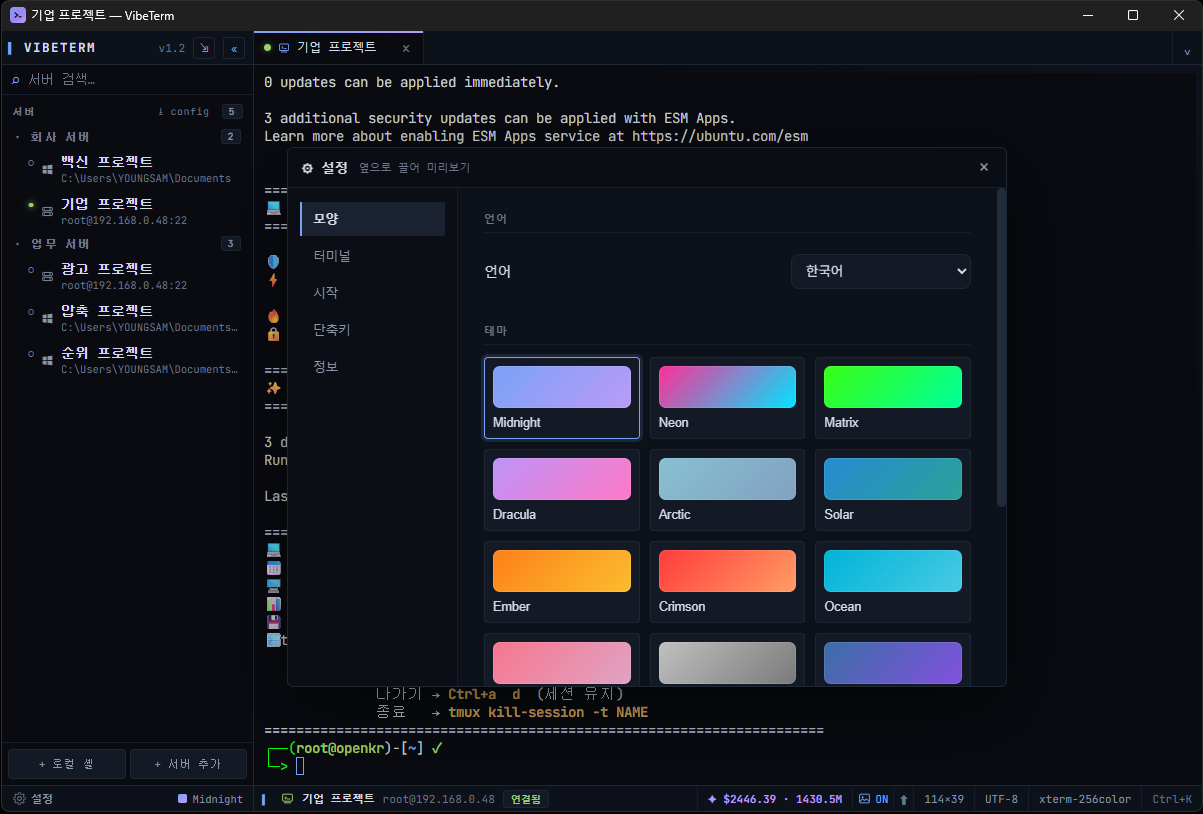
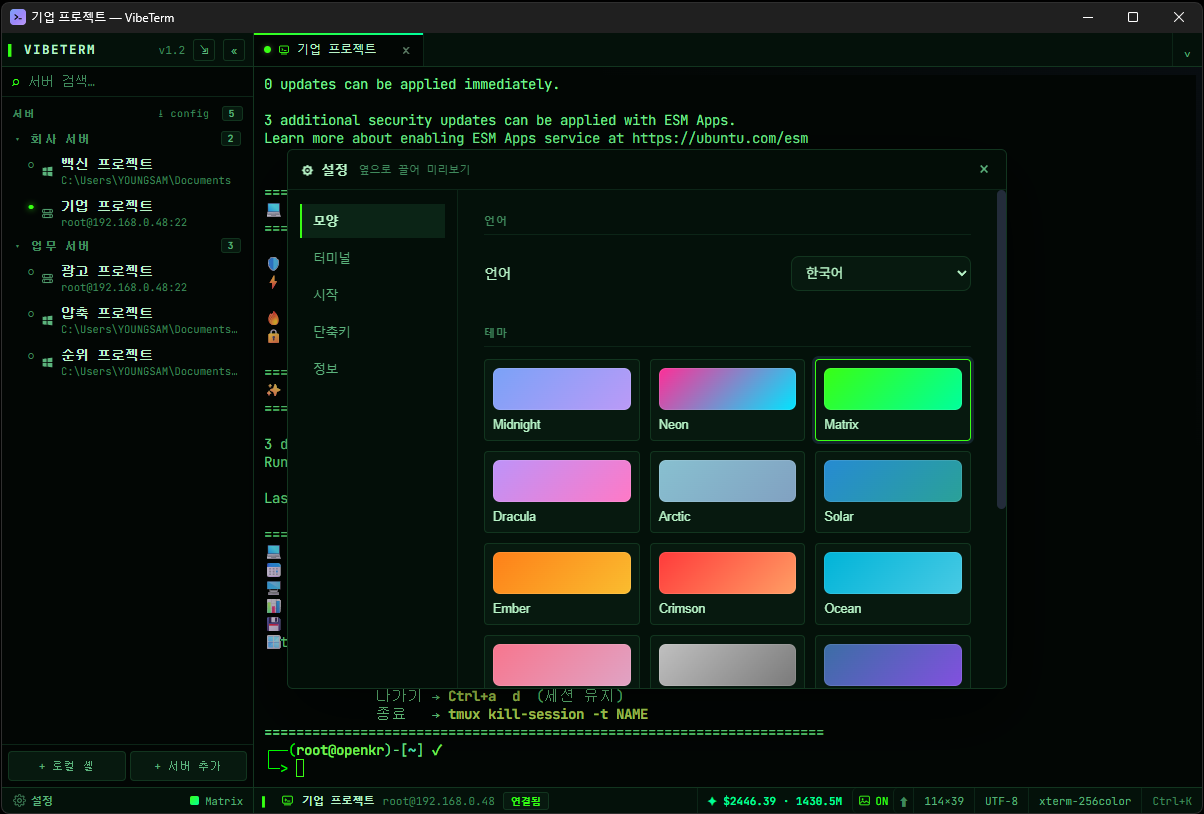
Automatic updates
The app tells you when a new version is out. Update files are applied only after their signature is verified.
Download
# PowerShell
Get-FileHash .\VibeTerm_2.21.1_x64-setup.exe -Algorithm SHA256
Get-FileHash .\VibeTerm_2.21.1_무설치_portable.exe -Algorithm SHA256

# Expected (2.21.1)
# VibeTerm_2.21.1_x64-setup.exe
# 5540956dbd5b4b905f49f47fca3c798c8763a28a18bec3f0cc8aab648abc8369
#
# VibeTerm_2.21.1_무설치_portable.exe
# ab49c3539332dc5fb2a7f2801789f39ee08647dff947e514fc4e5052a9a1da69Frequently asked questions
What is VibeTerm?
A free Windows SSH and terminal app made for coding with AI CLIs such as Claude Code, Codex and Gemini (vibe coding). It handles SSH remote sessions and local shells in tabs and splits, with AI status detection, notifications and SFTP built in.
What is vibe coding?
A way of writing code by telling an AI what you want in natural language. VibeTerm is built around that flow (prompts, approvals, notifications, logs).
Is VibeTerm free? Does it run on Mac or Linux?
It is completely free, with no ads and no sign-up. The current release files are an installer and a portable build for Windows 10/11 64-bit. Linux servers are used over SSH.
Can I get a phone notification when Claude Code finishes a task?
Yes. Add an ntfy, Discord or Slack webhook in settings and you'll get a phone notification when the AI waits for input or finishes. There are also desktop notifications and sounds, and you can set do-not-disturb hours.
How do I manage several AI agents running at once?
Each tab shows its agent's state by color, and in the agent dashboard you can see who is waiting, reply right away or schedule the next prompt. New agents start in isolated git worktrees via the worktree launcher.
Is the agent coordination feature safe?
Coordination is off by default and agents only take part when you enable it per project or tab. Risky actions are confirmed in an approval dialog, and coordination activity is logged.
How do I show a screenshot to the AI on the server?
Paste a clipboard screenshot into the terminal and it is uploaded to the server automatically, with its path inserted on the input line. Dragging files or folders onto the terminal uploads them too.
Can it replace PuTTY, MobaXterm or Windows Terminal?
It supports regular SSH sessions, local shells, SFTP, port forwarding and jump hosts, so it can. You can bring over existing connection settings with ssh_config import, and AI status detection, notifications and screenshot upload are extras VibeTerm adds.
Does Korean input work well in Claude Code?
It supports a Korean UI and Korean IME composition. So that Korean input doesn't break while the AI is printing output, terminal output is briefly buffered during composition and redrawn afterwards.
How do updates work?
The installer downloads new versions, installs them automatically and restarts; the portable build tells you to download. Versions older than 2.11.5 need one manual install because the signing key changed.
Is the "Windows protected your PC" warning safe to ignore?
It appears because the executable is an independently developed program without a code-signing certificate. Click "More info" → "Run anyway", and you can first check that your download matches the original with the SHA-256 values on this page.
Windows and Windows Terminal are trademarks of Microsoft Corporation. Claude Code is a trademark of Anthropic, Codex of OpenAI and Gemini of Google; PuTTY, MobaXterm and other product names mentioned are trademarks of their respective owners. VibeTerm is not affiliated with them.