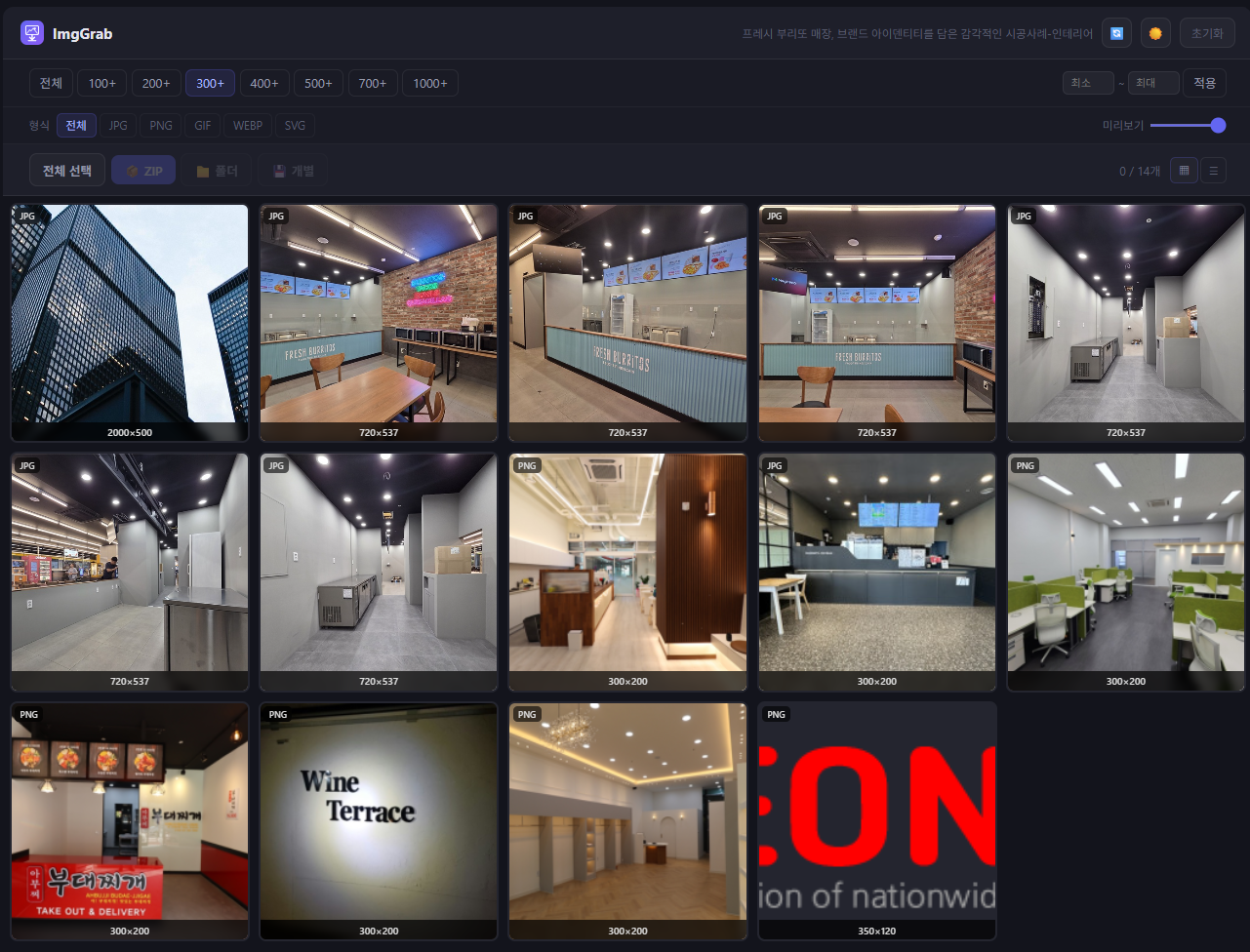
Overview
When you save images from a web page, do you find yourself repeating right-click → Save image as... one by one?
ImgGrab is a Chrome extension that shows every image on the current page at once and lets you pick the ones you want and bulk-download them as a ZIP.
A size filter automatically excludes small images like icons and logos, so you download only the ones you need, cleanly. From the right-click menu you can also resize an individual image to any size and save it.
No ads. No data collection. No network transmission.
Key Features
1. Bulk image download
- Shows every image on the current page as a thumbnail grid in the popup
- Select all or pick individually, then bulk-download
- ZIP download support — dozens of images in a single file
- Individual download also available
2. Size filter
- Set a minimum width/height to automatically exclude small images (icons, logos, tracking pixels)
- Your settings are saved automatically — the same filter applies next time
3. Right-click resize & save
- Right-click an image on a web page → "ImgGrab: Resize and save image"
- Specify the width/height you want and download the resized image
- Keep-aspect-ratio option supported
4. Image info display
- Shows each image's original size (width × height)
- Shows the file format (JPG, PNG, GIF, WebP, SVG, etc.)
- Copy image URL feature
Recommended for
- Anyone collecting images in bulk from blogs or online shops
- Designers gathering design references
- Anyone who wants to grab images easily without web crawling
- Anyone who wants to save images from sites where right-click is disabled
- Anyone who wants to resize images to a specific size before saving
How to Use
- Install ImgGrab from the Chrome Web Store
- On the page you want images from, click the extension icon
- Review images in the popup → adjust the size filter → select
- Click "ZIP download" or "Individual download"
Right-click resize: right-click an image on a web page → choose "ImgGrab: Resize and save image"
Technical Specifications
| Name | ImgGrab |
| Type | Chrome extension |
| Category | Productivity tool |
| Developer | youngsam.net |
| Platform | Chromium-based browsers such as Chrome, Edge, Whale, Brave |
| Permissions | activeTab, downloads, contextMenus, storage |
| Data collection | None |
| Network communication | None (all processing done locally) |
| Ads | None |
| License | Freeware |